> For the complete documentation index, see [llms.txt](https://docs.deltadefi.io/llms.txt). Markdown versions of documentation pages are available by appending `.md` to page URLs; this page is available as [Markdown](https://docs.deltadefi.io/faq/project-catalyst-f12-milestone-reporting/frontend-and-backend-integration-process-and-functionalities-testing.md).
# Frontend & Backend & Smart Contract Integration Process and Functionalities Testing
Below documentation illustrate the key testing process of frontend & backend integration
## Frontend & Backend Integration Verification
Sign in to Account
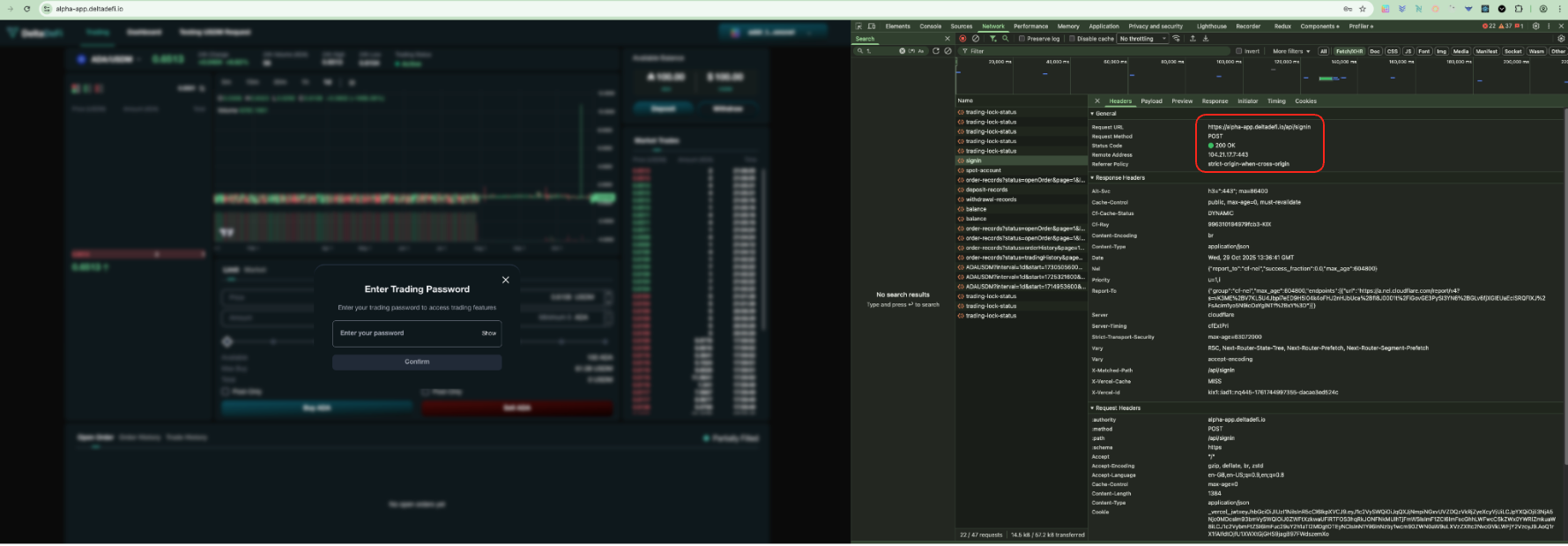
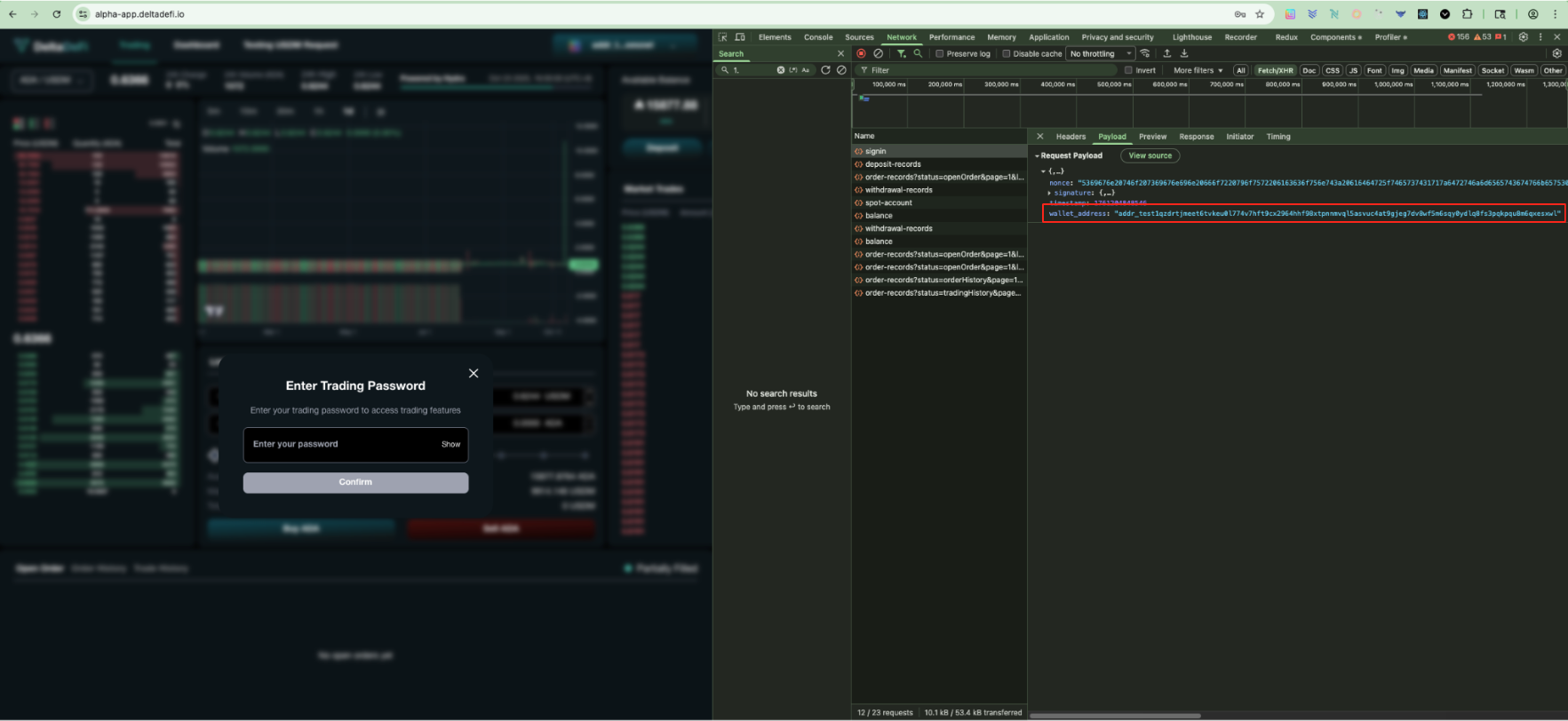
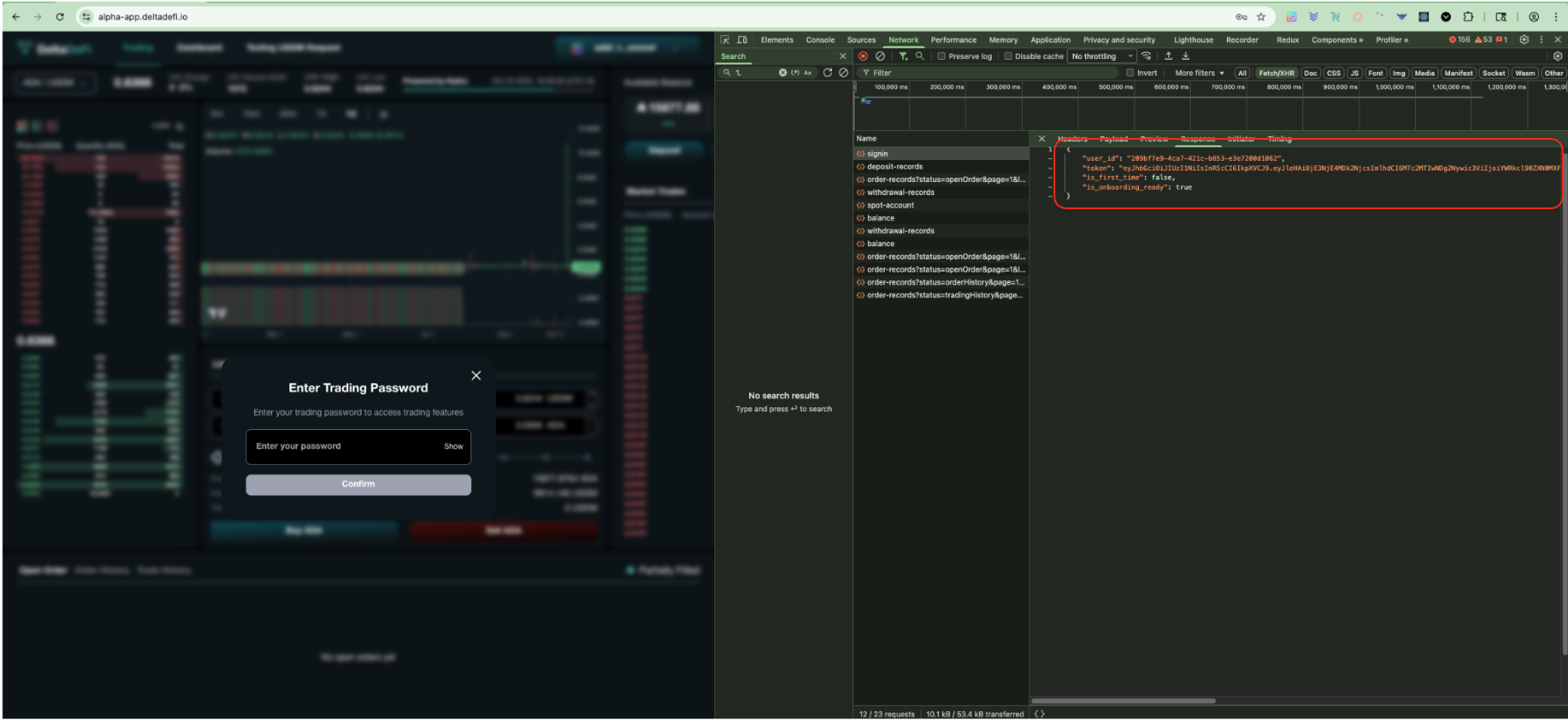
After the user has pressed the connect wallet button and signed the wallet ownership verification message, frontend will send a signin request to backend using the `SignIn` API
### POST - SignIn (Status Code)
The `200 status code` shows the api is being called and responded successfully
### POST - SignIn (Request params)
The request param is aligned with the required request param from the backend API
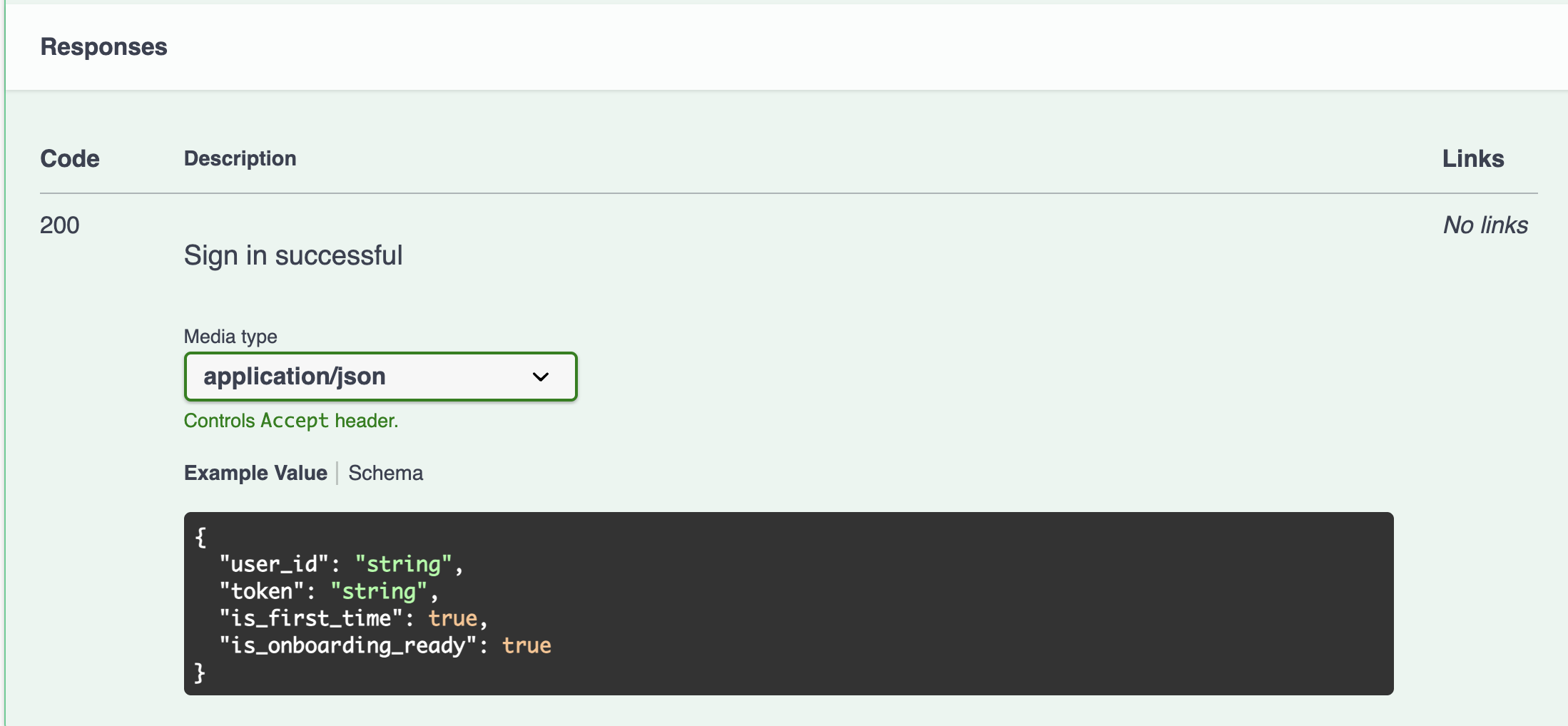
### POST - SignIn (Response)
The response fields are aligned with the required response fields from the backend API
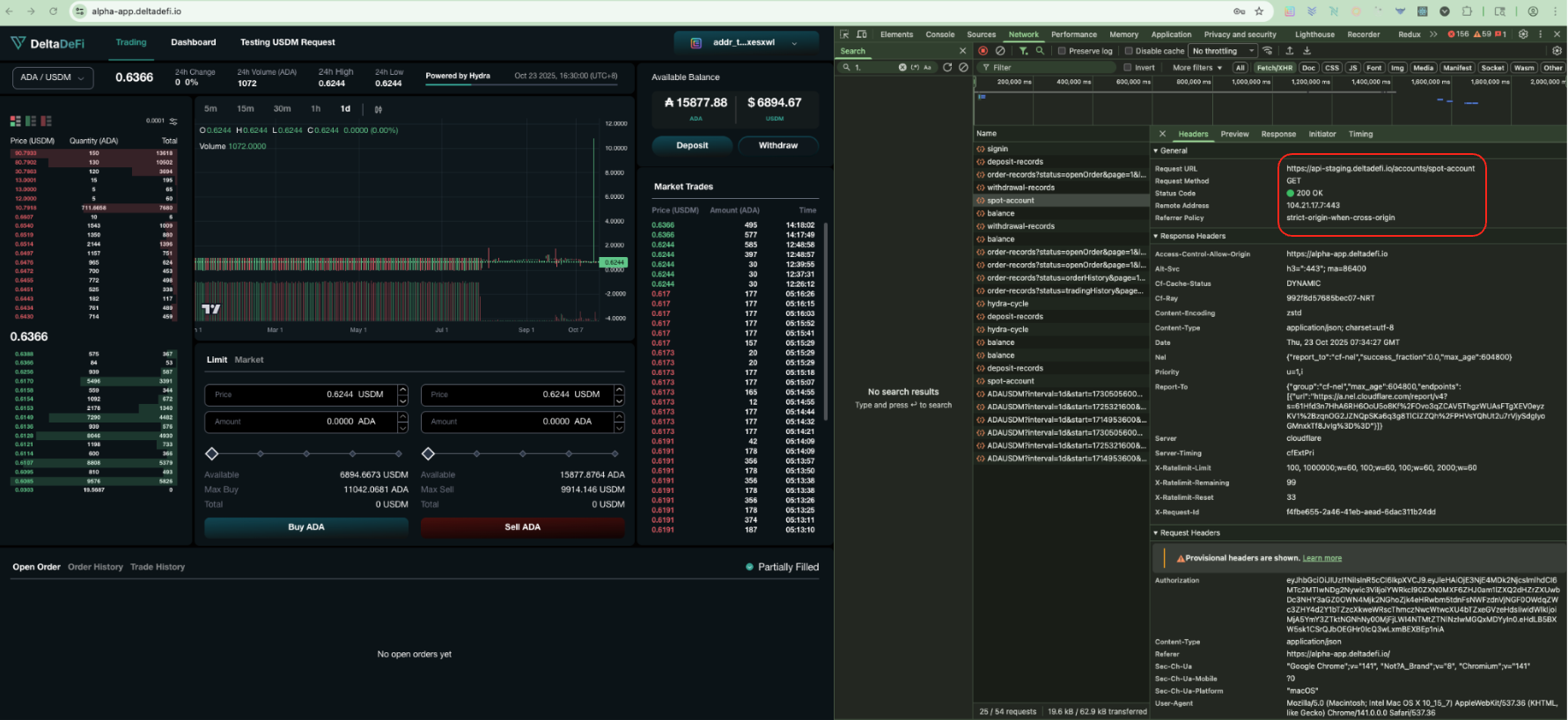
Get Spot Account Information
After the user has performed a successful sign-in, frontend will call the GET spot-account API to retrieve necessary account information related to the user account
### GET - Spot-account (Status Code)
The `200 status code` shows the api is being called and responded successfully
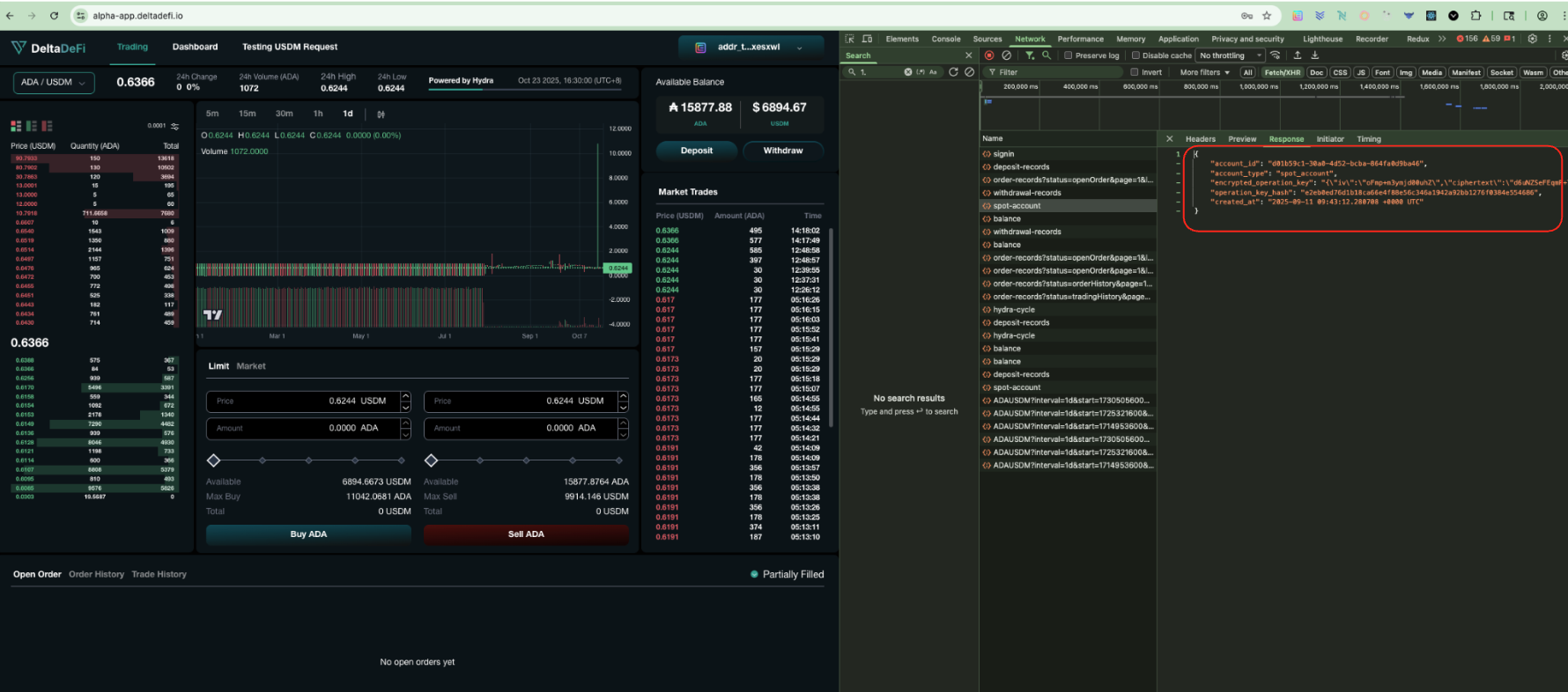
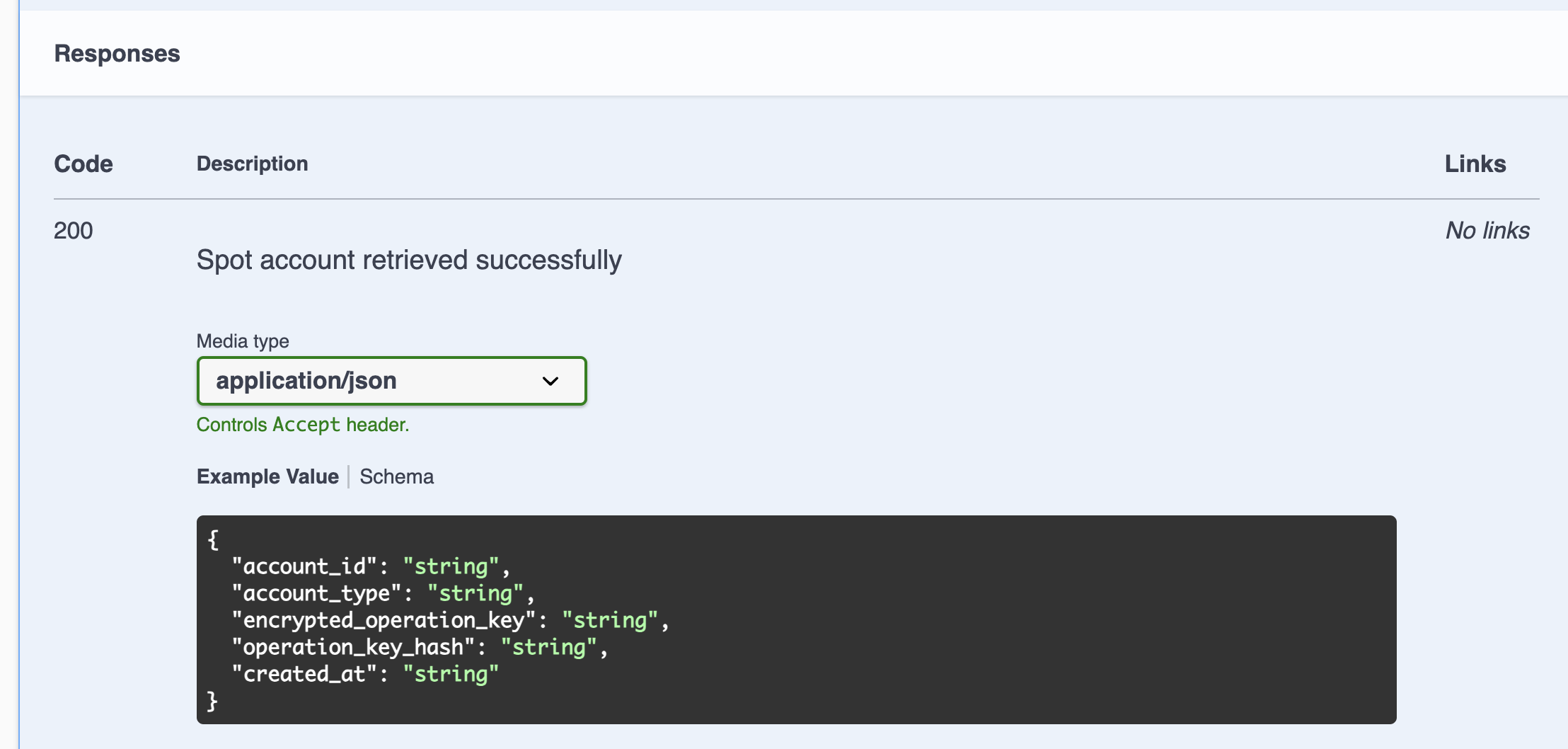
### GET - Spot-account (Response)
The response fields are aligned with the required response fields from the backend API
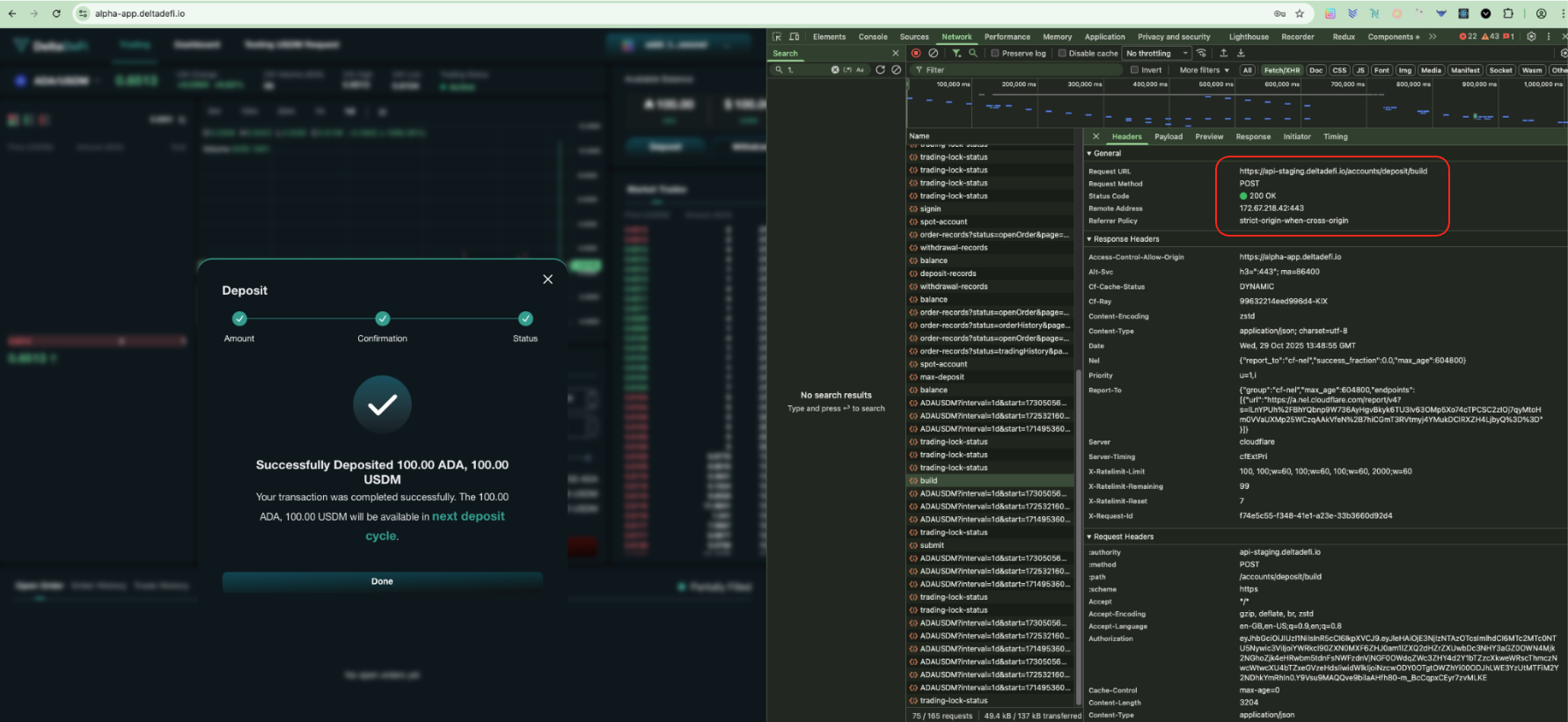
Build Deposit Transaction (Regular Deposit)
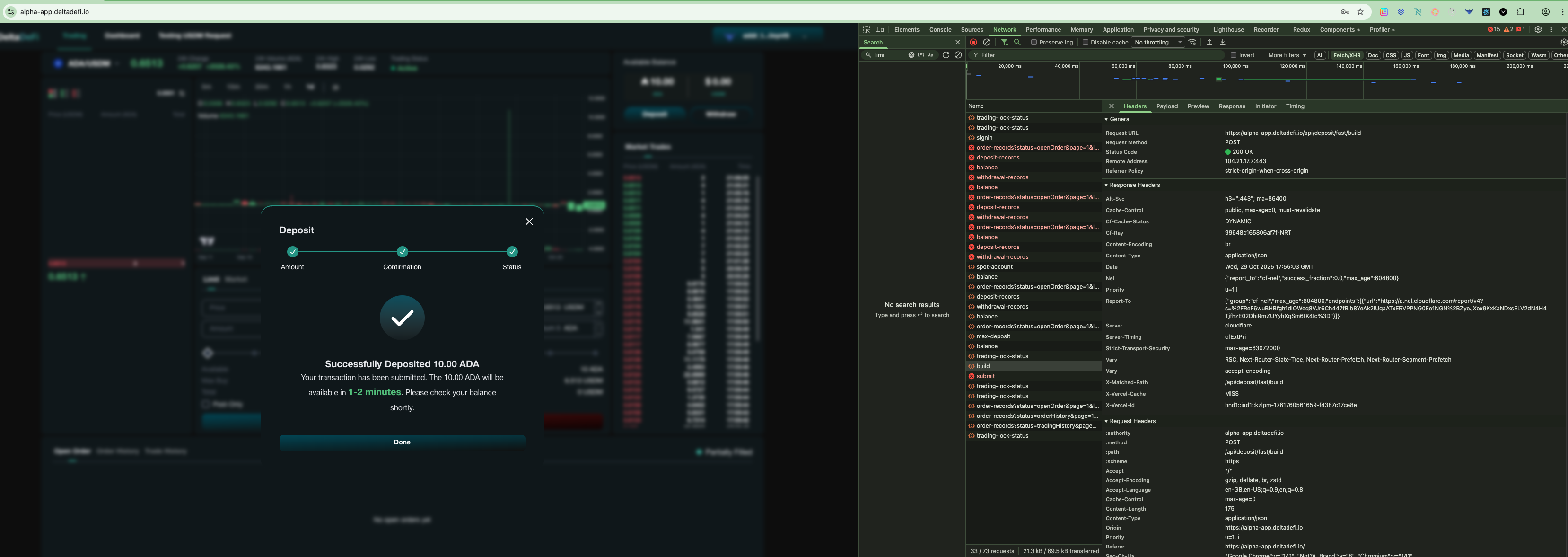
After successful signin, user can press the deposit button and select the "Regular deposit" to deposit funds when next hydra open event occurs. After inputting the deposit amount per asset, the user can press confirm to build the deposit transaction. User's wallet signature is required to authorized the deposit transaction. Smart contract is being integrated in this action as well (Please see the smart contract integration part below for more information).
### POST - /accounts/deposit/build (Status Code)
The `200 status code` shows the api is being called and responded successfully
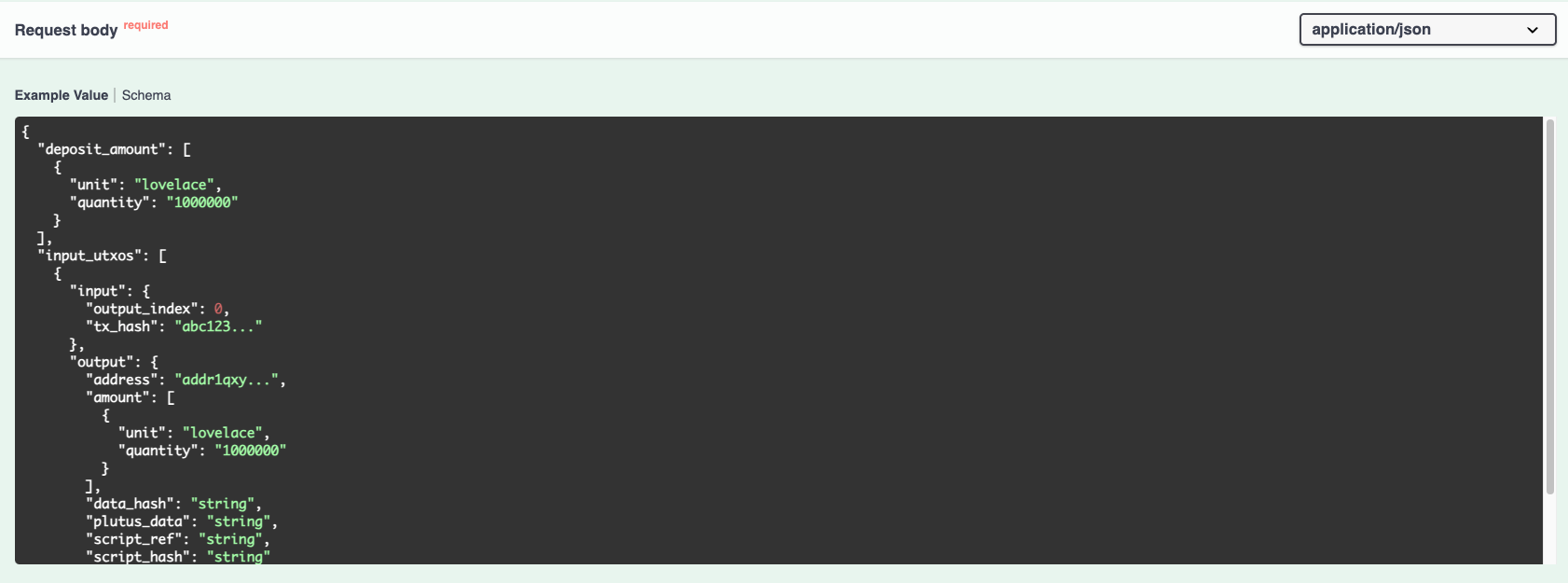
### POST - /accounts/deposit/build (Request params)
The request param is aligned with the required request param from the backend API
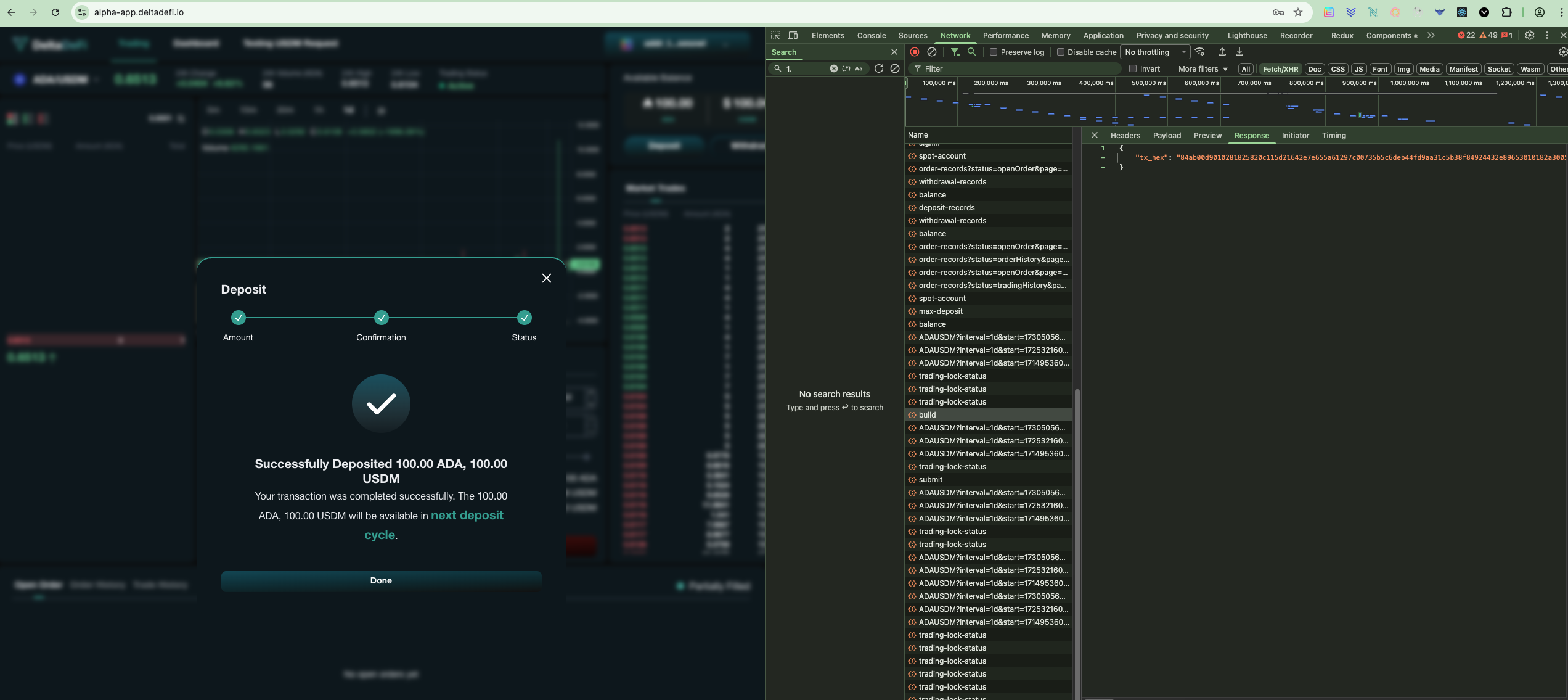
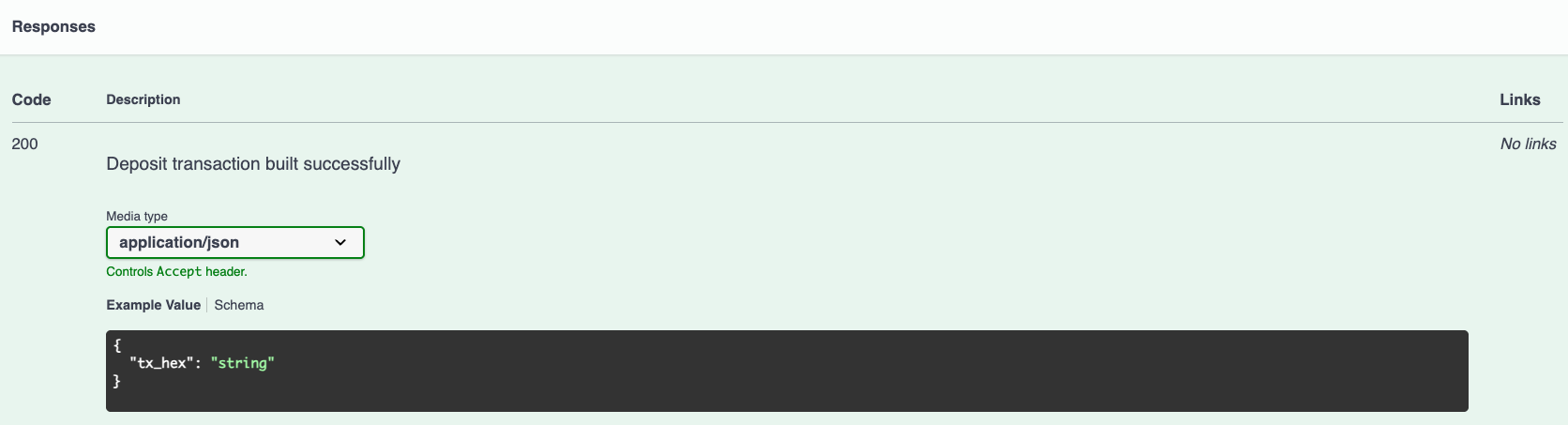
### POST - /accounts/deposit/build (Response)
The response fields are aligned with the required response fields from the backend API
Submit Deposit Transaction (Regular Deposit)
Continuing from the Build Deposit Transaction, frontend will submit the user-signed deposit transaction to the Cardano blockchain. The transaction must have been previously built using the /accounts/deposit/build endpoint and signed with the user's wallet
### POST - /accounts/deposit/submit (Status Code)
The `200 status code` shows the api is being called and responded successfully
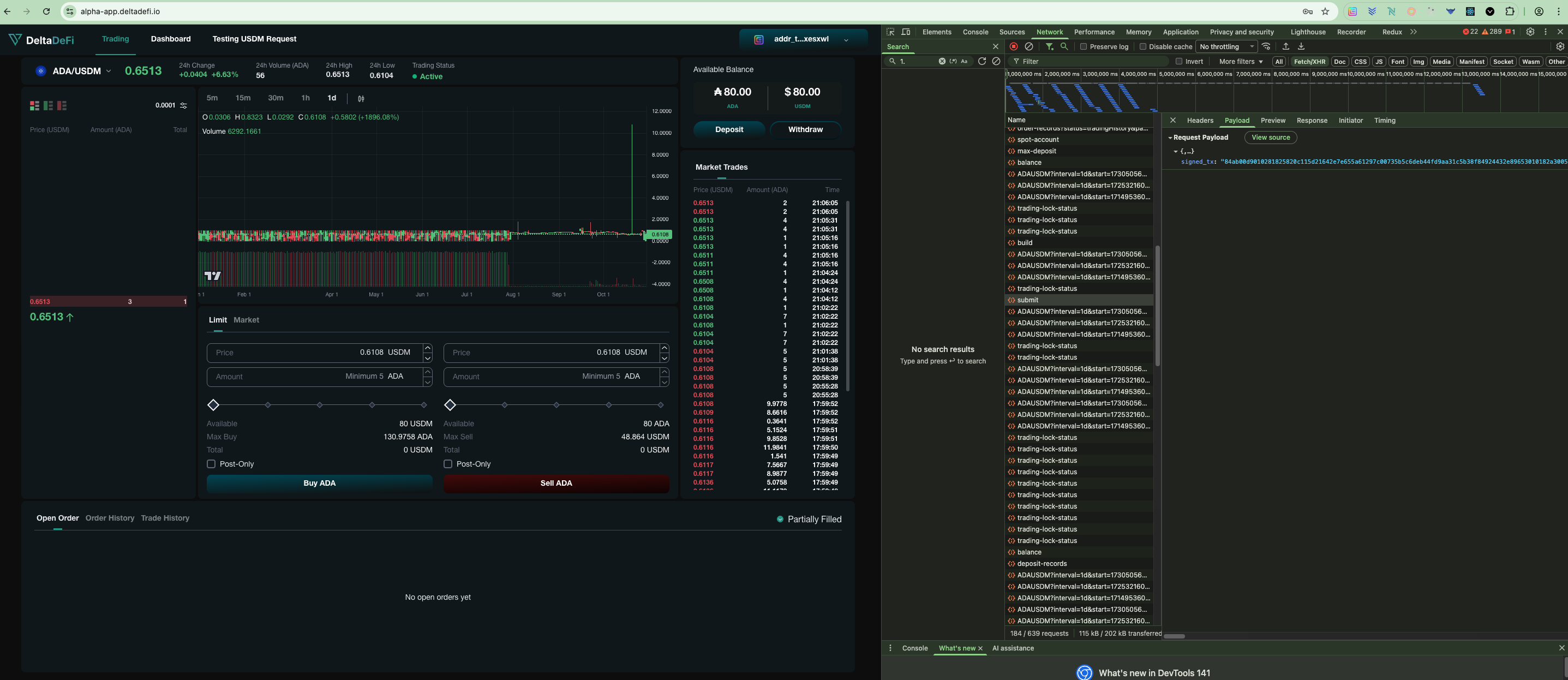
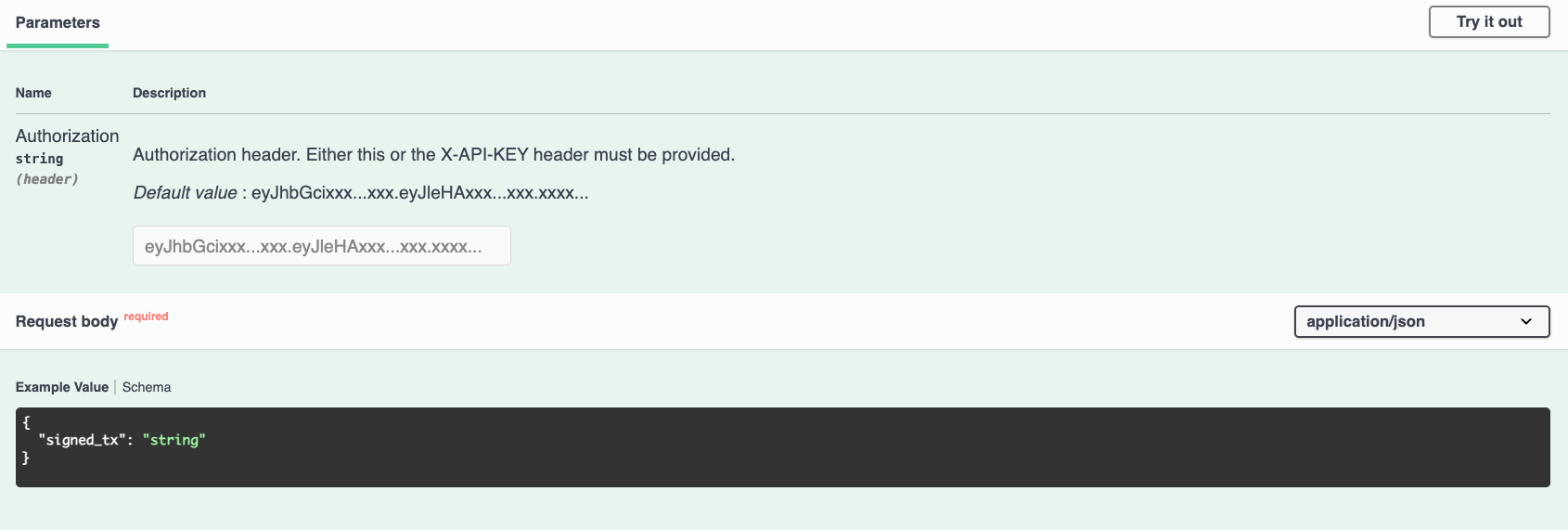
### POST - /accounts/deposit/submit (Request params)
The request param is aligned with the required request param from the backend API
### POST - /accounts/deposit/submit (Response)
The response fields are aligned with the required response fields from the backend API
Build Transferral Transaction (Fast Deposit)
After successful signin, user can press the deposit button and select the "Fast Deposit" to deposit funds shortly with aid of an operator. After inputting the deposit amount per asset, the user can press confirm to build the deposit transaction.
### POST - /accounts/transferal/build (Status Code)
The `200 status code` shows the api is being called and responded successfully
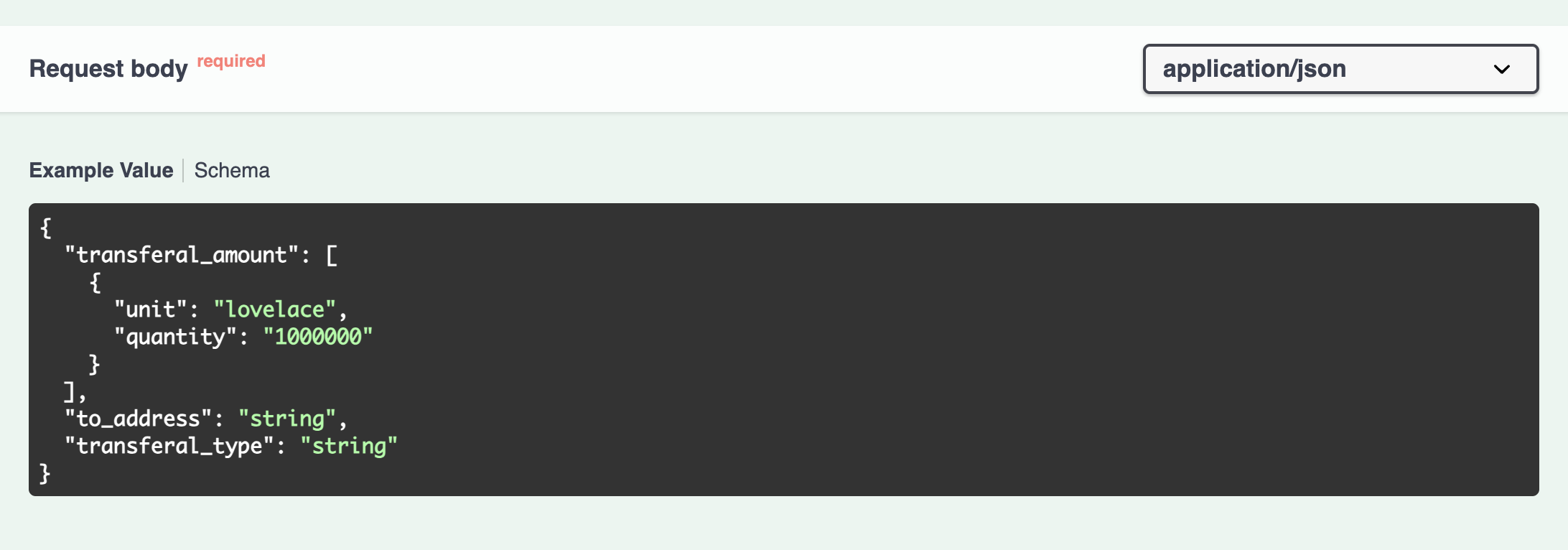
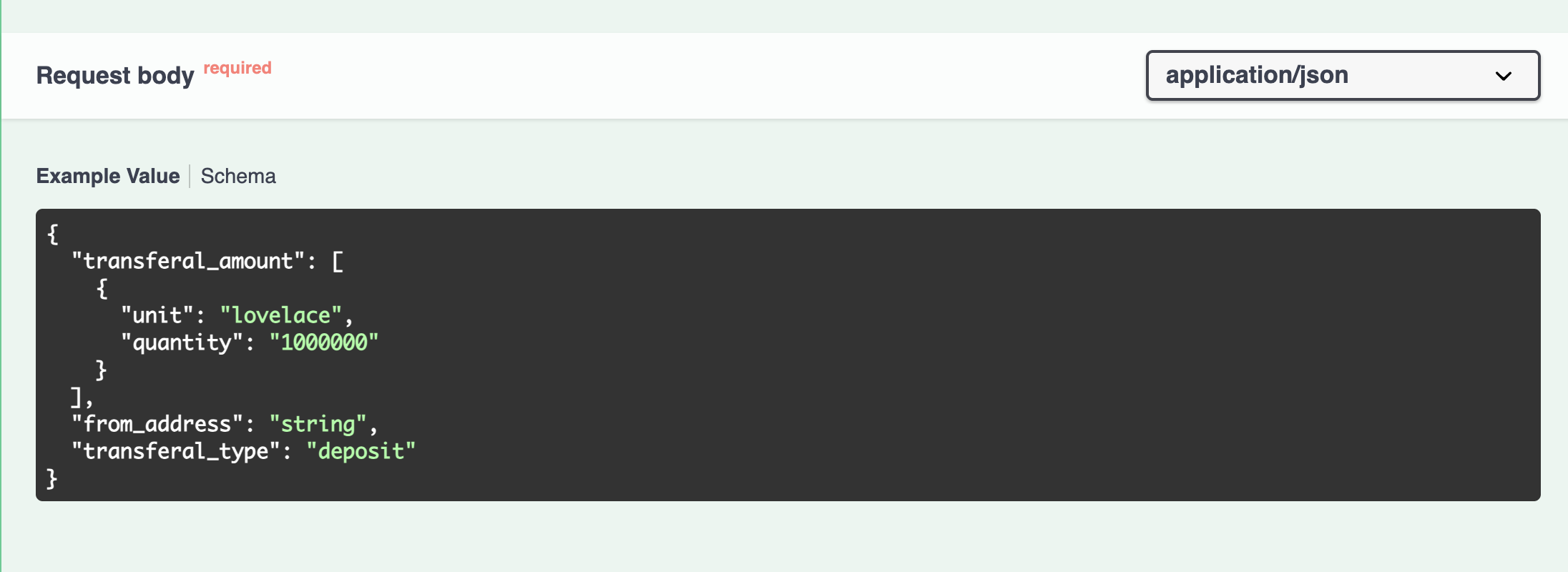
### POST - /accounts/transferal/build (Request params)
The request param is aligned with the required request param from the backend API
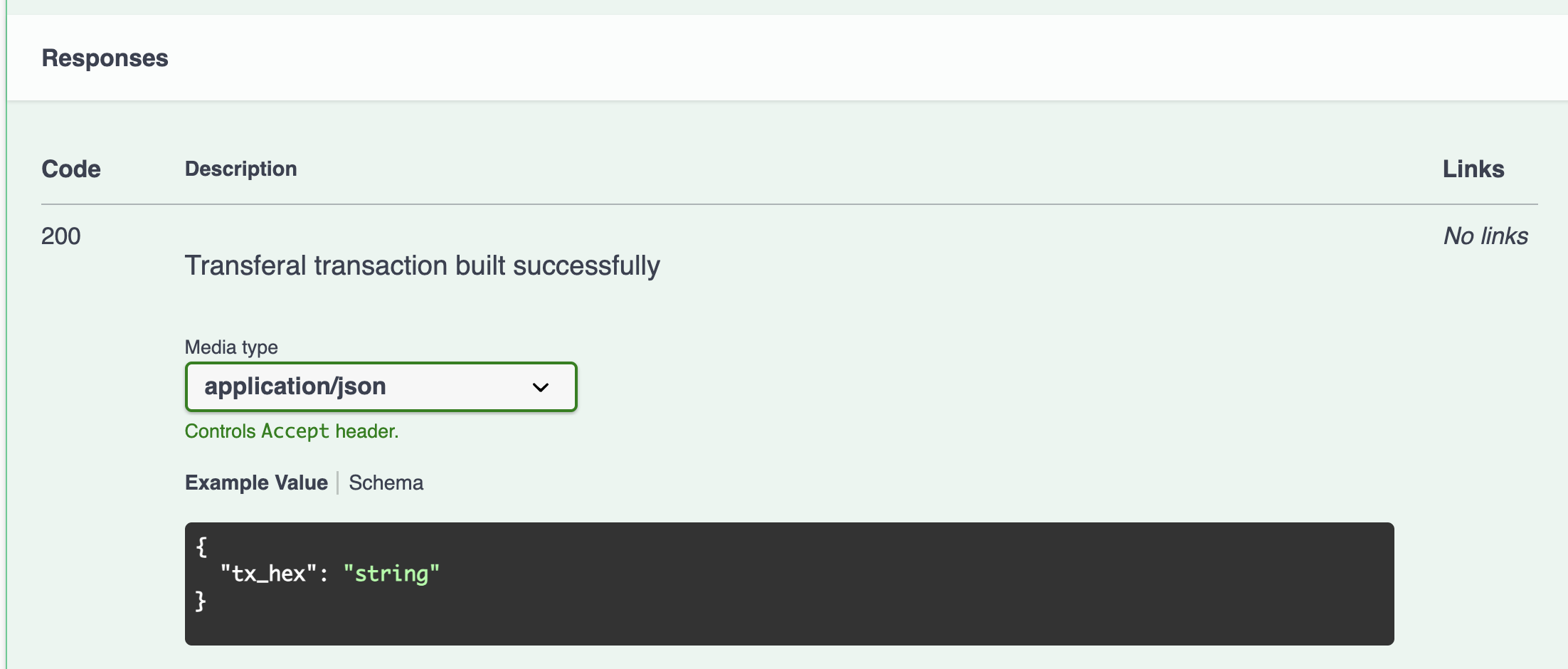
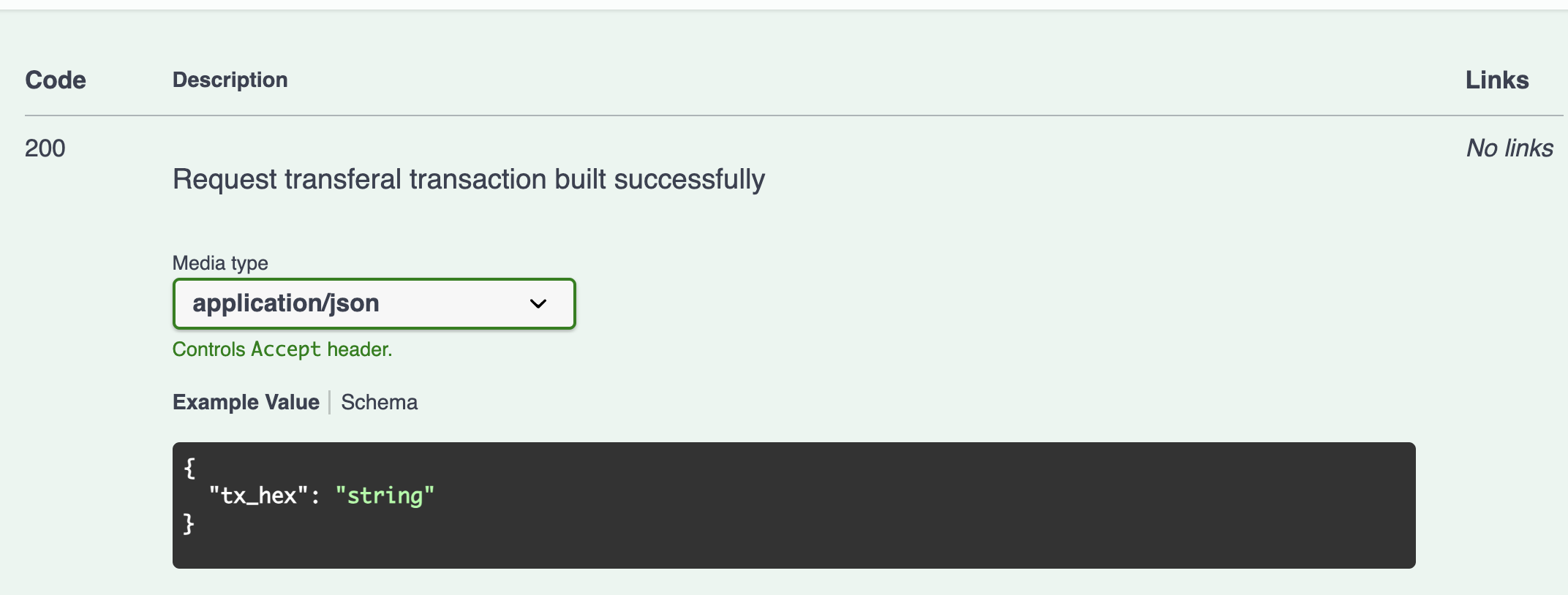
### POST - /accounts/transferal/build (Response)
The response fields are aligned with the required response fields from the backend API
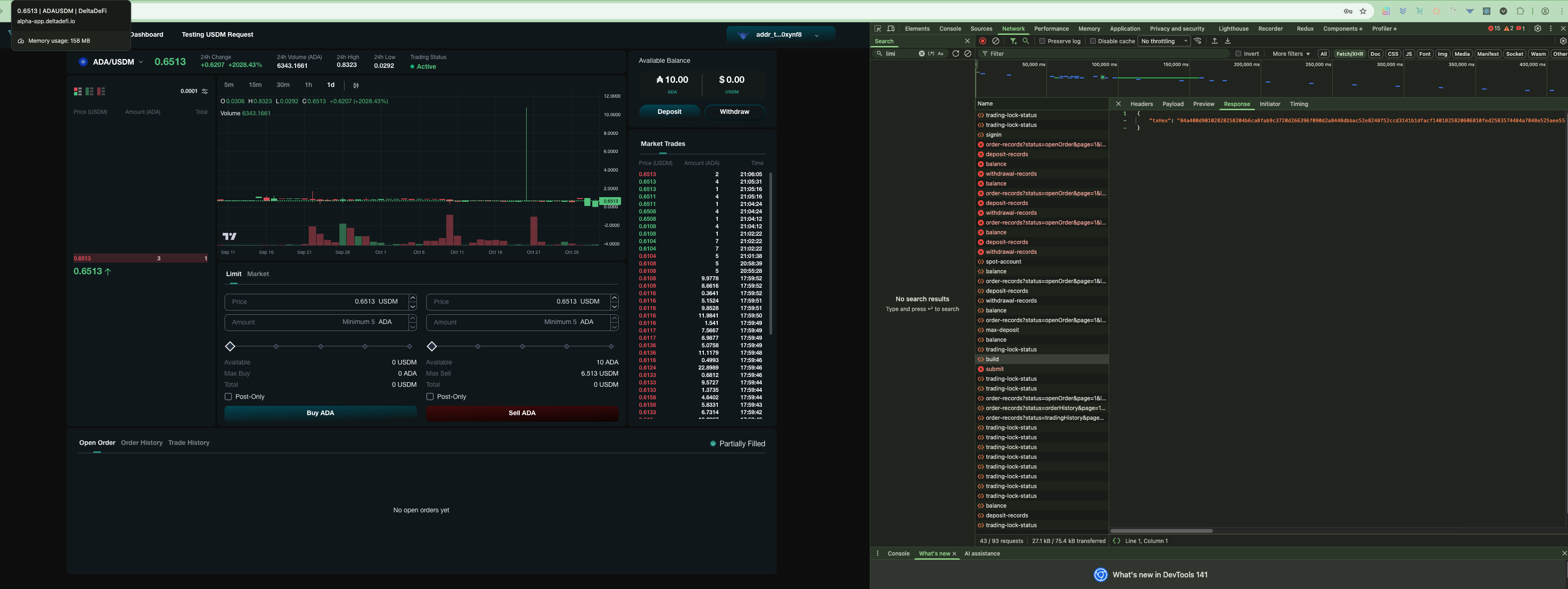
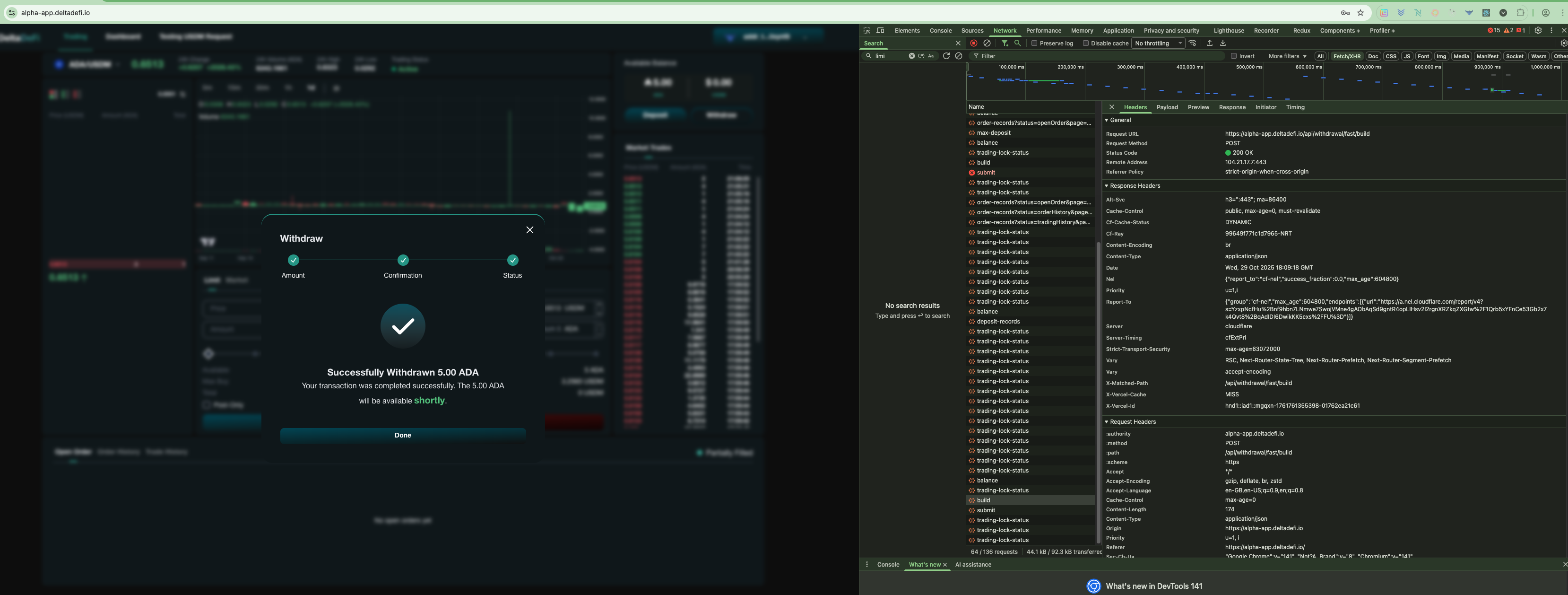
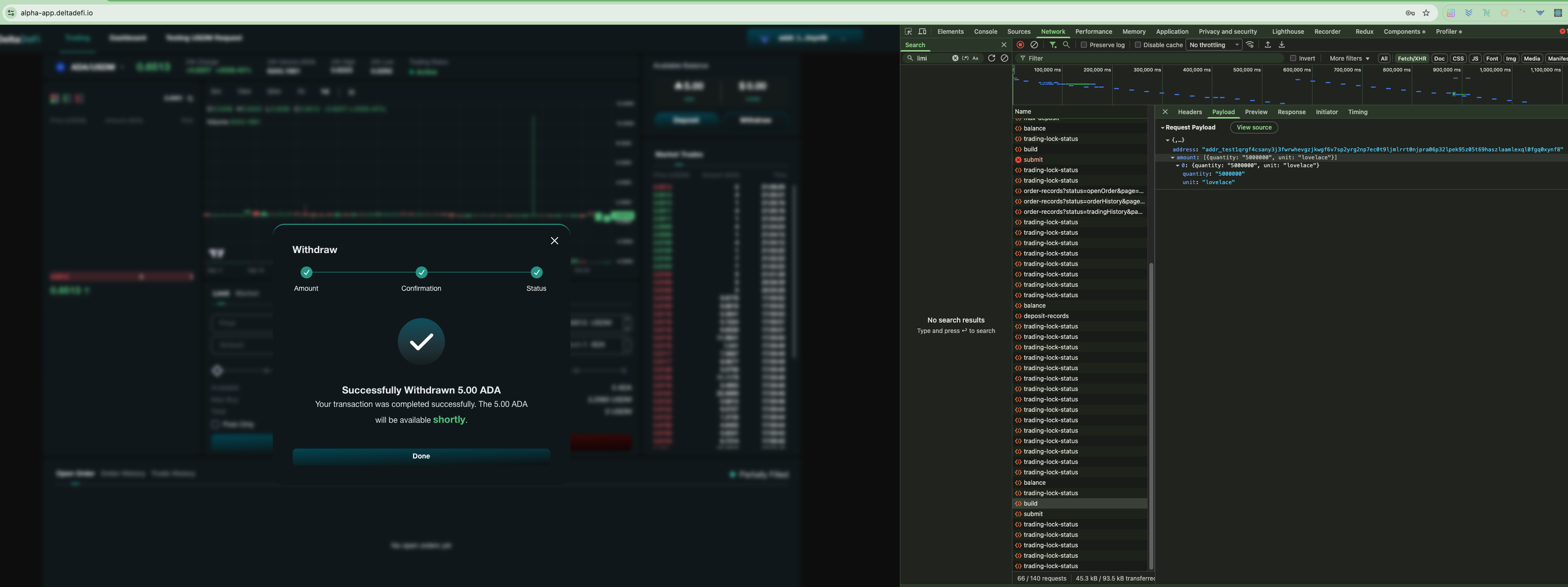
Build Request Transferral Transaction (Fast Withdrawal)
After successful signin, user can press the deposit button and select the "Fast Withdrawal" to withdrawfunds shortly with aid of an operator. After inputting the withdraw amount per asset, the user can press confirm to build the deposit transaction.
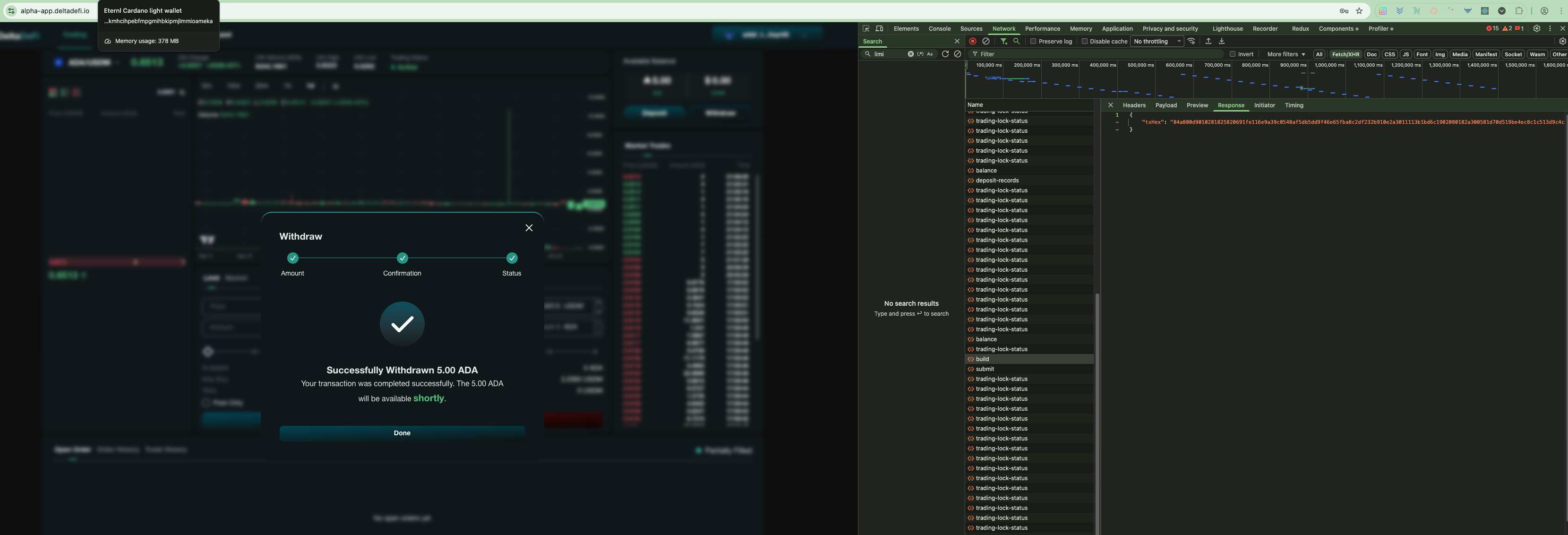
### POST - /accounts/request-transferal/build (Status Code)
The `200 status code` shows the api is being called and responded successfully
### POST - /accounts/transferal/build (Request params)
The request param is aligned with the required request param from the backend API
### POST - /accounts/transferal/build (Response)
The response fields are aligned with the required response fields from the backend API
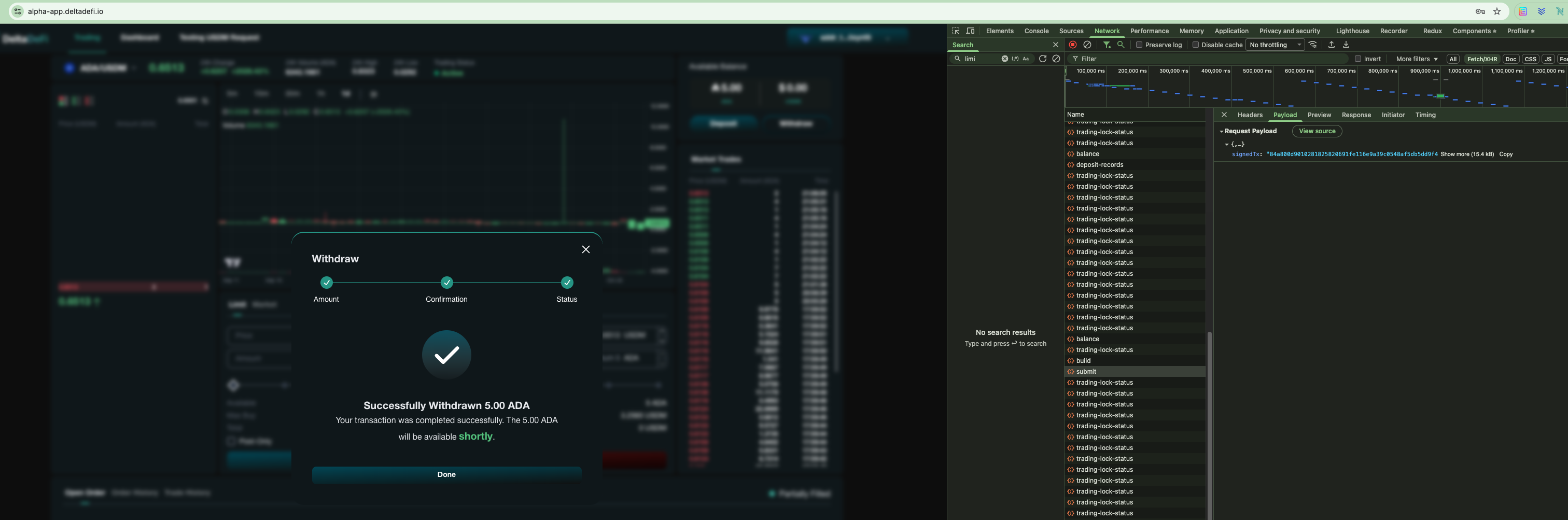
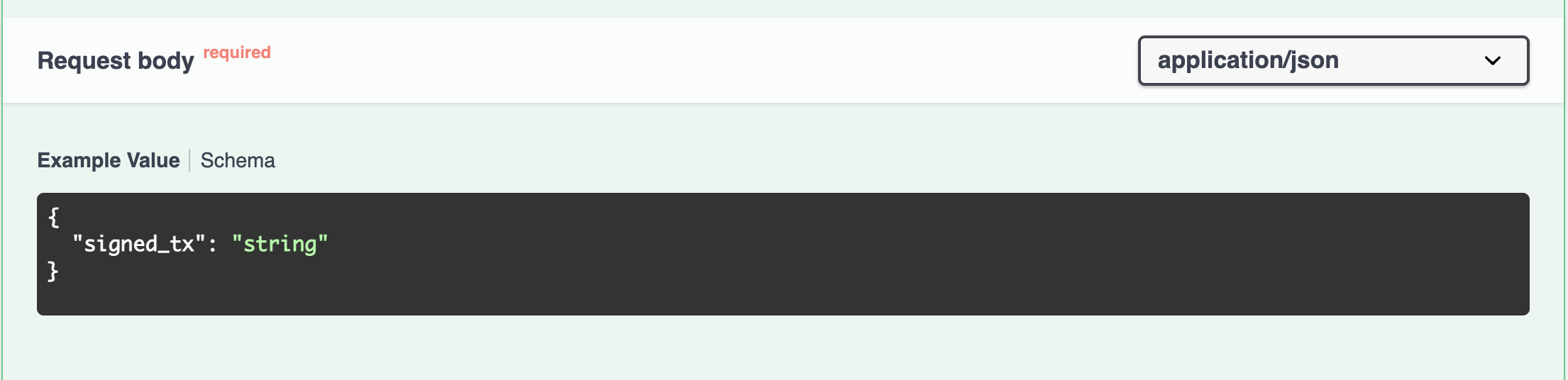
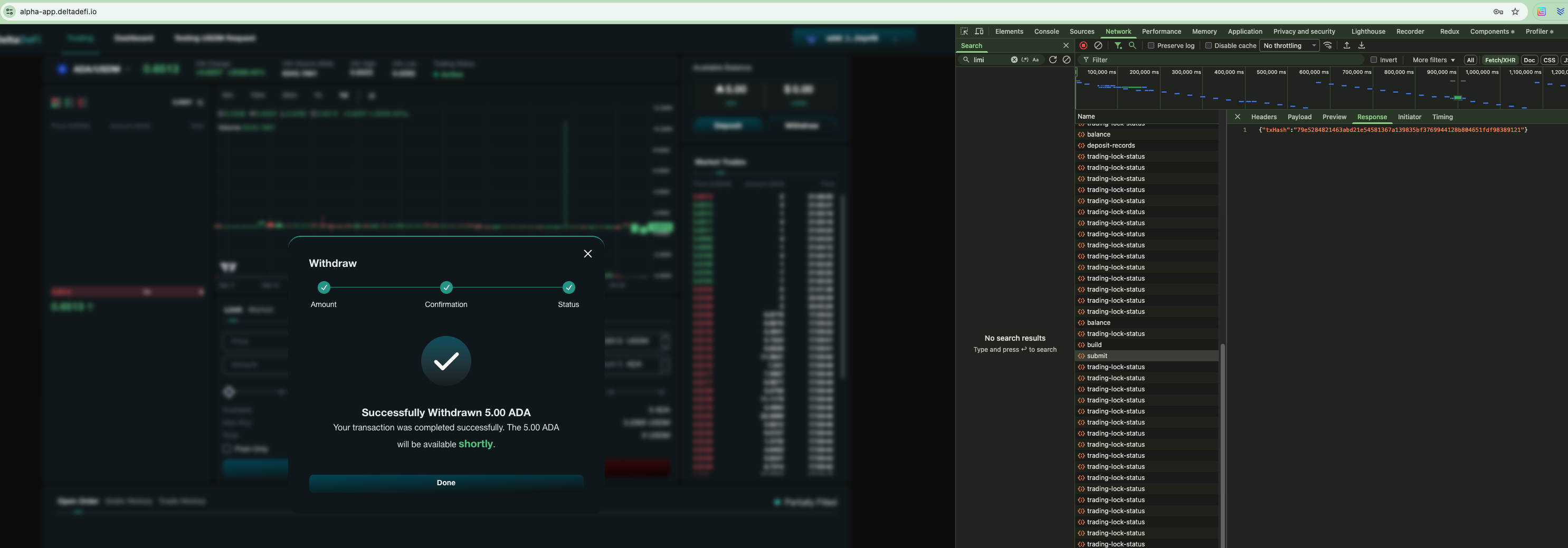
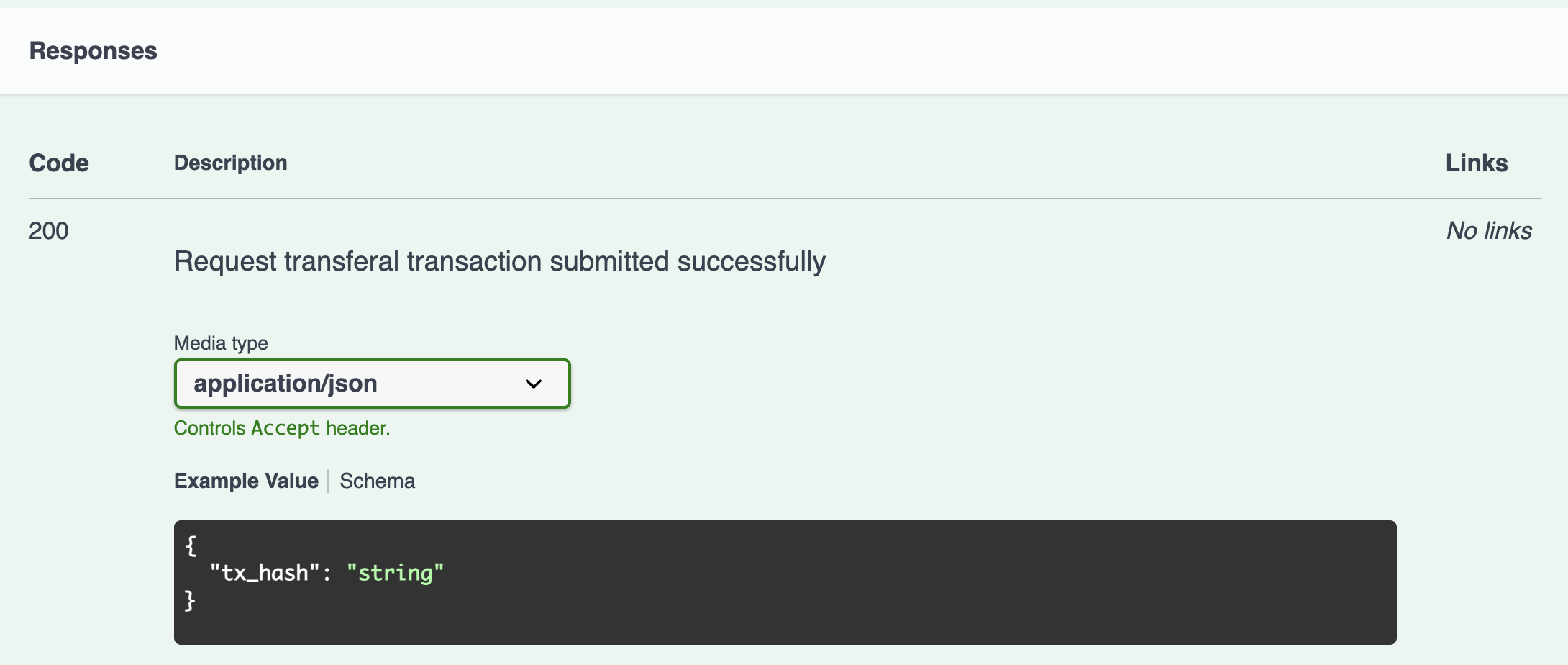
Submit Request Transferral Transaction (Fast Withdrawal)
Continuing from the Build Request Transferral Transaction, the frontend submits a user-signed request transferal transaction to the Cardano blockchain.
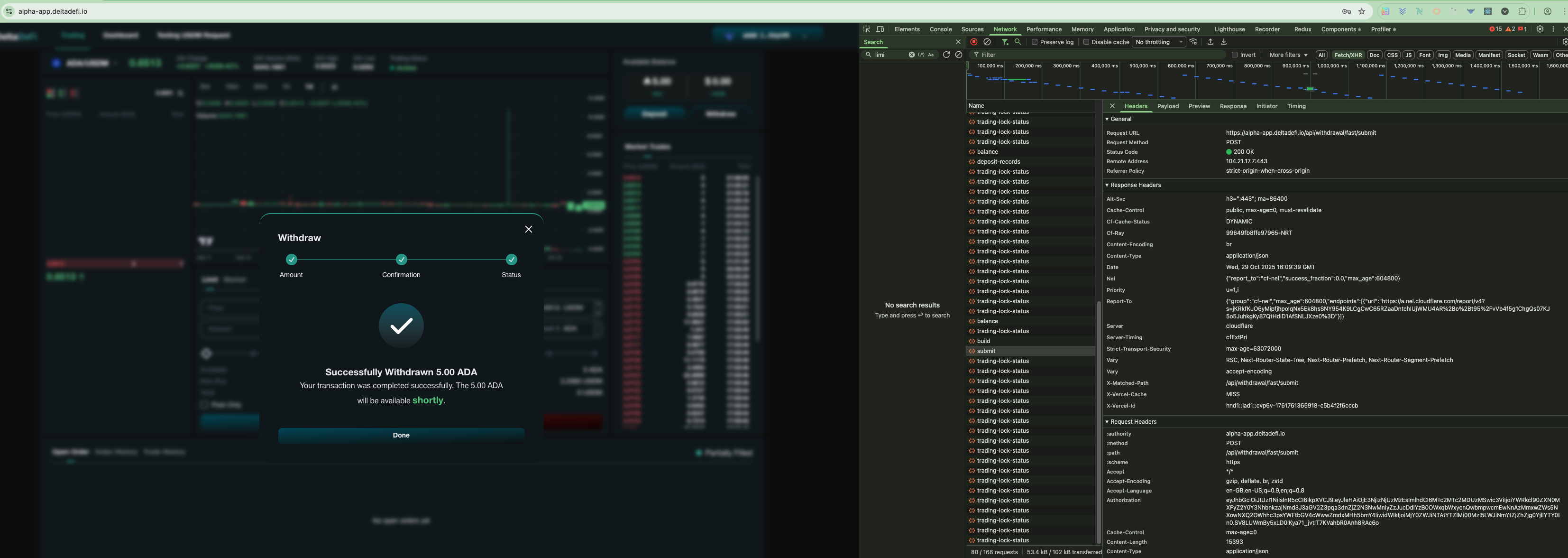
### POST - /accounts/request-transferal/submit (Status Code)
The `200 status code` shows the api is being called and responded successfully
### POST - /accounts/transferal/submit (Request params)
The request param is aligned with the required request param from the backend API
### POST - /accounts/transferal/submit (Response)
The response fields are aligned with the required response fields from the backend API
Get Deposit Records
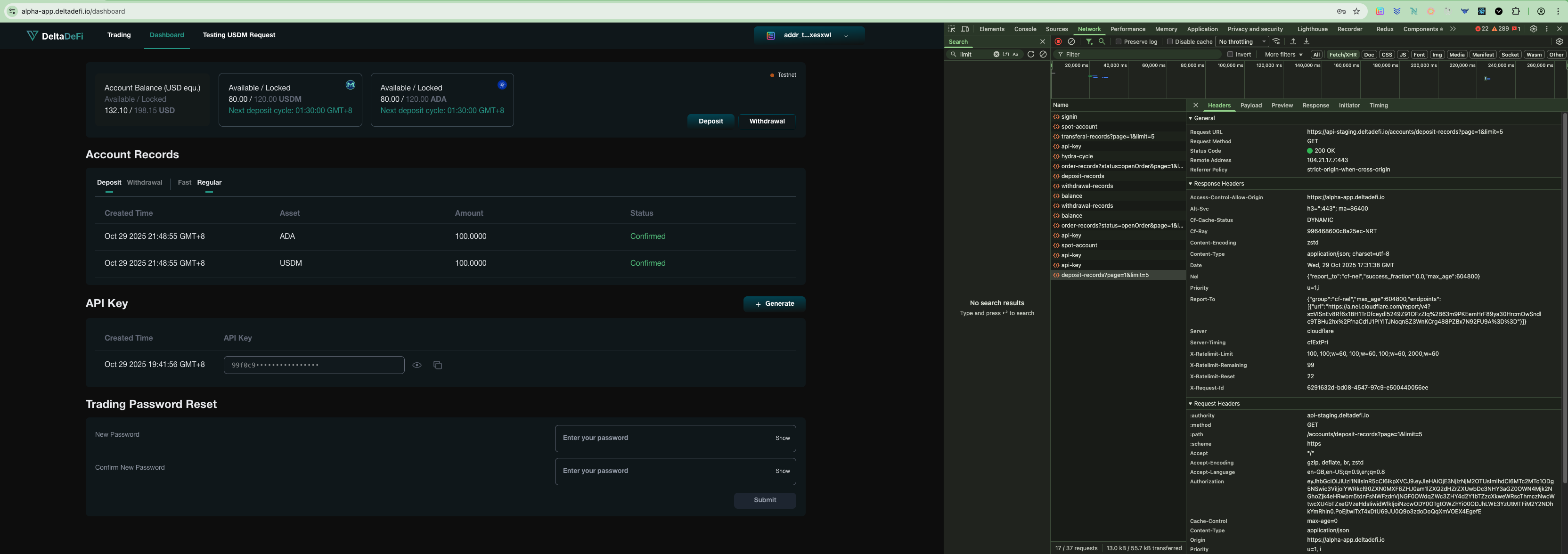
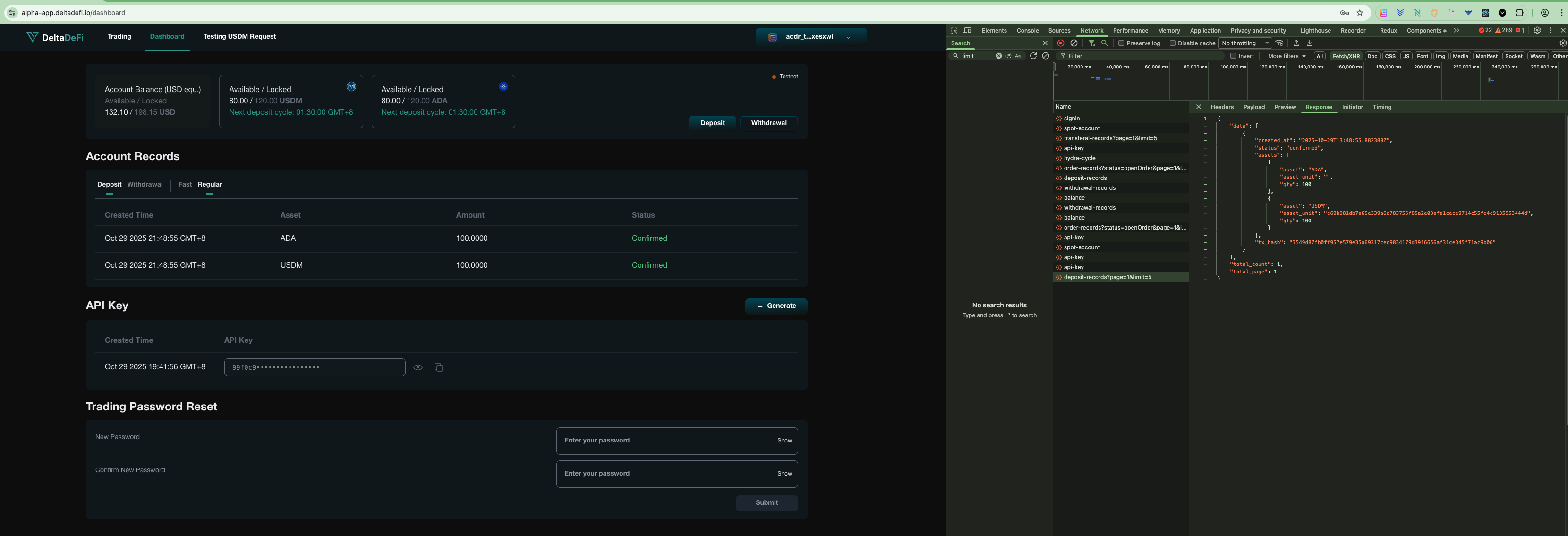
After successful signin, user can visit the dashboard page to view the regular deposit records. Frontend will call the GET deposit-records API to retrieve the regular deposit records by the user.
### GET - Deposit-records (Status Code)
The `200 status code` shows the api is being called and responded successfully
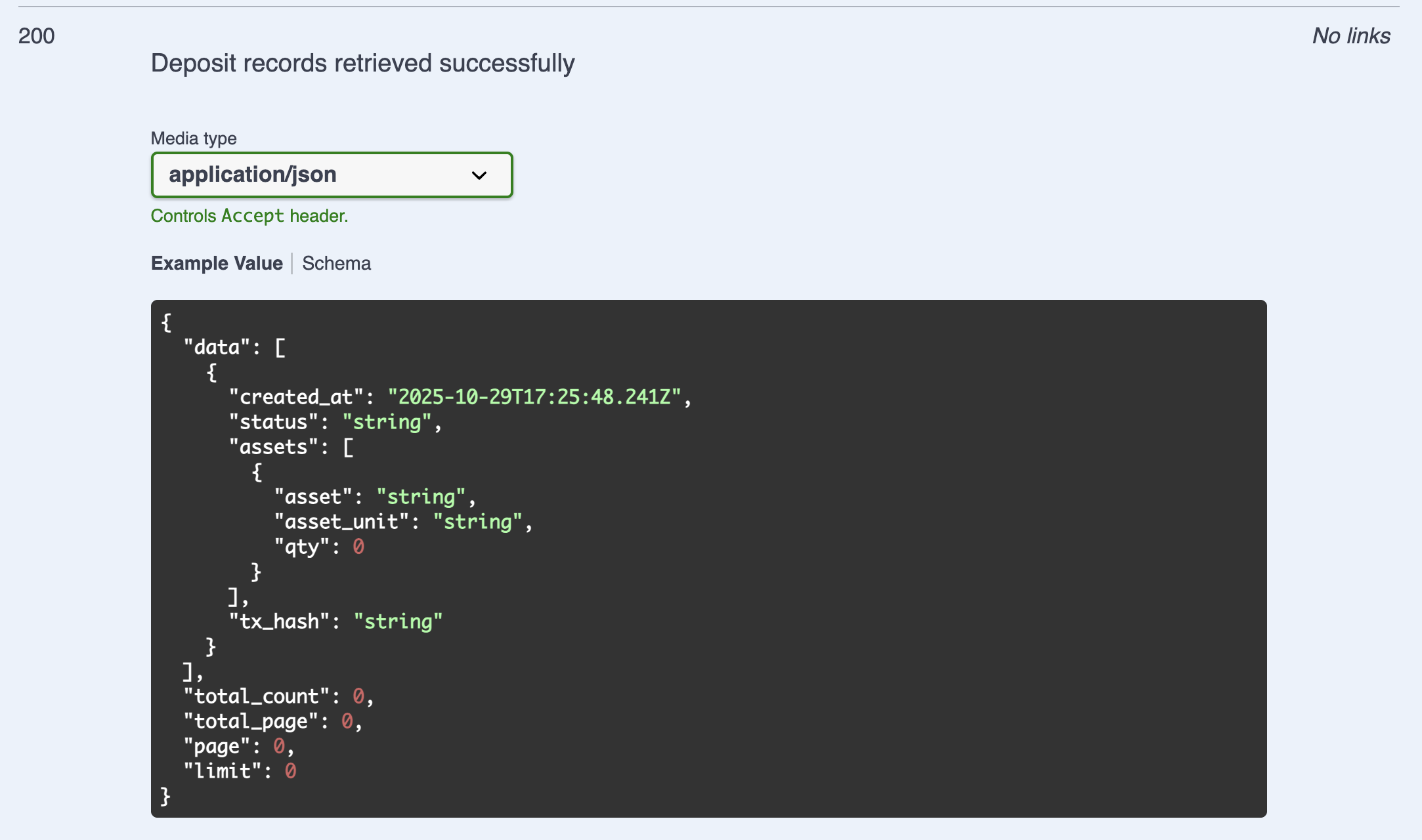
### GET - Deposit-records (Response)
The deposit records shown in dashboard page are aligned with the data returned by the backend API. The backend API response fields are aligned with the required response fields from the backend API
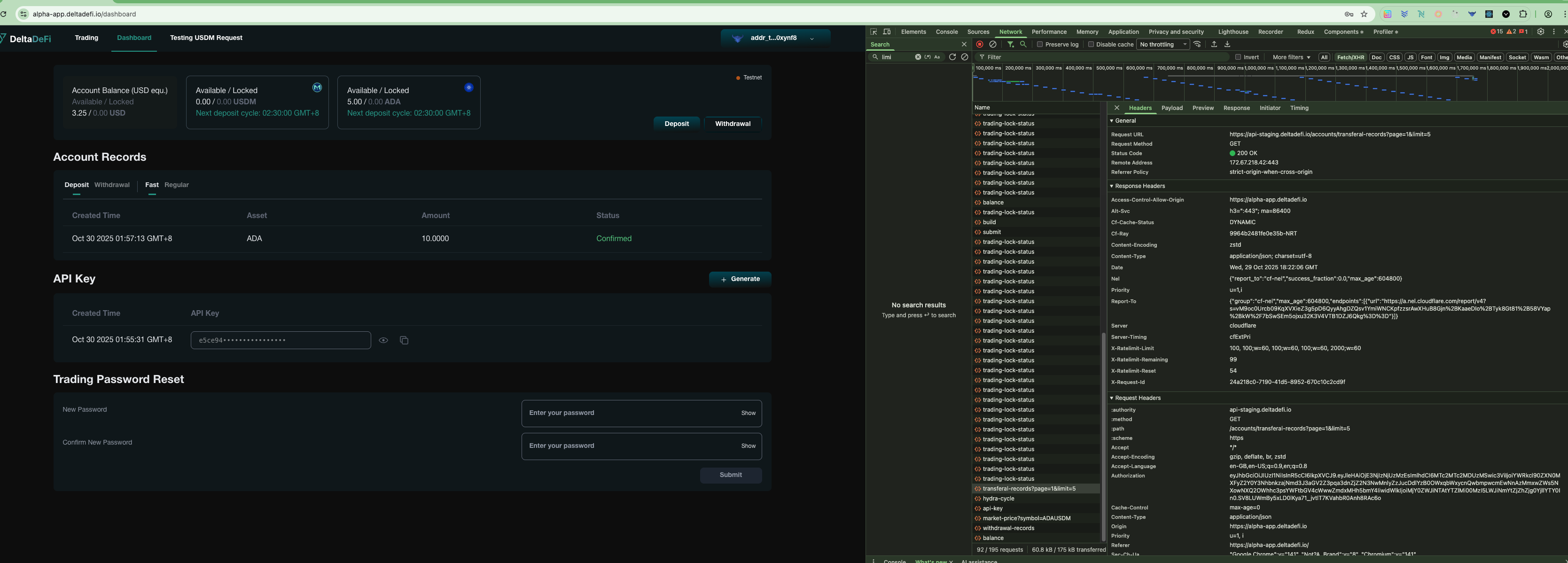
Get Transferral Records (To Get Fast Deposit and Withdrawal records)
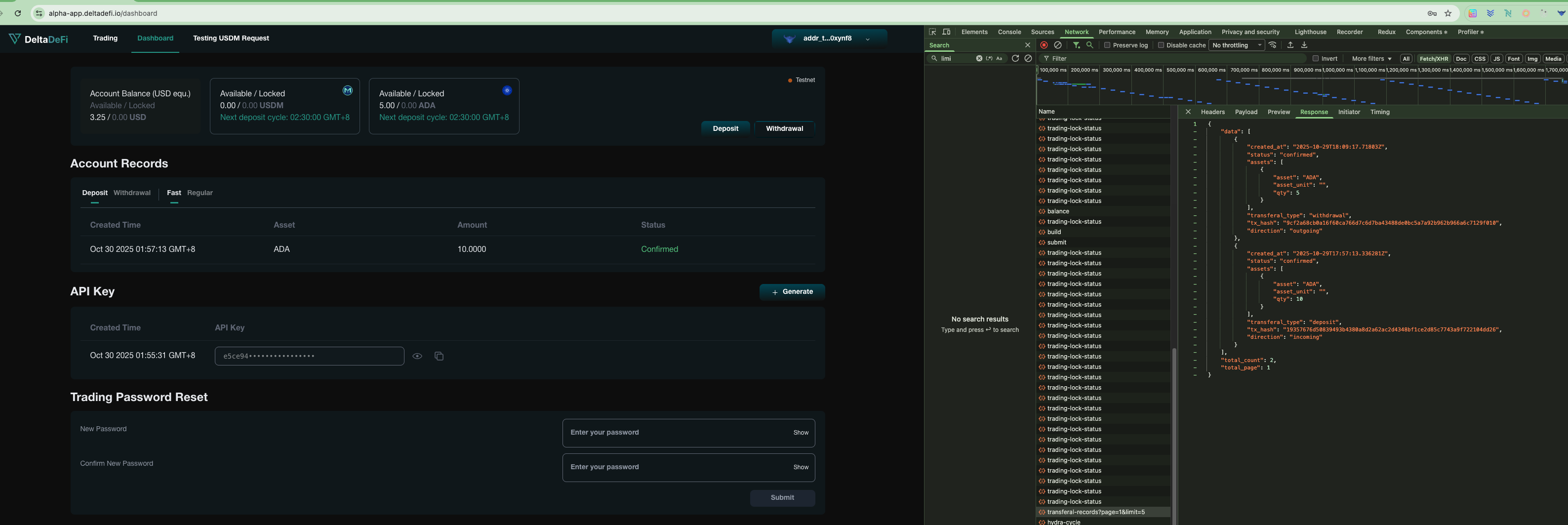
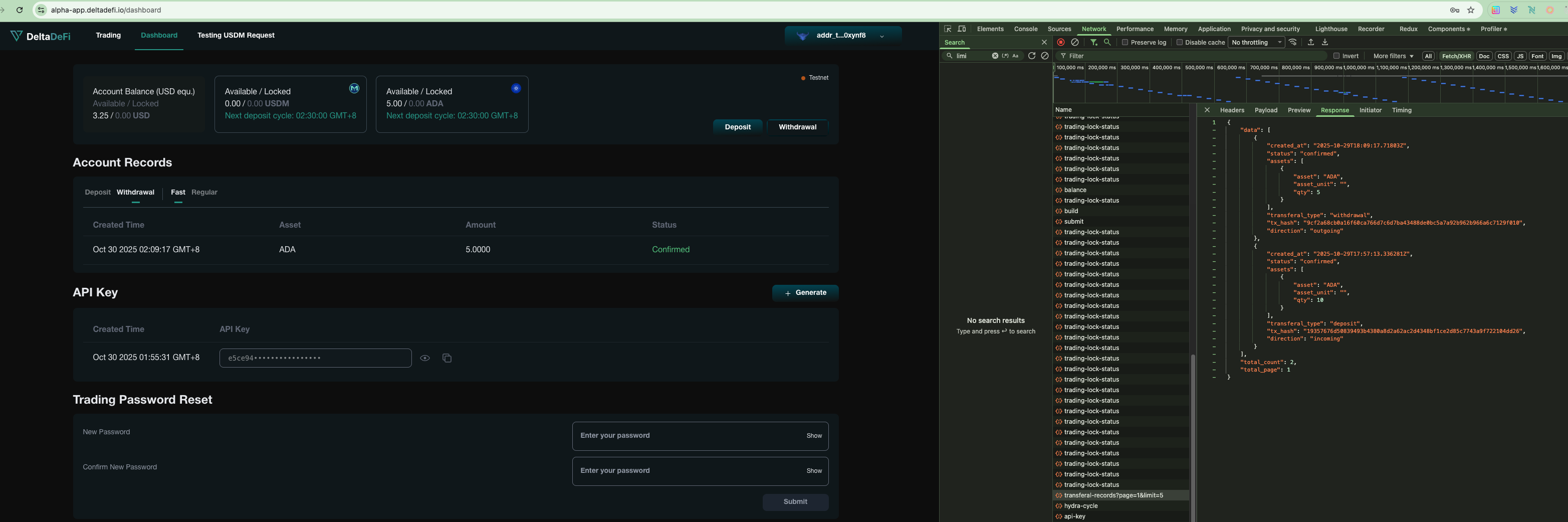
After successful signin, user can visit the dashboard page to view the fast deposit records. Frontend will call the GET transferl-records API to retrieve the fast deposit records by the user.
### GET - transferal-records (Status Code)
The `200 status code` shows the api is being called and responded successfully
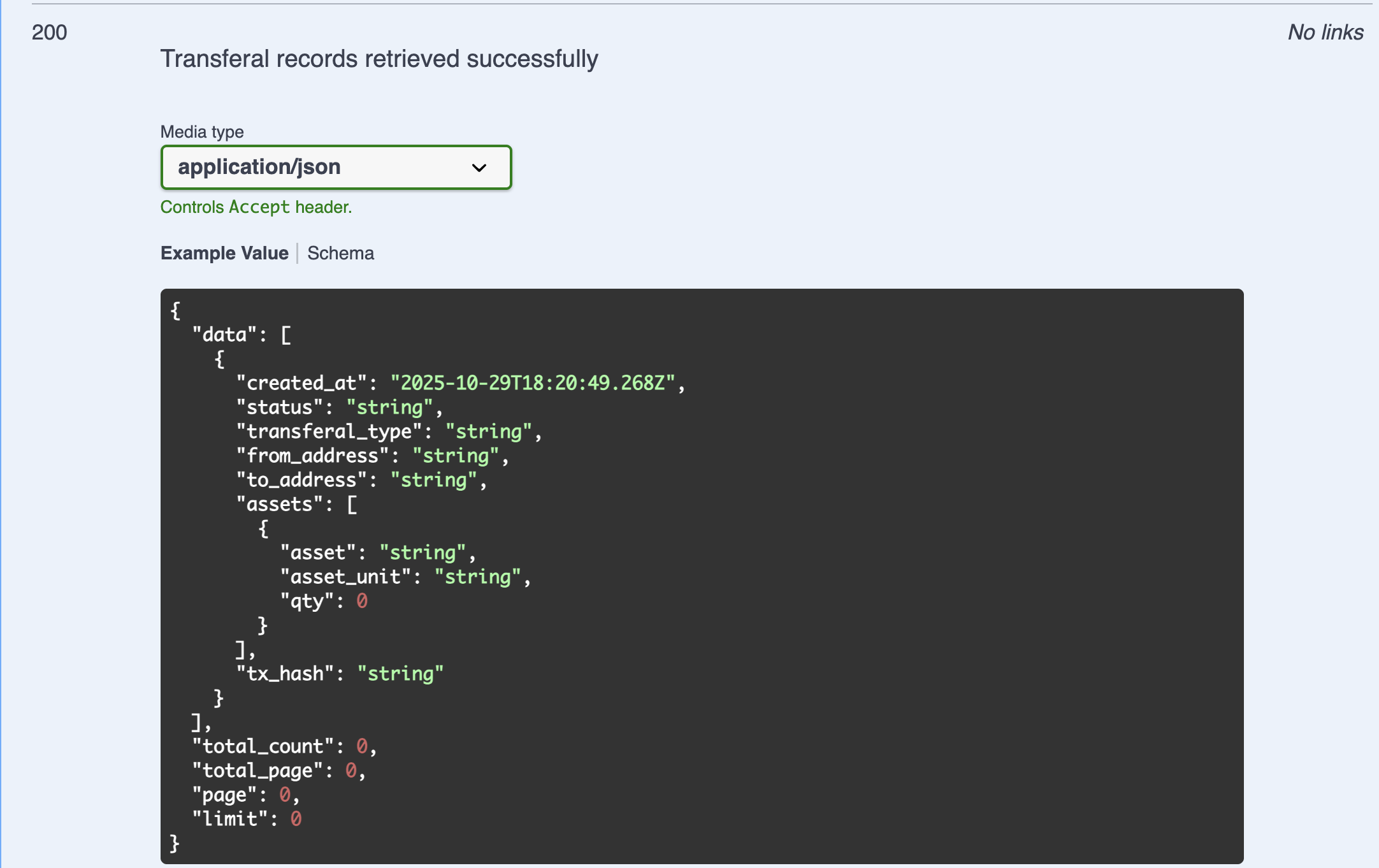
### GET - transferal-records (Response)
The transferal records shown in dashboard page are aligned with the data returned by the backend API. The backend API response fields are aligned with the required response fields from the backend API
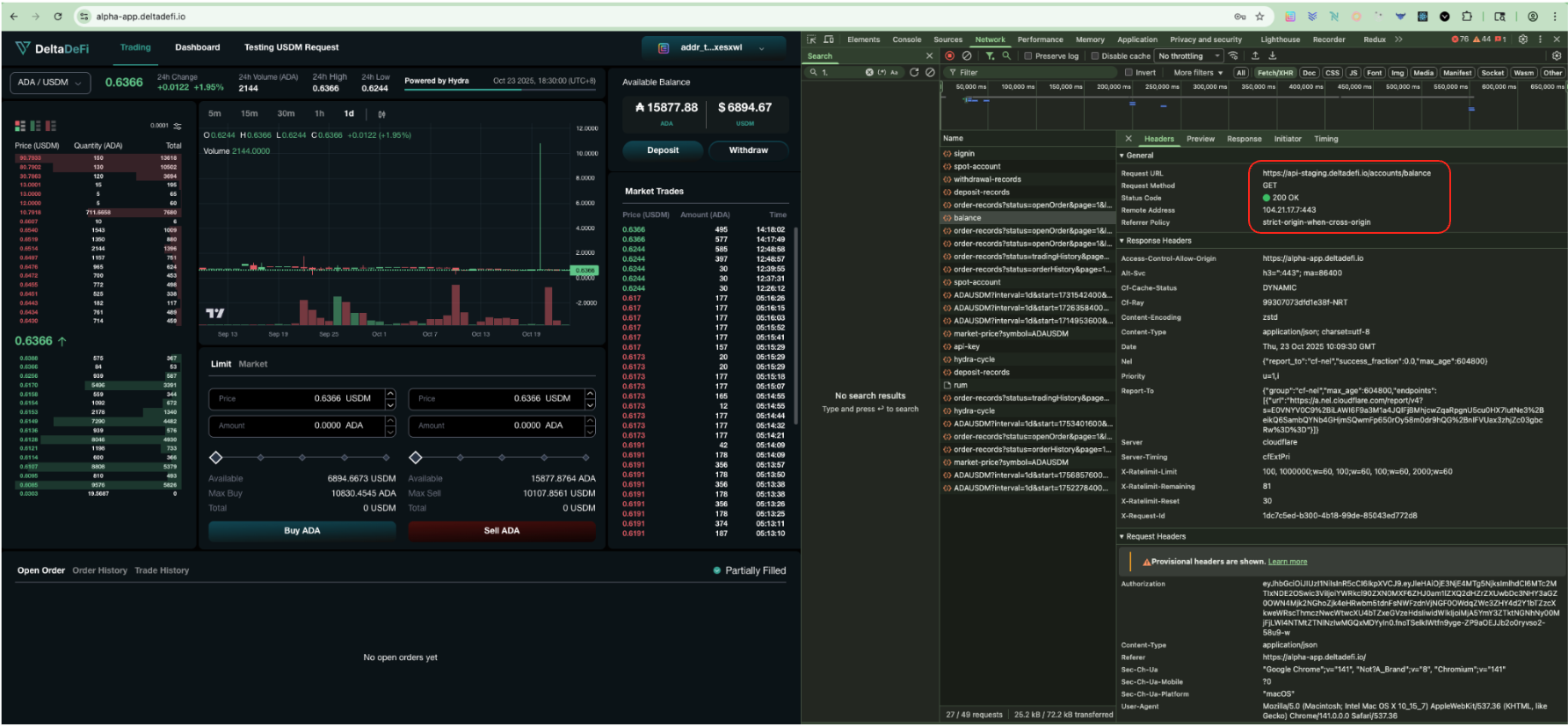
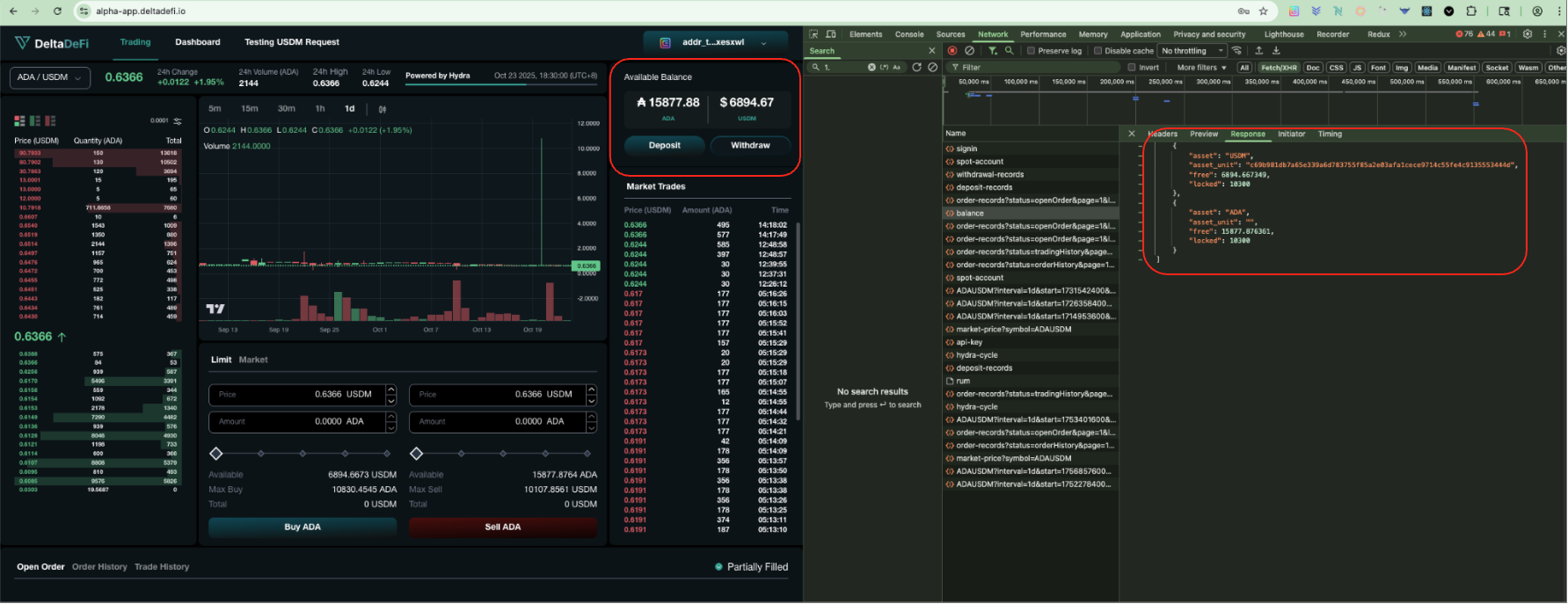
Get Account Balance
After successful signin, user can visit the trading page to view the account's available balance. Frontend will call the GET account-balance API to retrieve the account balance by the user.
### GET - account-balance (Status Code)
The `200 status code` shows the api is being called and responded successfully
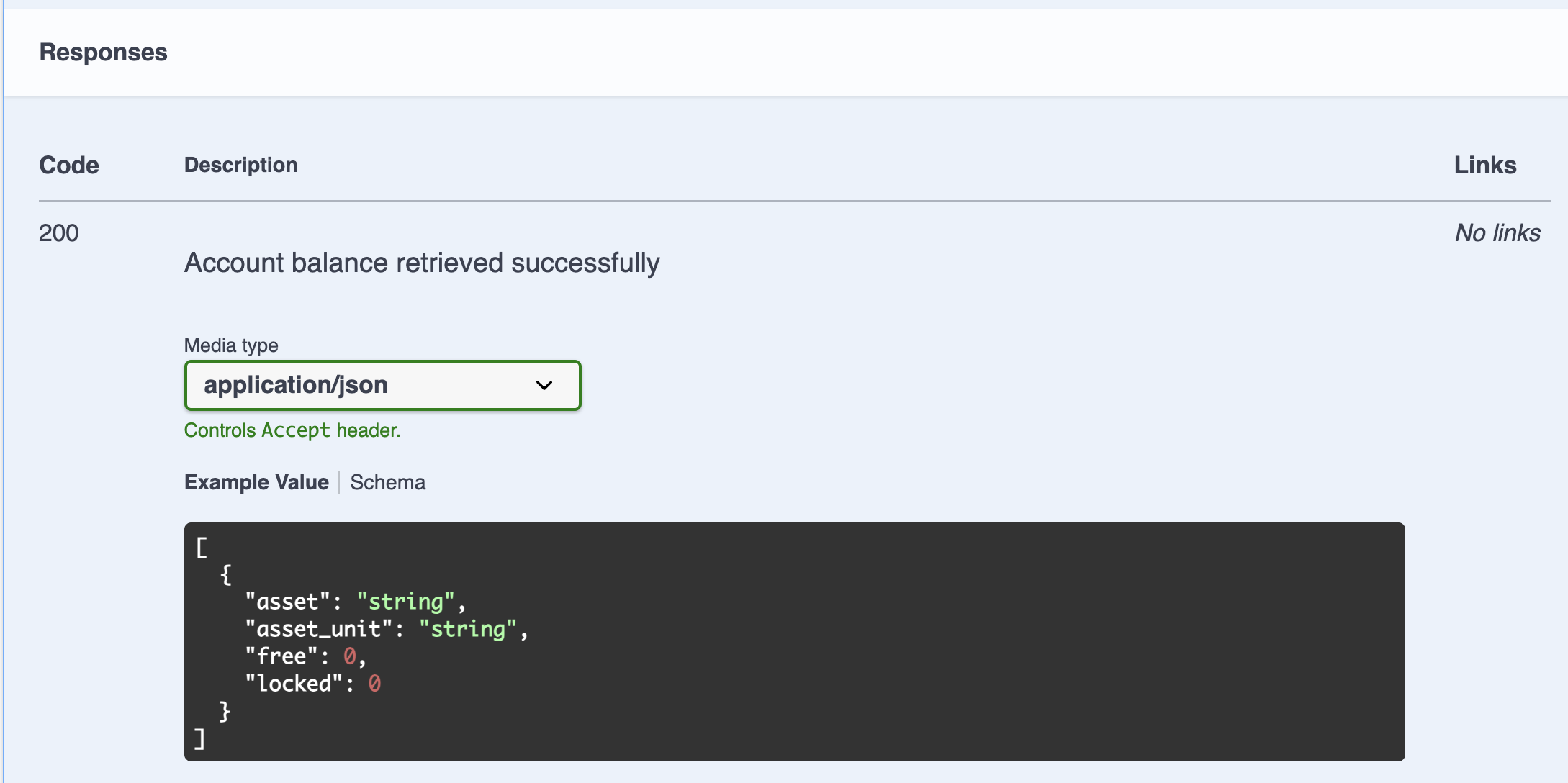
### GET - account-balance (Response)
The available balance shown in trading page are aligned with the api response from backend. The response fields are aligned with the required response fields from the backend API
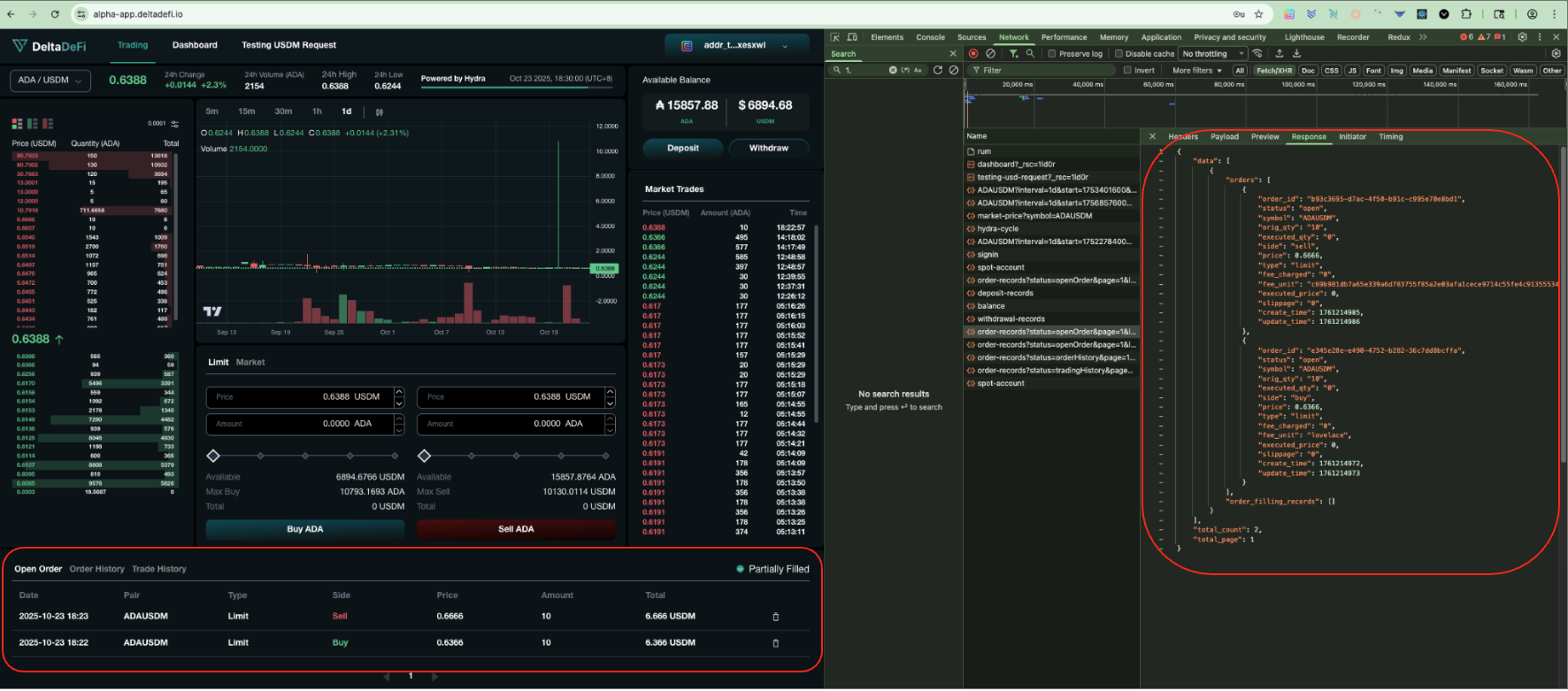
Get Order Records (by Open Order)
After successful signin, user can visit the trading page to view the open order records. Frontend will call the GET order-records API filtered by status (openOrder) to retrieve the open order records by the user.
### GET - order-records (Status Code)
The `200 status code` shows the api is being called and responded successfully
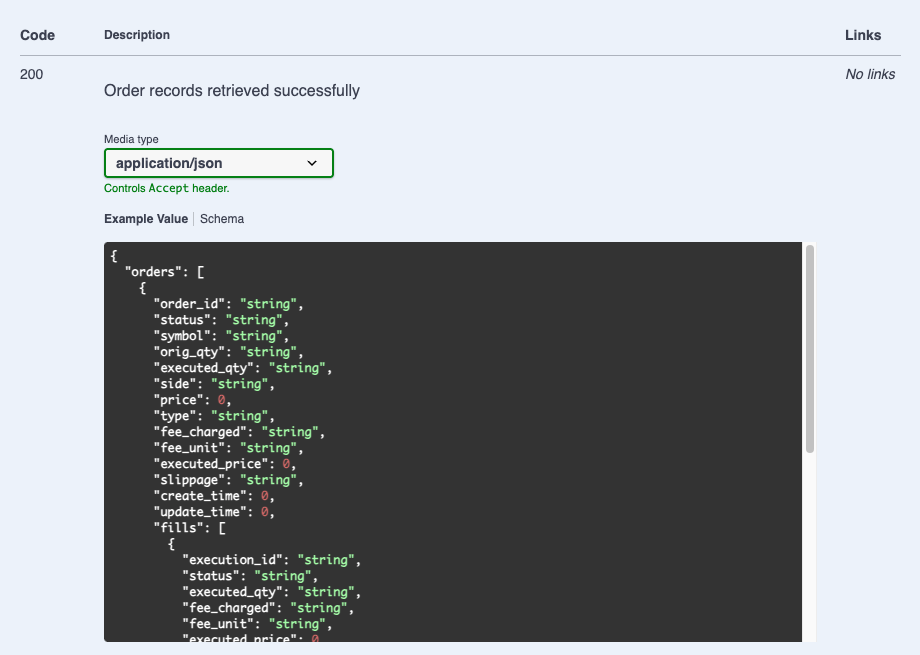
### GET - order-records (Response)
The open order records shown in trading page are aligned with the api response from backend. The response fields are aligned with the required response fields from the backend API
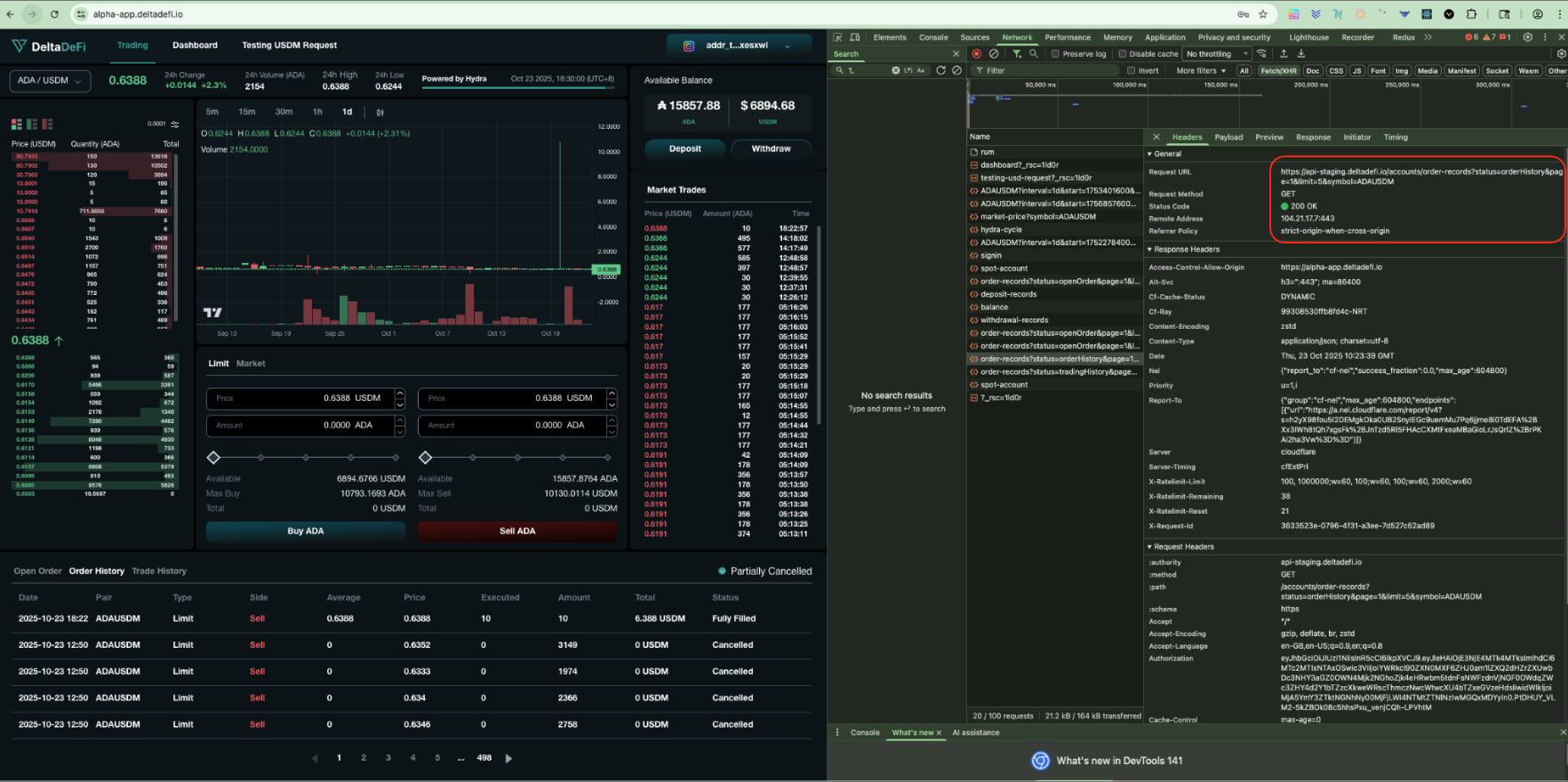
Get Order Records (by Order History)
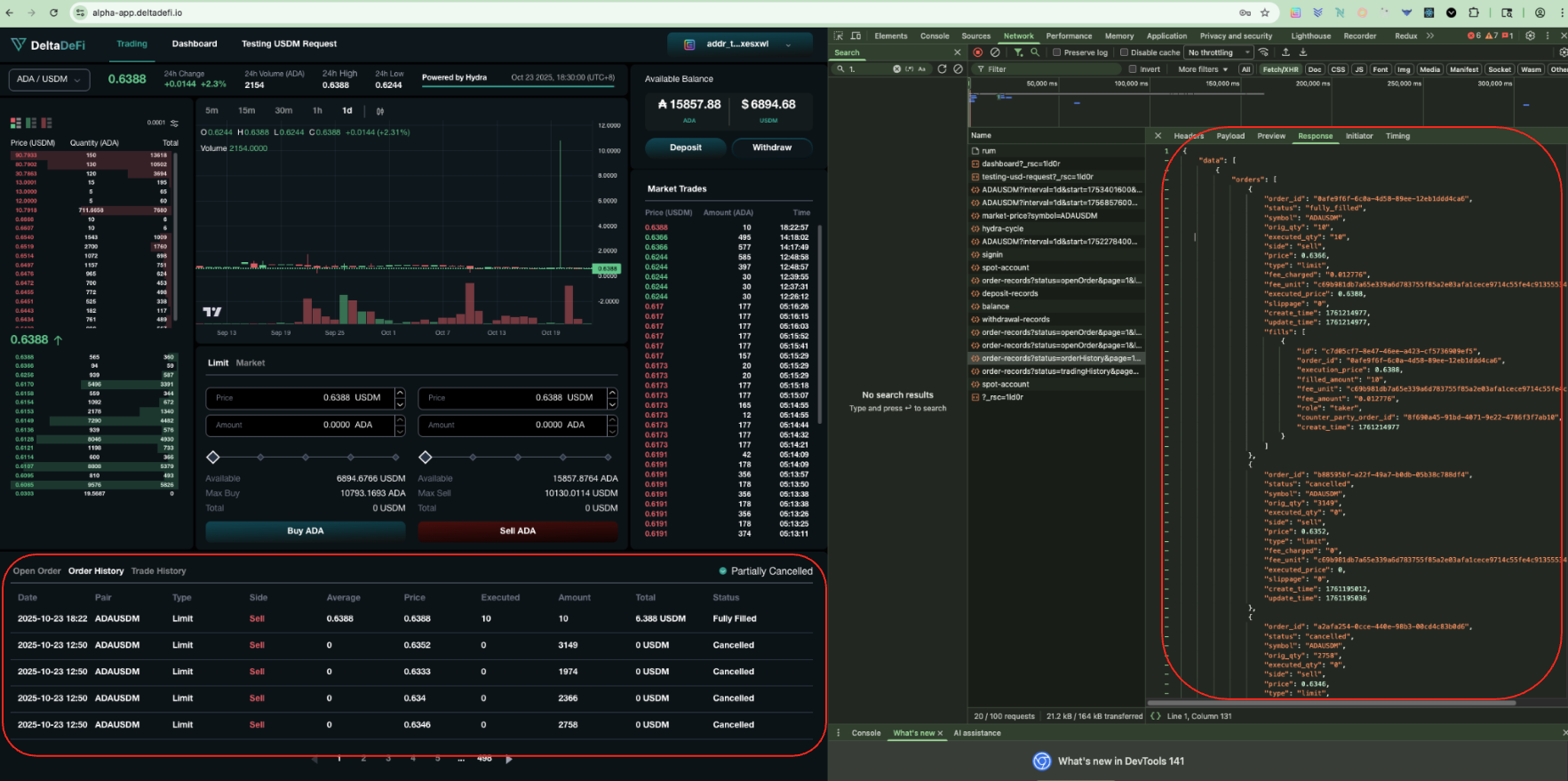
After successful signin, user can visit the trading page to view the order history records. Frontend will call the GET order-records API filtered by status (orderHistory) to retrieve the order history records by the user.
### GET - order-records (Status Code)
The `200 status code` shows the api is being called and responded successfully
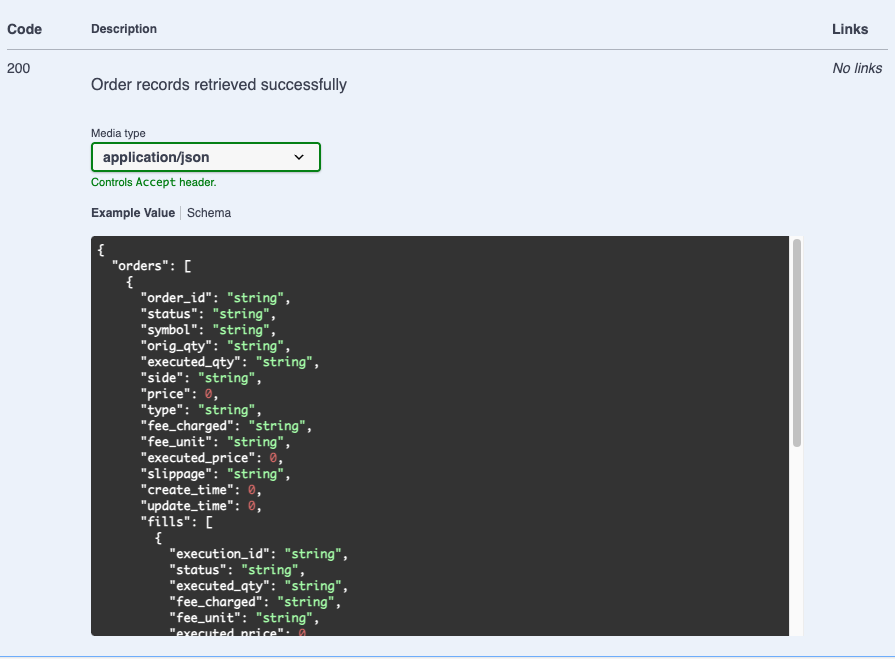
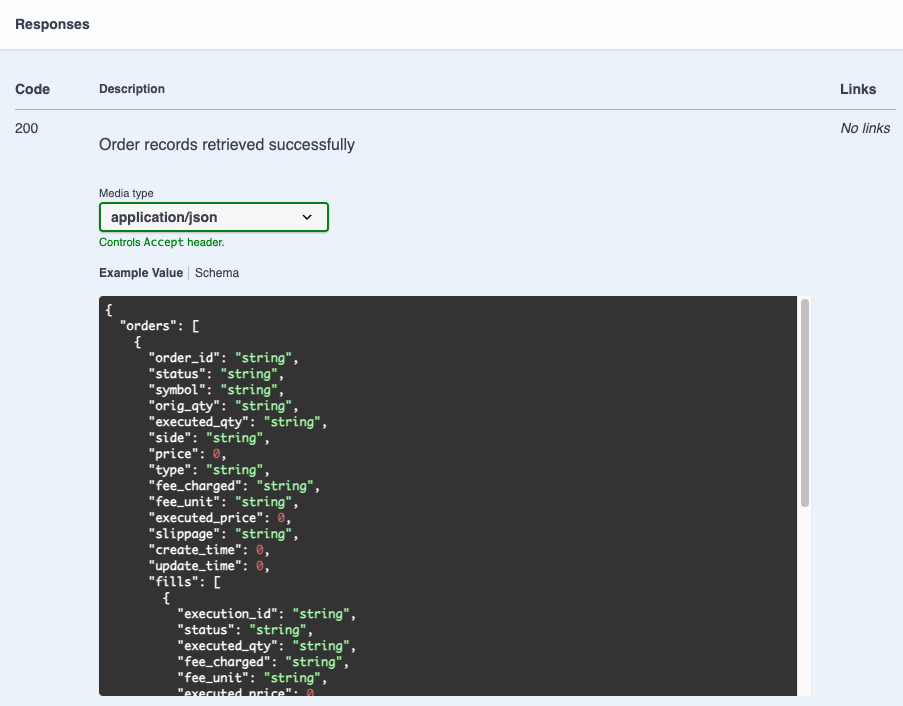
### GET - order-records (Response)
The order history records shown in trading page are aligned with the api response from backend. The response fields are aligned with the required response fields from the backend API
Get Order Records (by Trade History)
After successful signin, user can visit the trading page to view the trade history records. Frontend will call the GET order-records API filtered by status (tradeHistory) to retrieve the trade history records by the user.
### GET - order-records (Status Code)
The `200 status code` shows the api is being called and responded successfully
### GET - order-records (Response)
The trade history records shown in trading page are aligned with the api response from backend. The response fields are aligned with the required response fields from the backend API
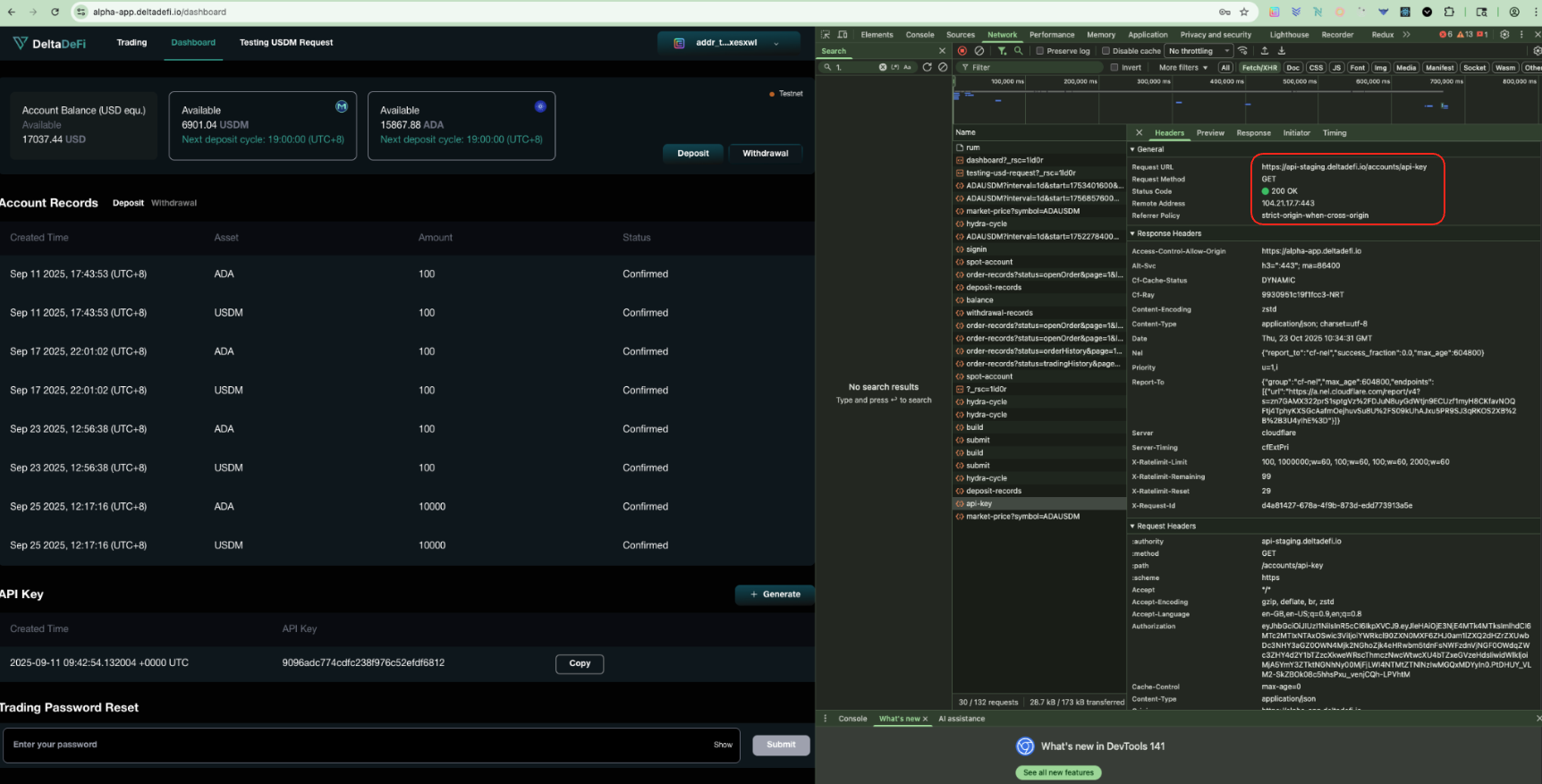
Get API Key
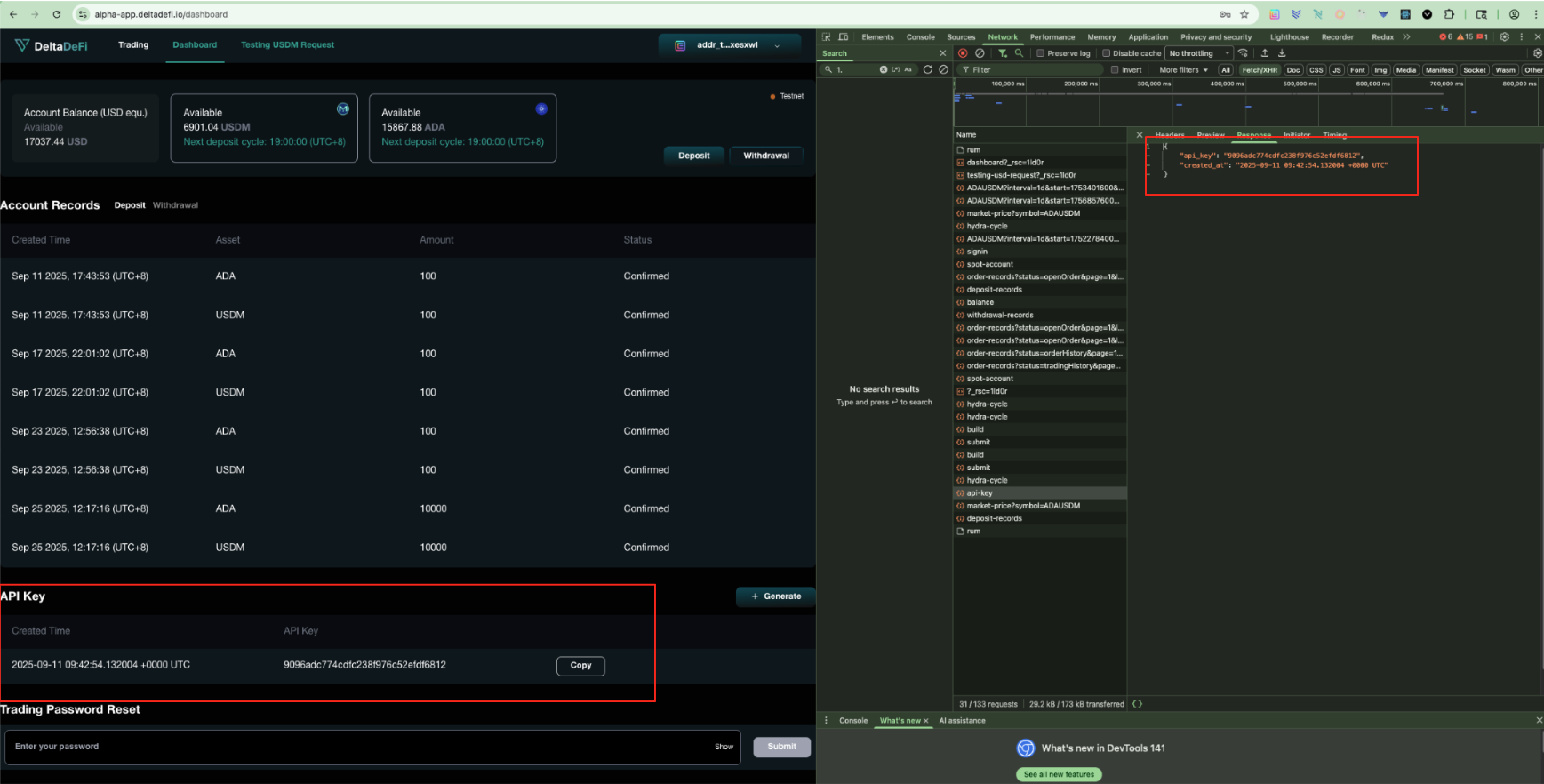
After successful signin, user can visit the dashboard page to view the api-key. Frontend will call the GET api-key API to retrieve the api key by the user.
### GET - api-key (Status Code)
The `200 status code` shows the api is being called and responded successfully
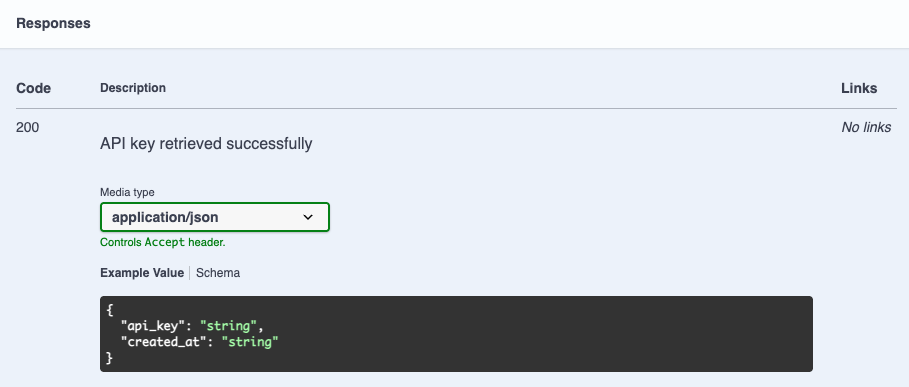
### GET - api-key (Response)
The api key shown in dashboard page is aligned with the api response from backend. The response fields are aligned with the required response fields from the backend API
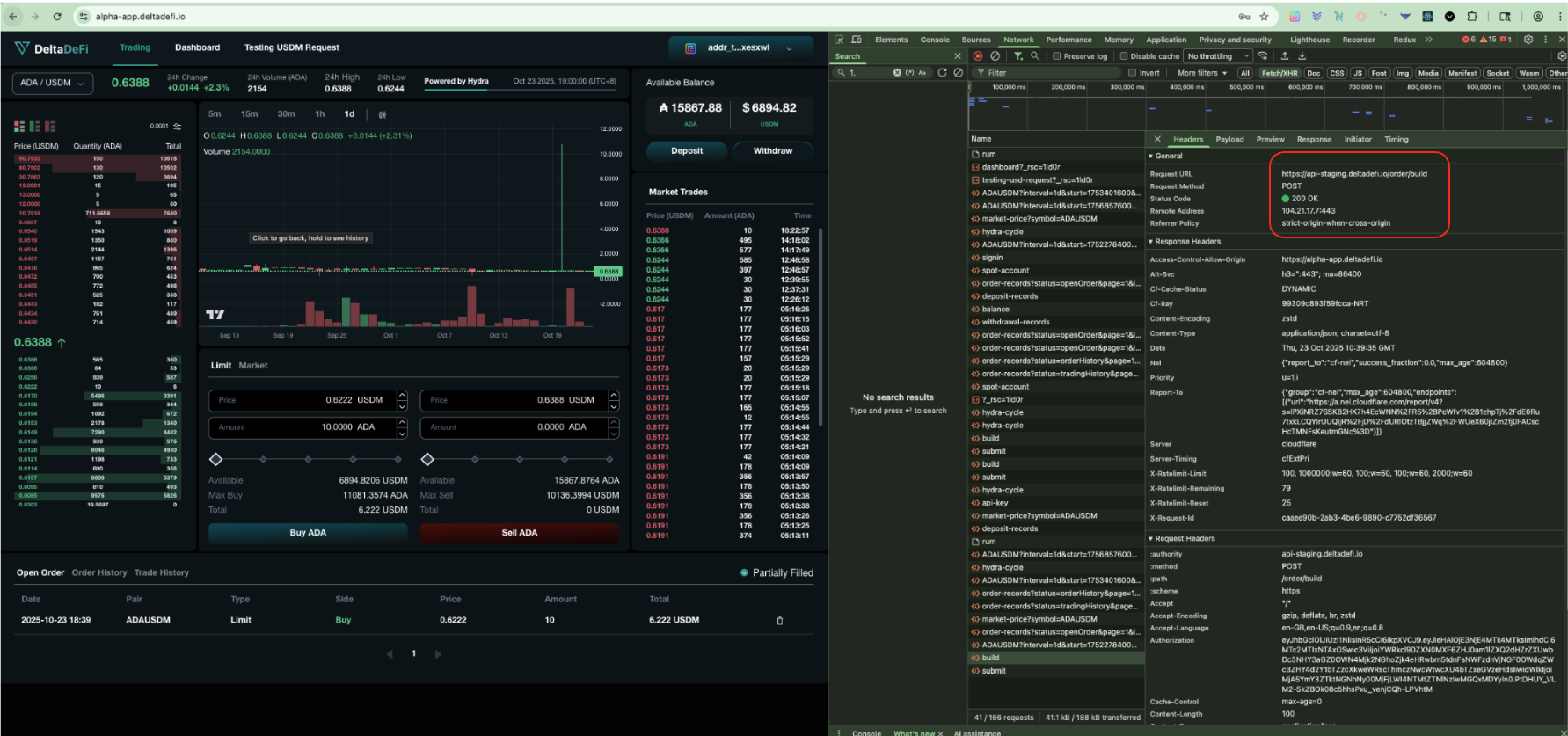
Build Place Order Transaction
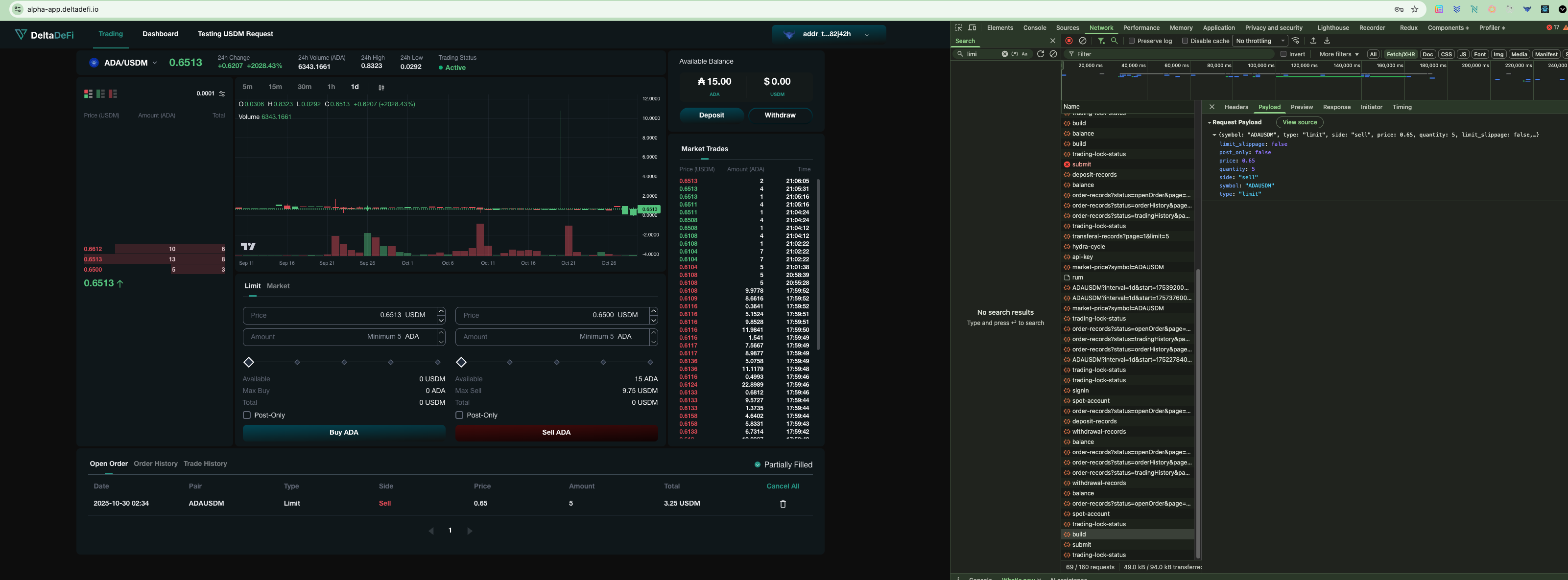
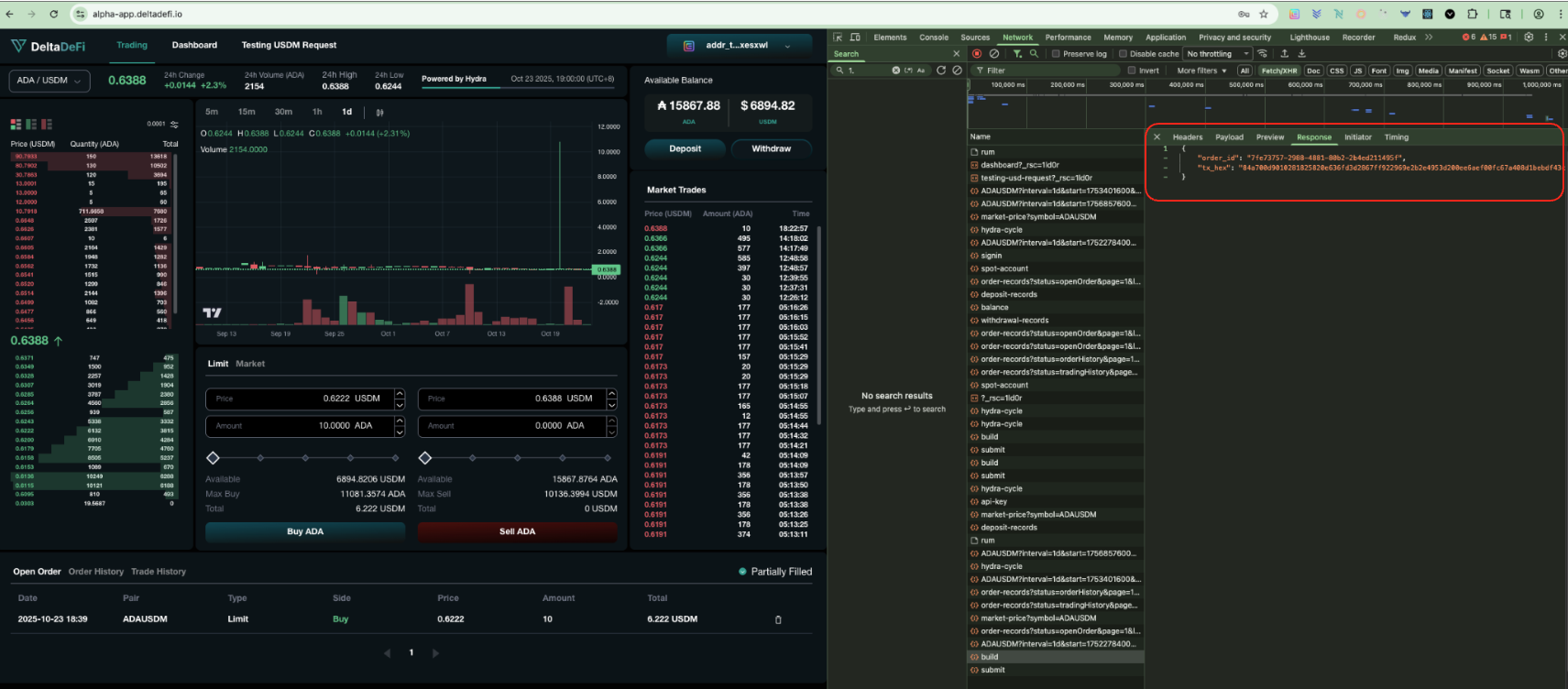
After successful signin, user can visit the trading page to place order. Frontend will call the POST order/build API to construct an unsigned Cardano transaction for placing a limit or market order. The transaction must be signed by the user's operation key and then submitted using the /order/submit endpoint.
### POST - order/build (Status Code)
The `200 status code` shows the api is being called and responded successfully
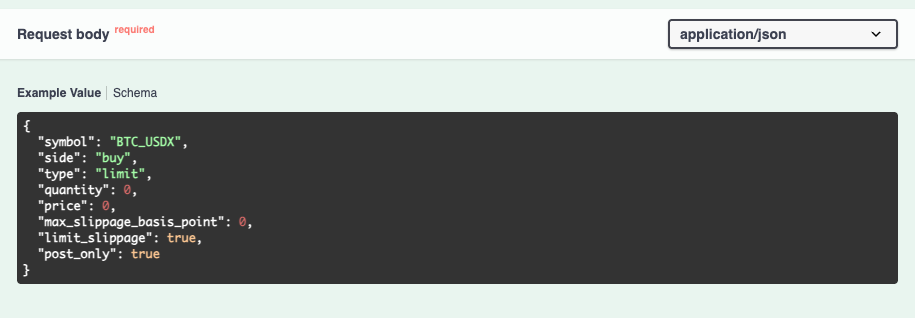
### POST - order/build (Request Parameters)
The request param's fields are aligned with the required request params from the backend API
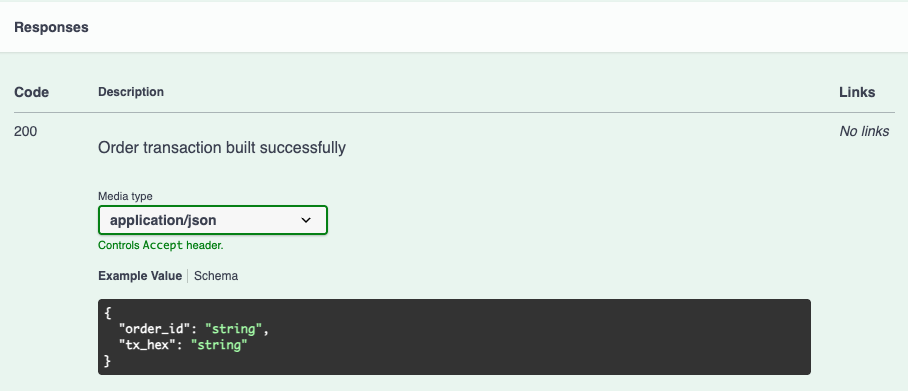
### POST - order/build (Response)
The response fields are aligned with the required response fields from the backend API
Submit Place Order Transaction
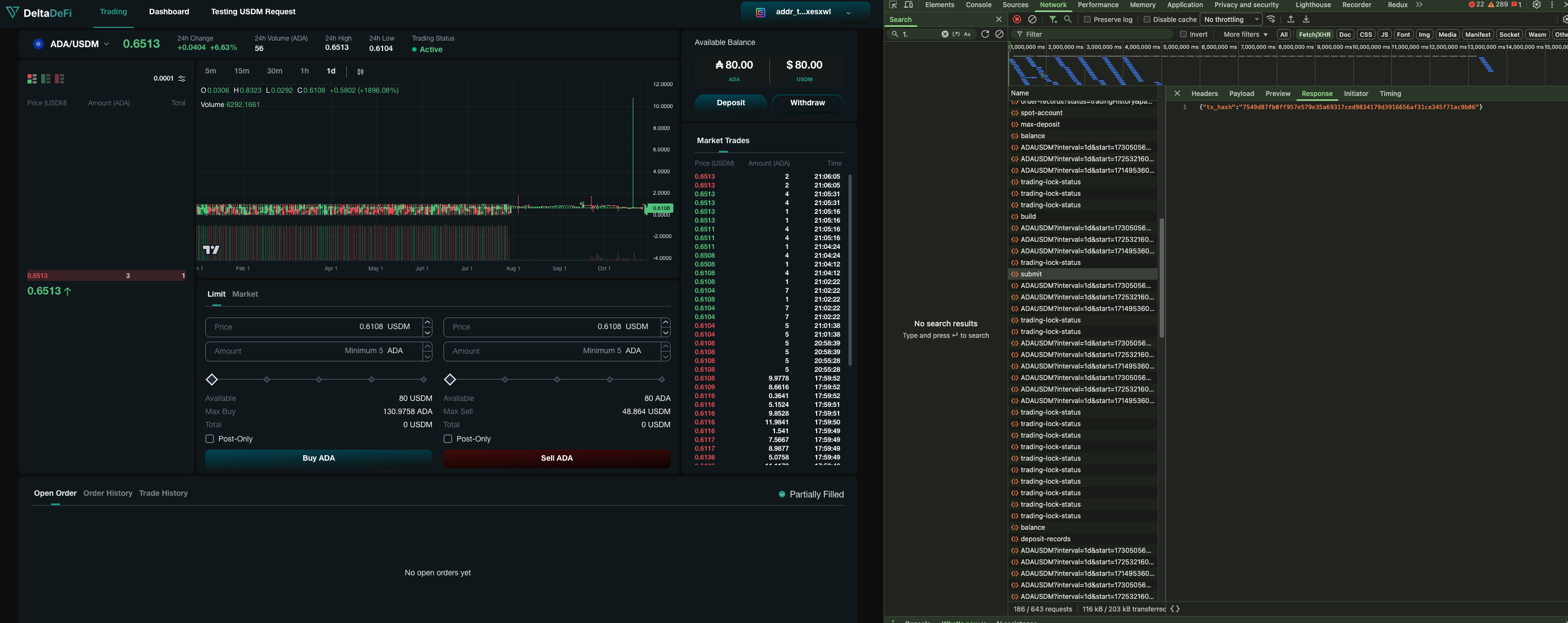
Continue from the Build Place Order Transaction section, frontend submits a signed order transaction to hydra. Use this endpoint after signing the transaction hex returned from /order/build
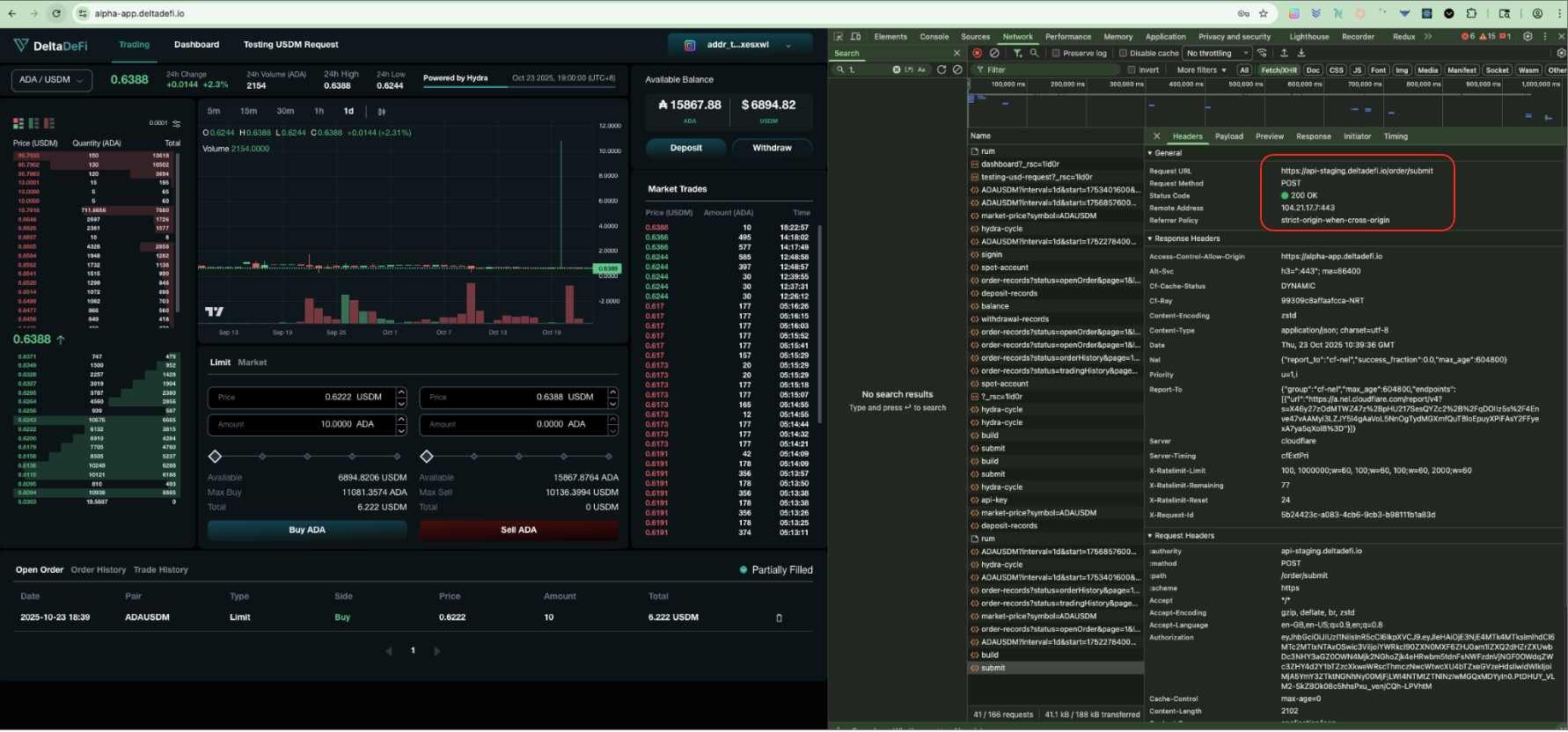
### POST - order/submit (Status Code)
The `200 status code` shows the api is being called and responded successfully
### POST - order/submit (Request Parameters)
The request param's fields are aligned with the required request params from the backend API
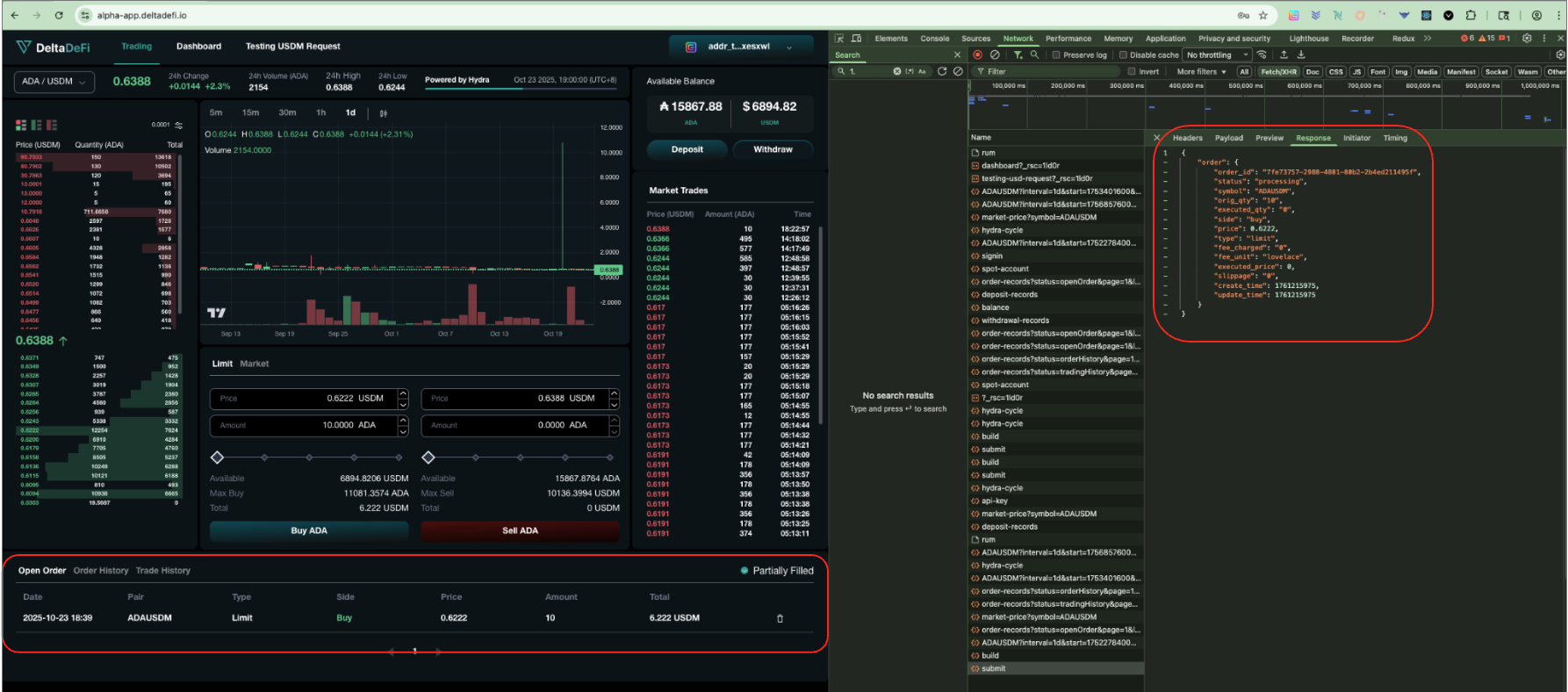
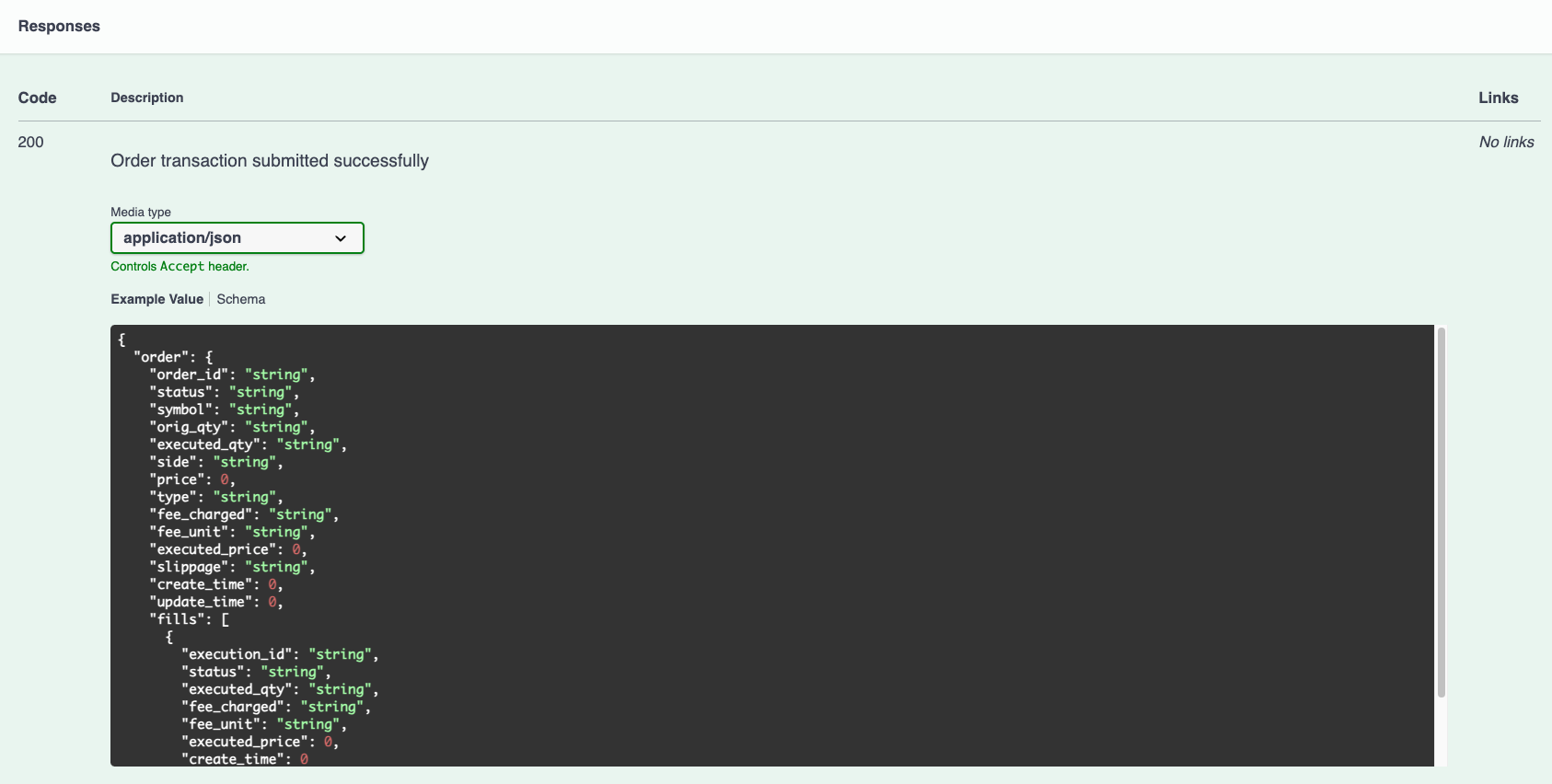
### POST - order/submit (Response)
The response fields are aligned with the required response fields from the backend API
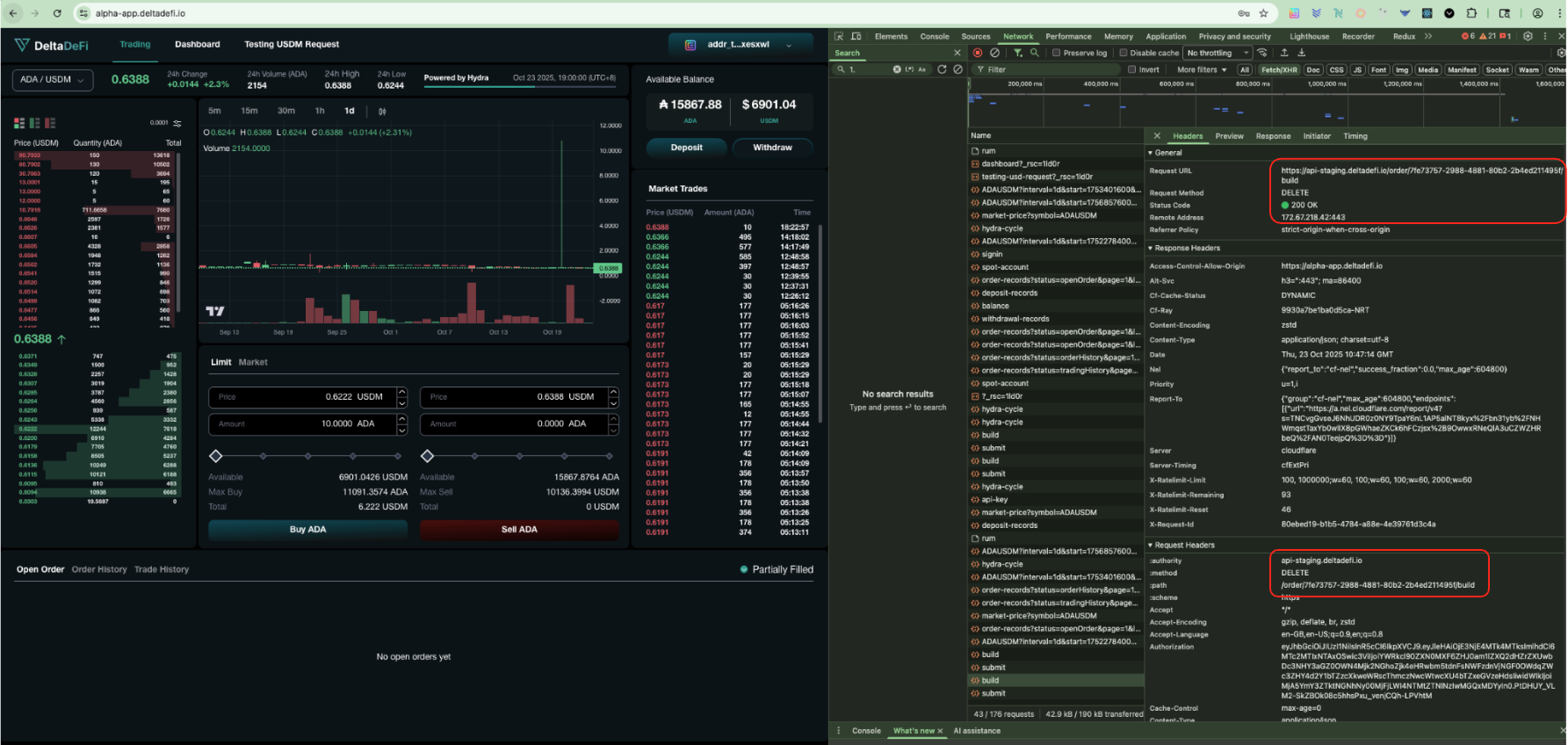
Build Cancel Order Transaction
After successful signin, user can visit the trading page to cancel order. Frontend will call the DELETE order/{id}/build API to construct an unsigned Cardano transaction for cancelling a specific order by its ID. The transaction must be signed by the user's operation key and then submitted using the /order/submit endpoint.
### DELETE - order/{id}/build (Status Code)
The `200 status code` shows the api is being called and responded successfully
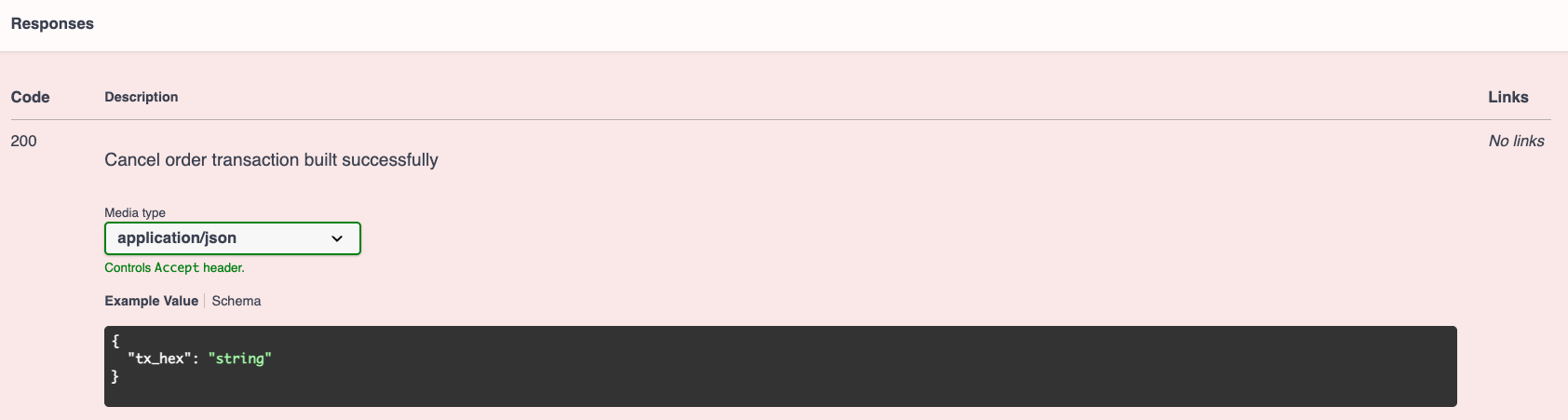
### DELETE - order/{id}/build (Response)
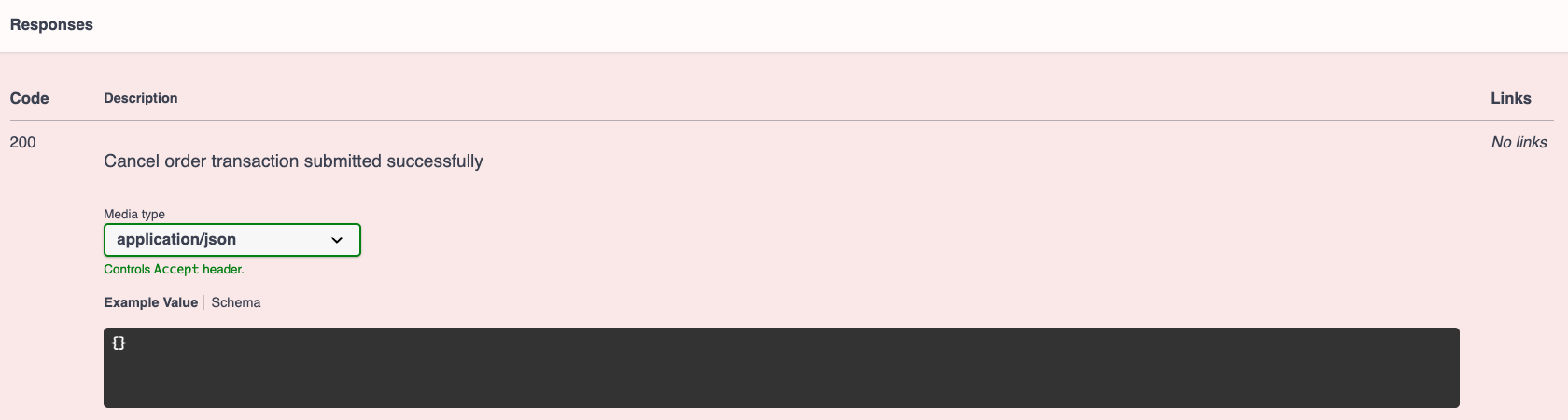
The response field is aligned with the required response's field from the backend API
Submit Cancel Order Transaction
Continue from the Build Cancel Order Transaction section, frontend submits a signed order transaction to hydra. Use this endpoint after signing the transaction hex returned from /order/{id}/build
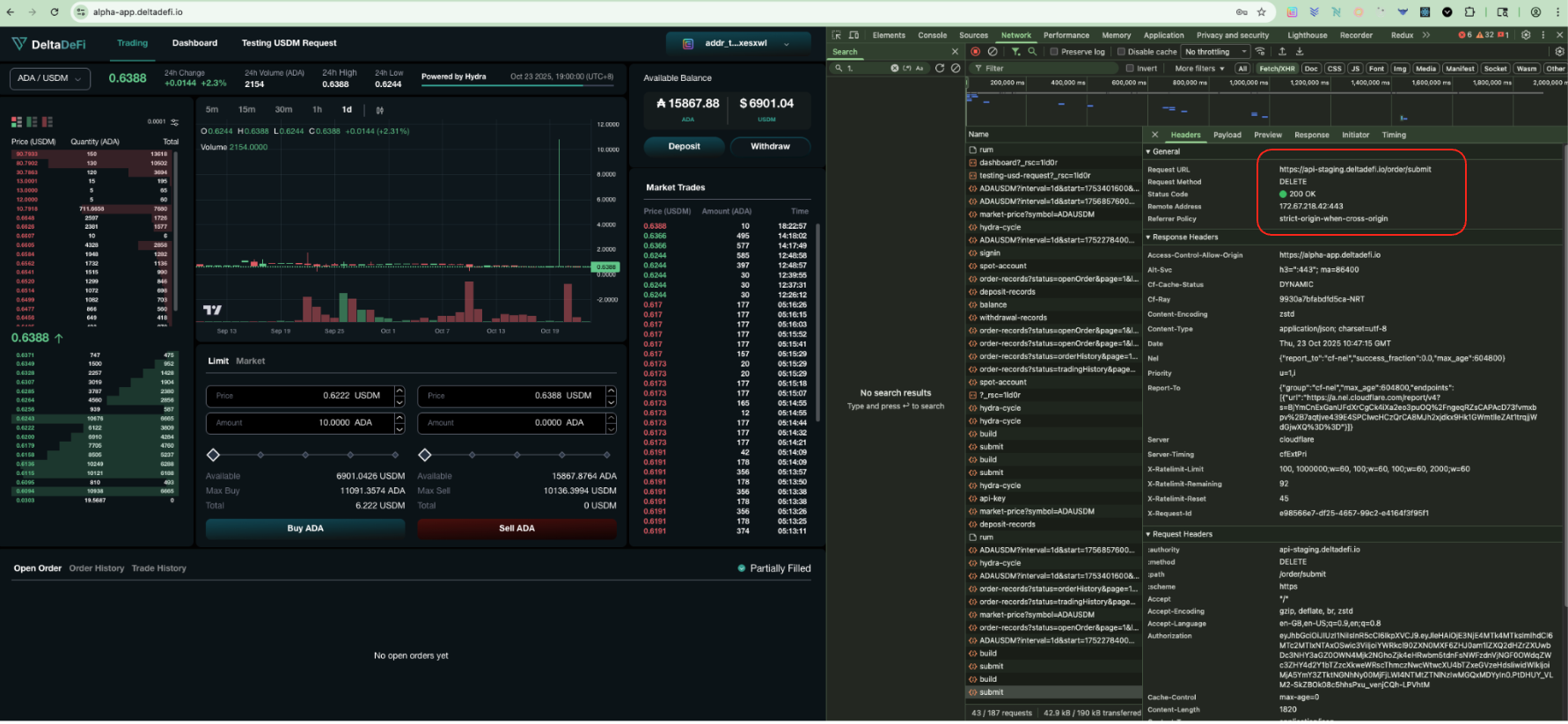
### DELETE - order/submit (Status Code)
The `200 status code` shows the api is being called and responded successfully
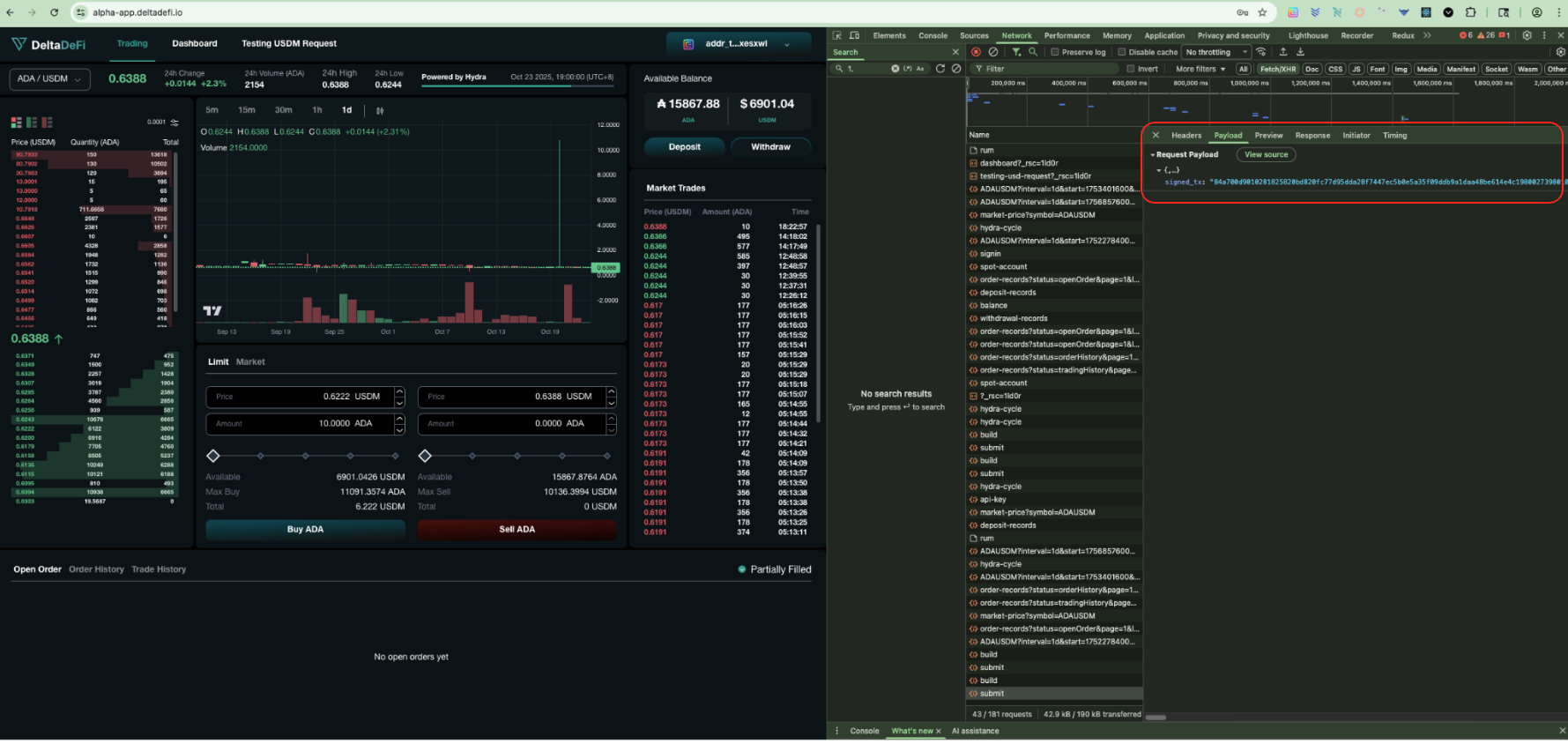
### DELETE - order/submit (Request params)
The request param's fields are aligned with the required request params from the backend API
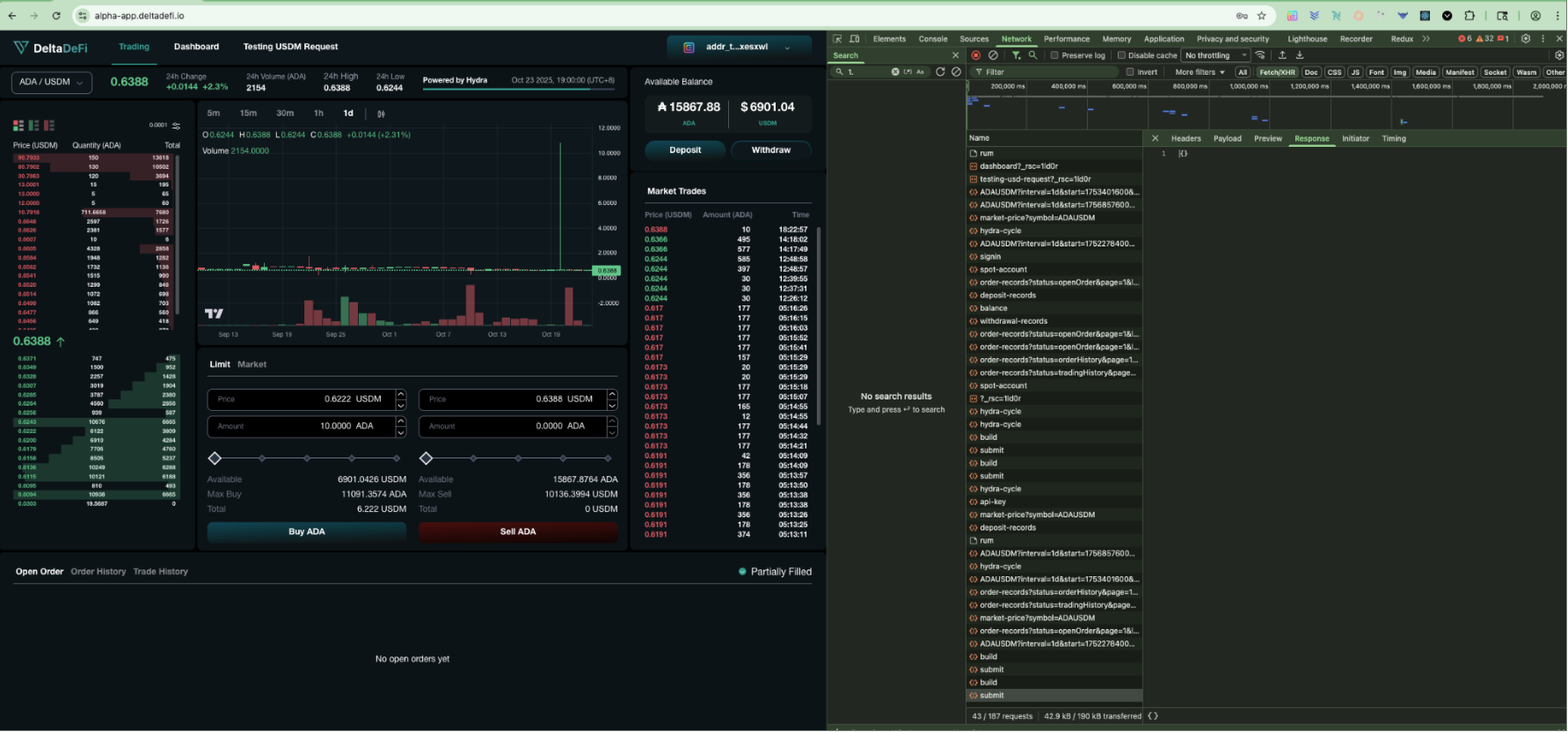
### DELETE - order/submit (Response)
The response field is aligned with the required response's field from the backend API
Get Withdrawal Records
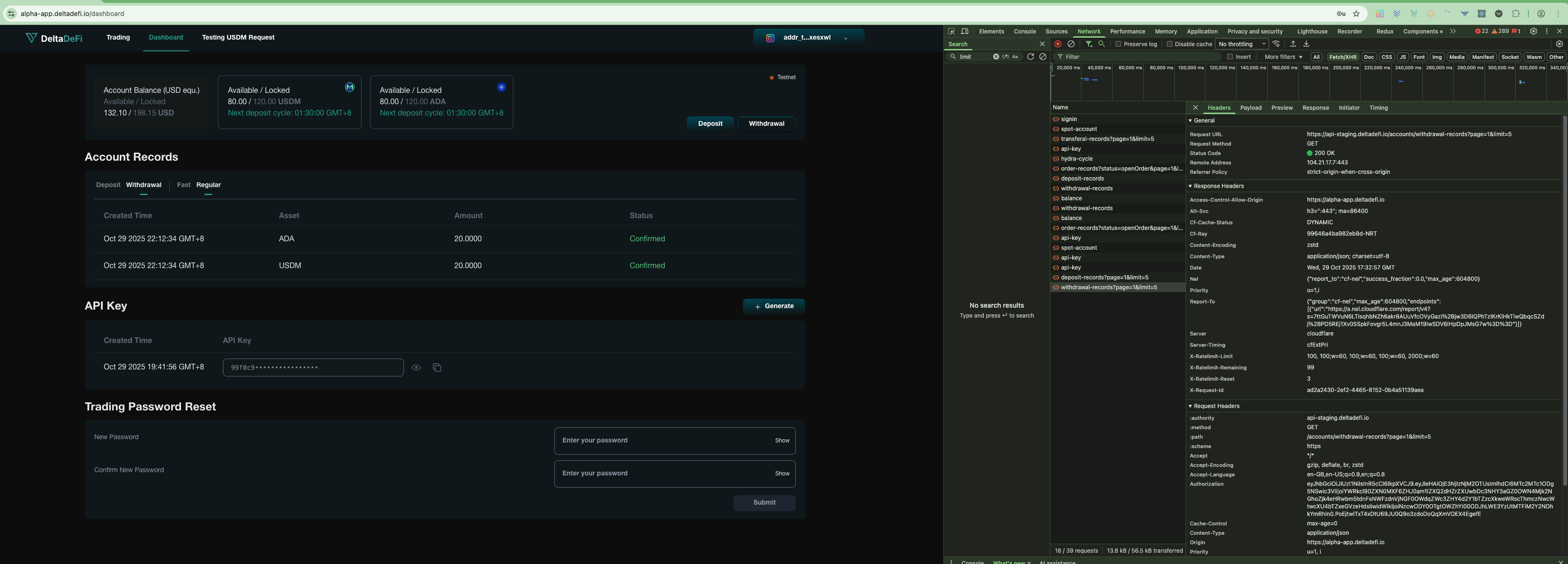
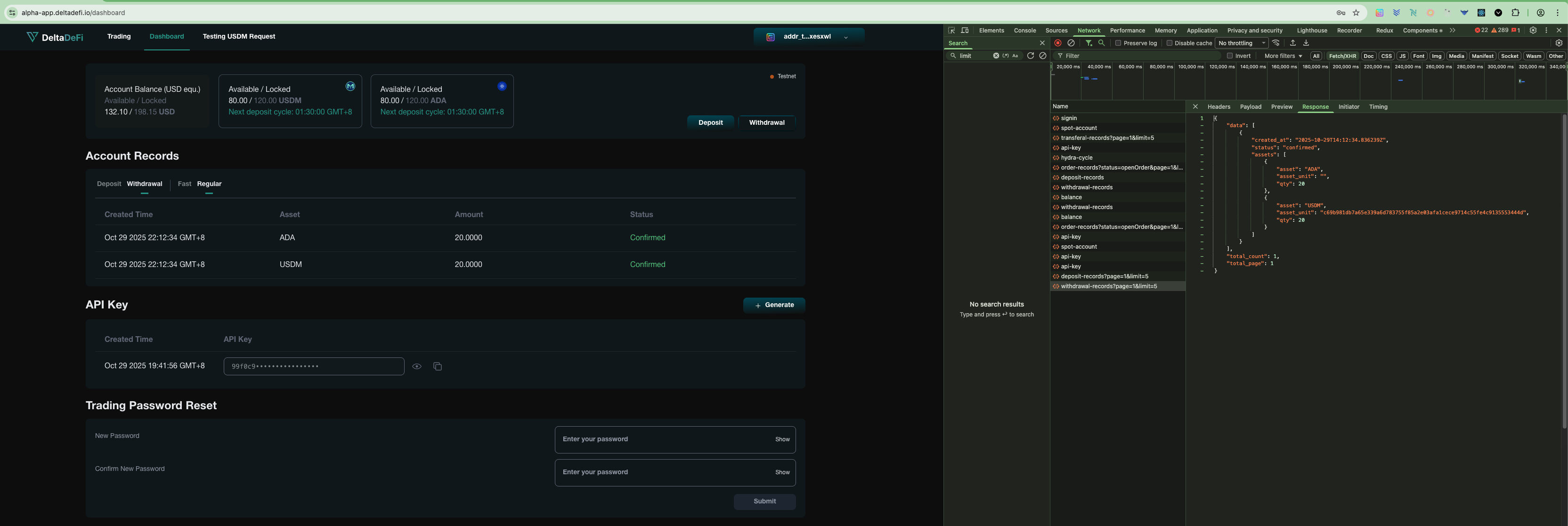
After successful signin, user can visit the dashboard page to view the regular withdrawal records. Frontend will call the GET withdrawal-records API to retrieve the regular withdrawal records by the user.
### GET - Withdrawal-records (Status Code)
The `200 status code` shows the api is being called and responded successfully
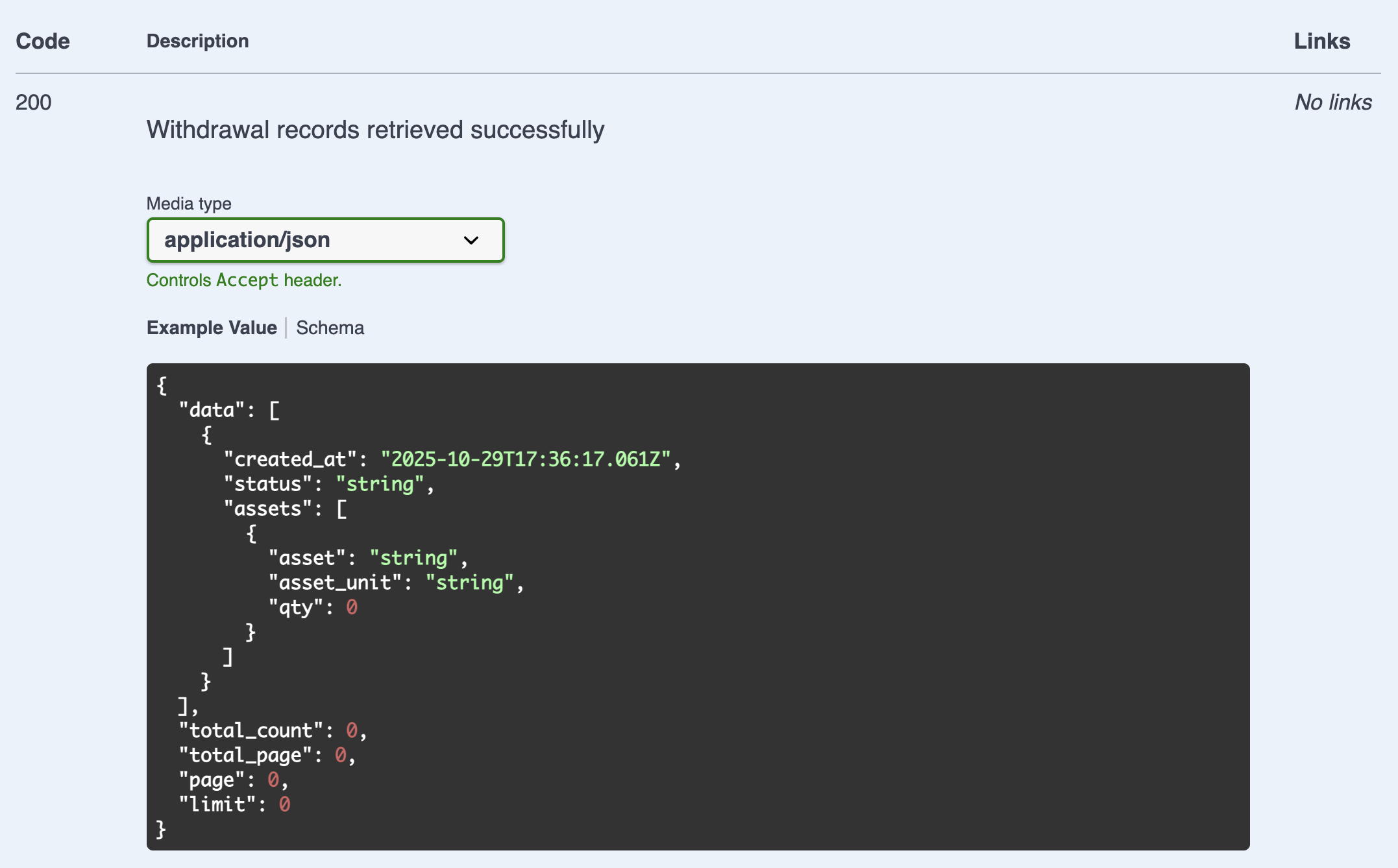
### GET - Withdrawal-records (Response)
The withdrawal records shown in dashboard page are aligned with the data returned by the backend API. The backend API response fields are aligned with the required response fields from the backend API
## Smart Contract Integration Verification
To validate our scripts, user would need to make a regular deposit and assess the deposit transaction according to below steps:
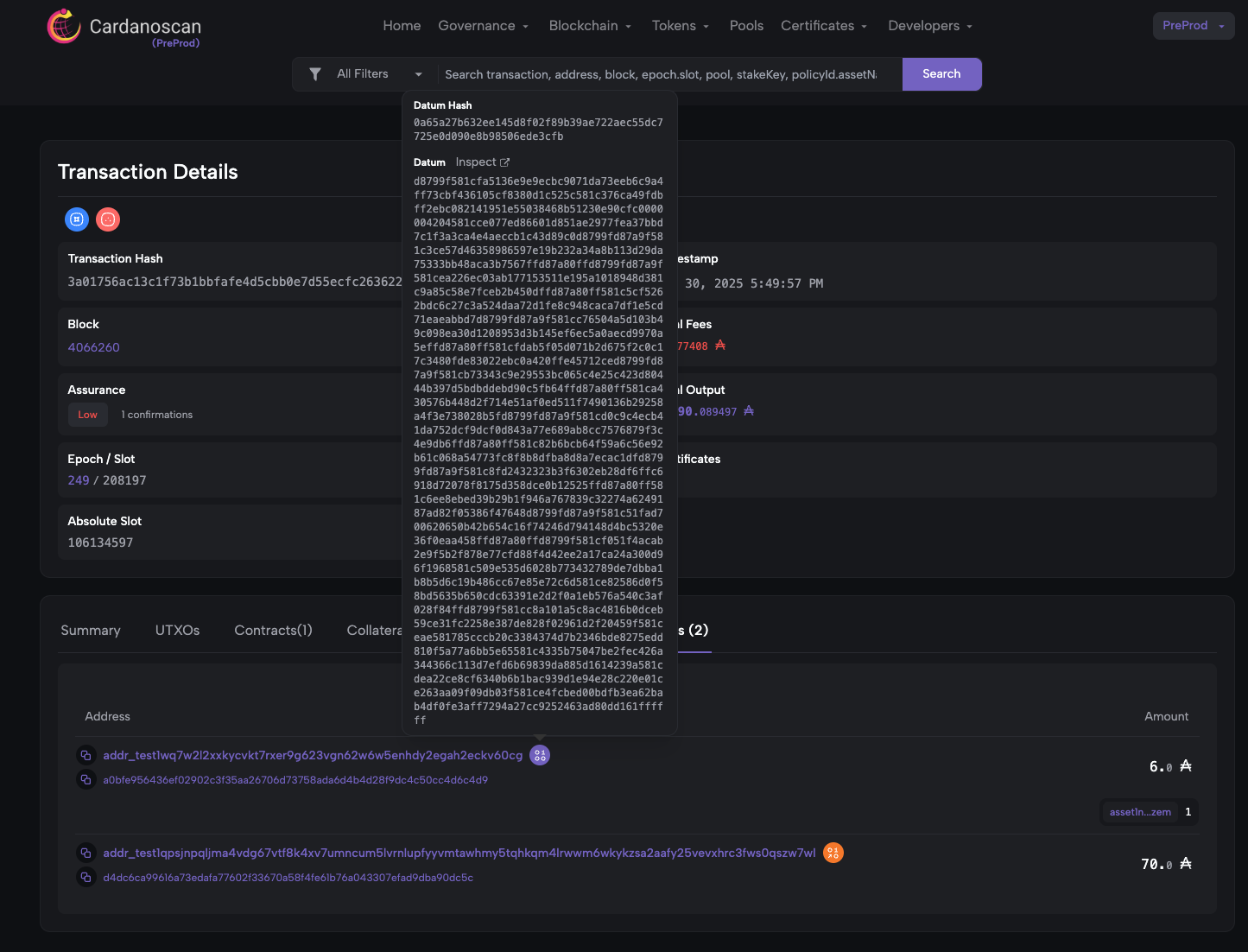
Step 1: Assess the datum in User's deposit transaction to start looking into the details of the relevant smart contracts
After signing and submitting the deposit transaction, user will be able to find the deposit transaction in browser wallet (e.g. eternl, vespr, etc.). User view the deposit transaction in Cardano Explorer and browse the "Reference Input" section. Click to expand the datum information for further verification in (A tool supporting decode by CSL to verify all involved script information)
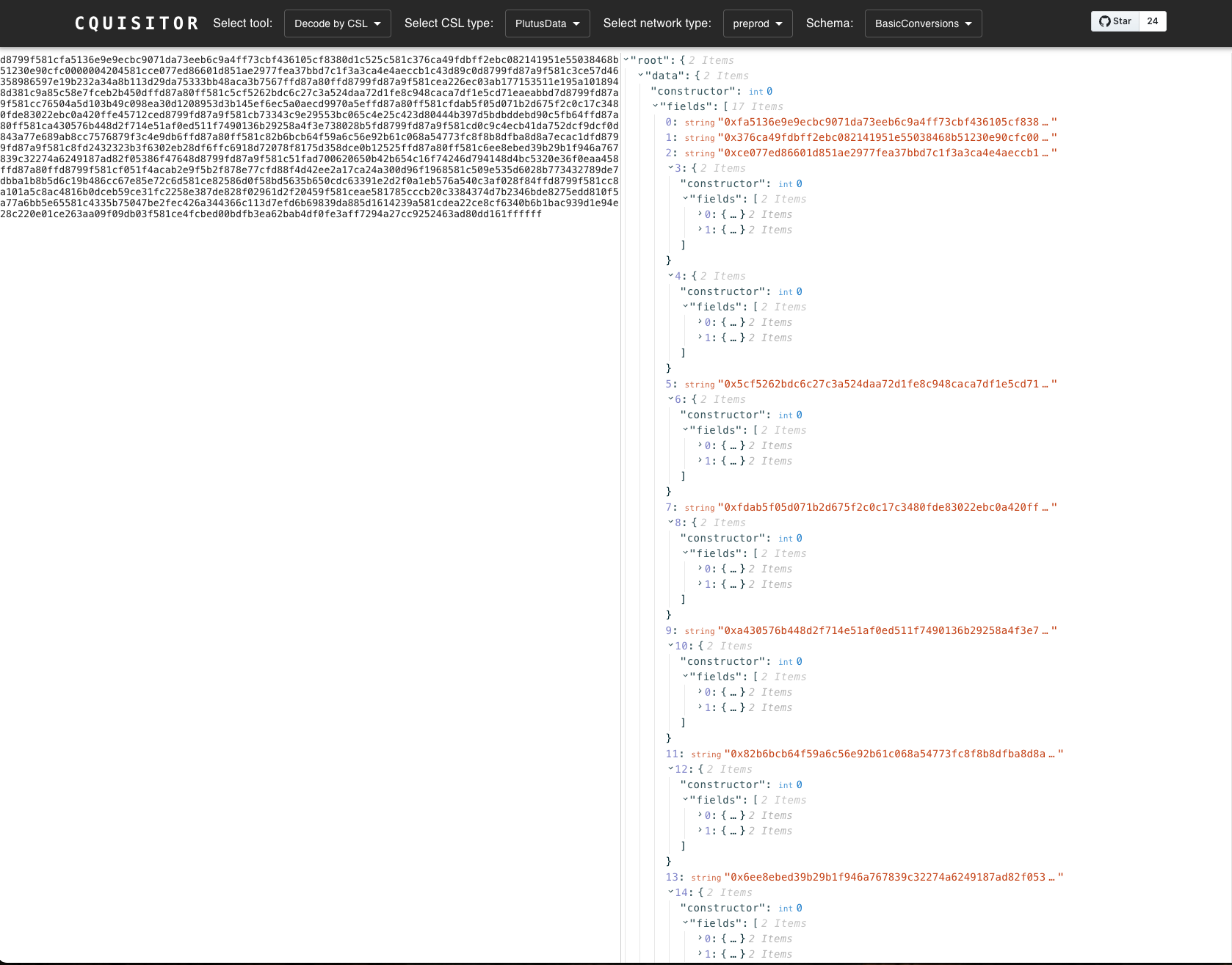
Step 2: Get the detailed script information in Cquisitor using the identified datum
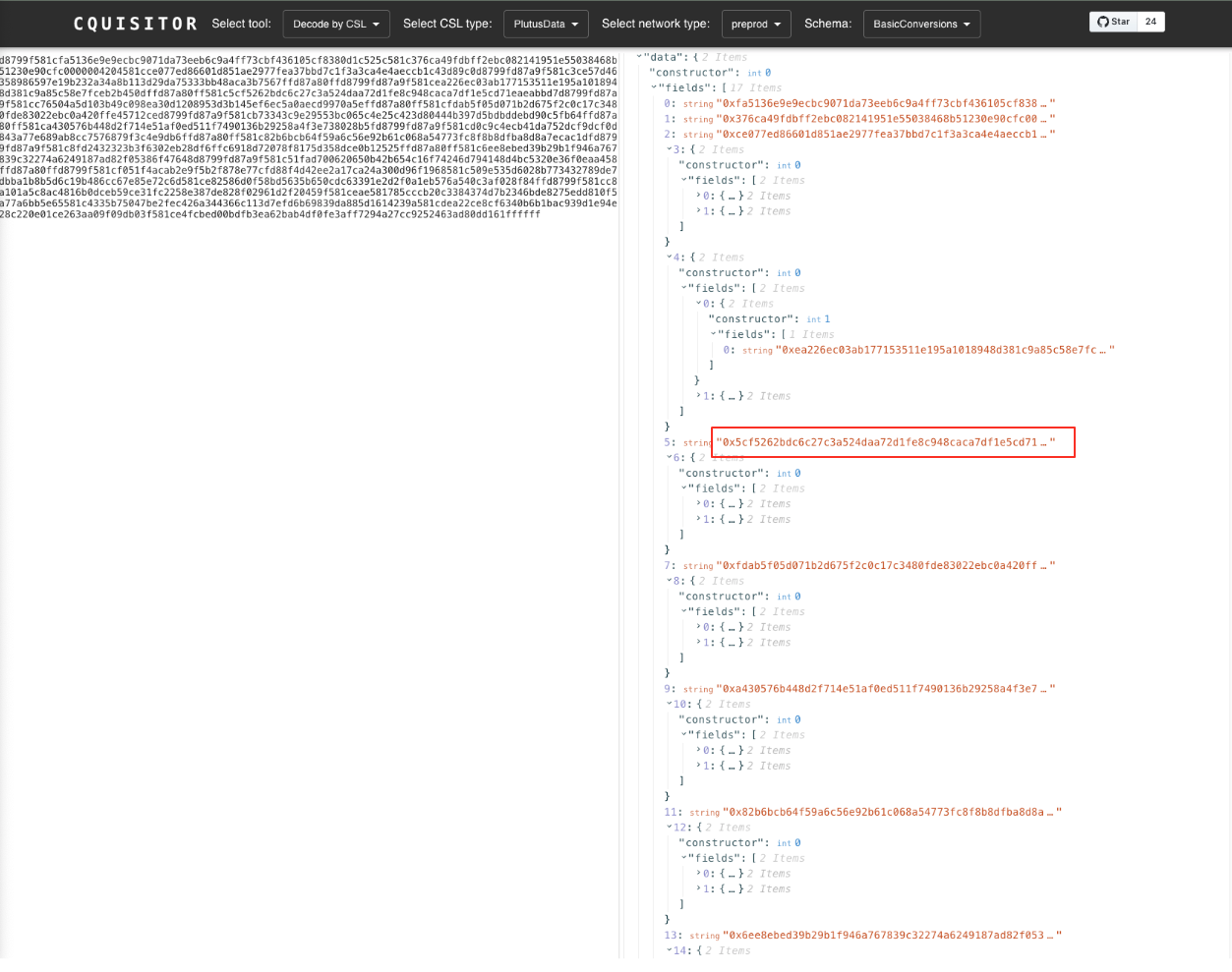
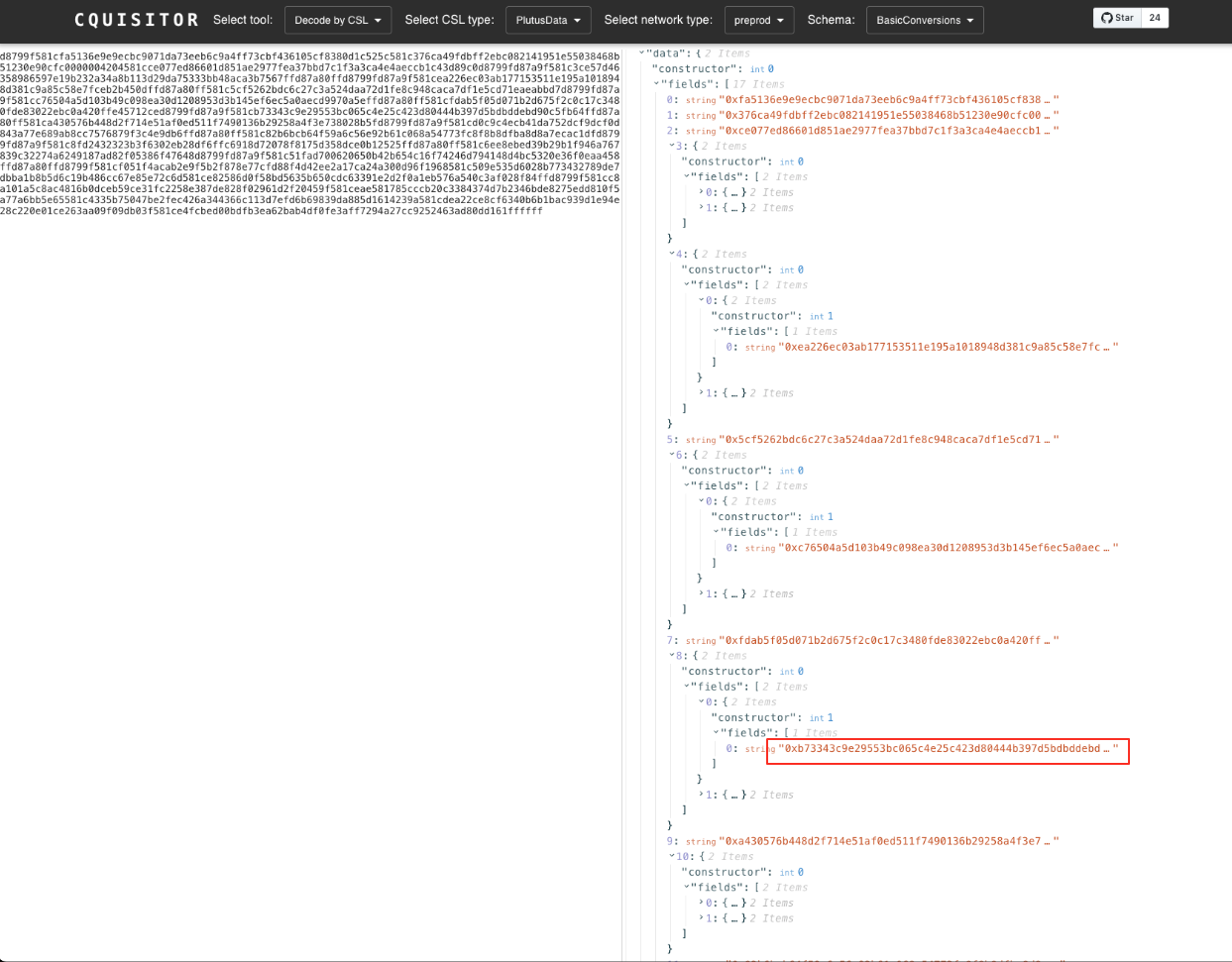
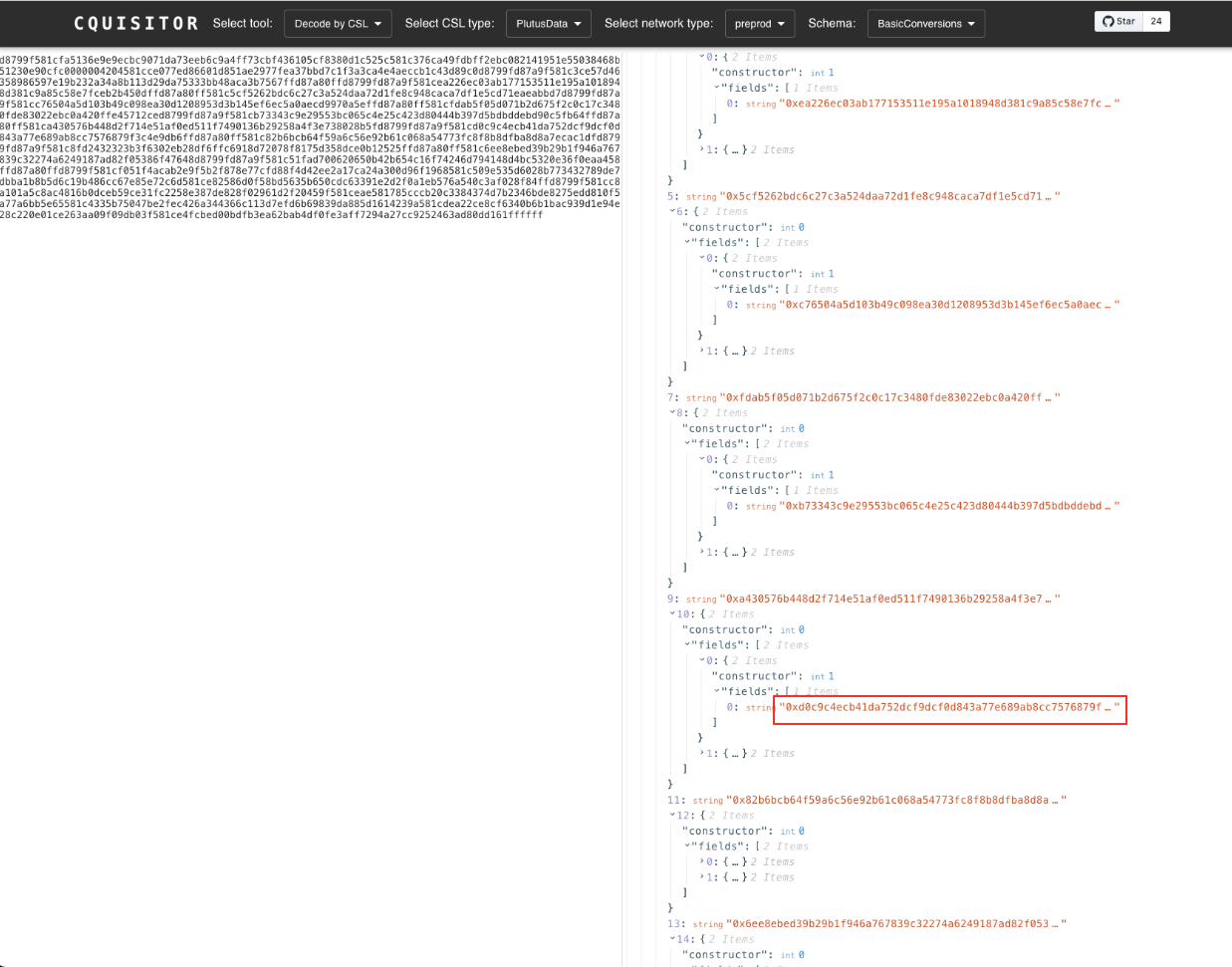
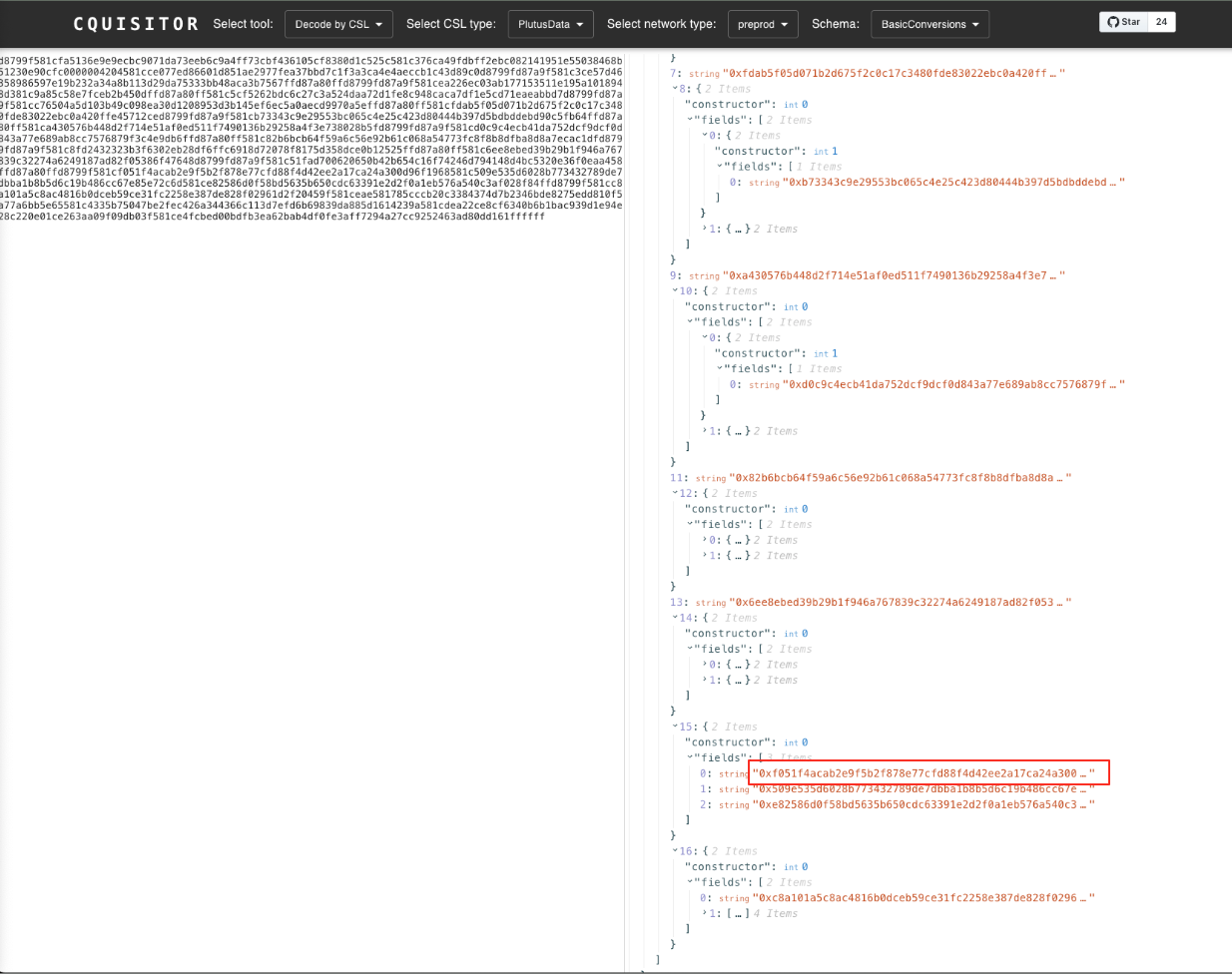
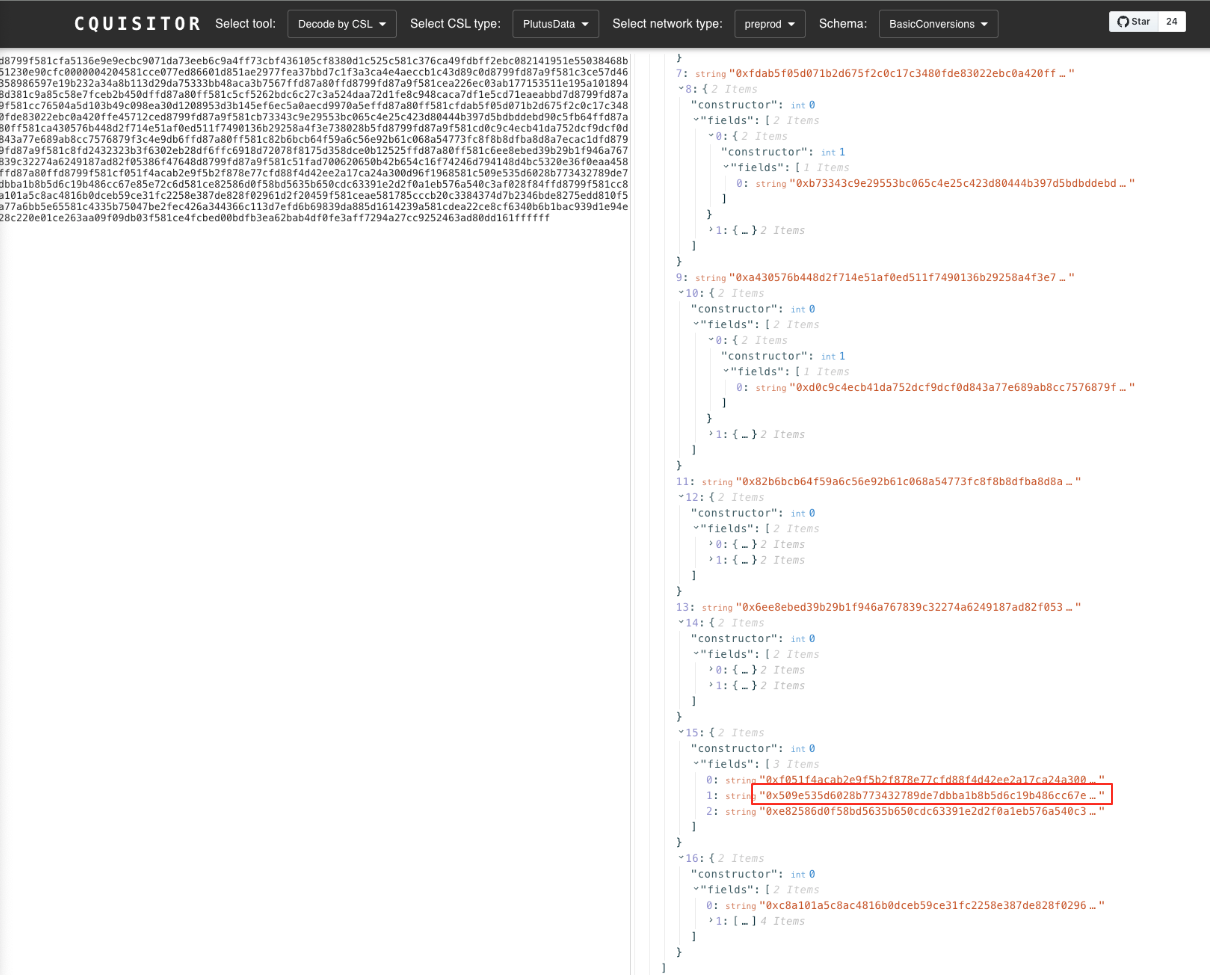
Copy the full datum found in step 1 to . Select `Decode by CSL` as the tool, `PlutusData` as the CSL type, `preprod` as network type, `BasicConversions` as Schema
Step 3: Cross check the script hashes shown in Cquisitor, Cardano Explorer, team's disclosed script transaction id and team's open-sourced smart contract
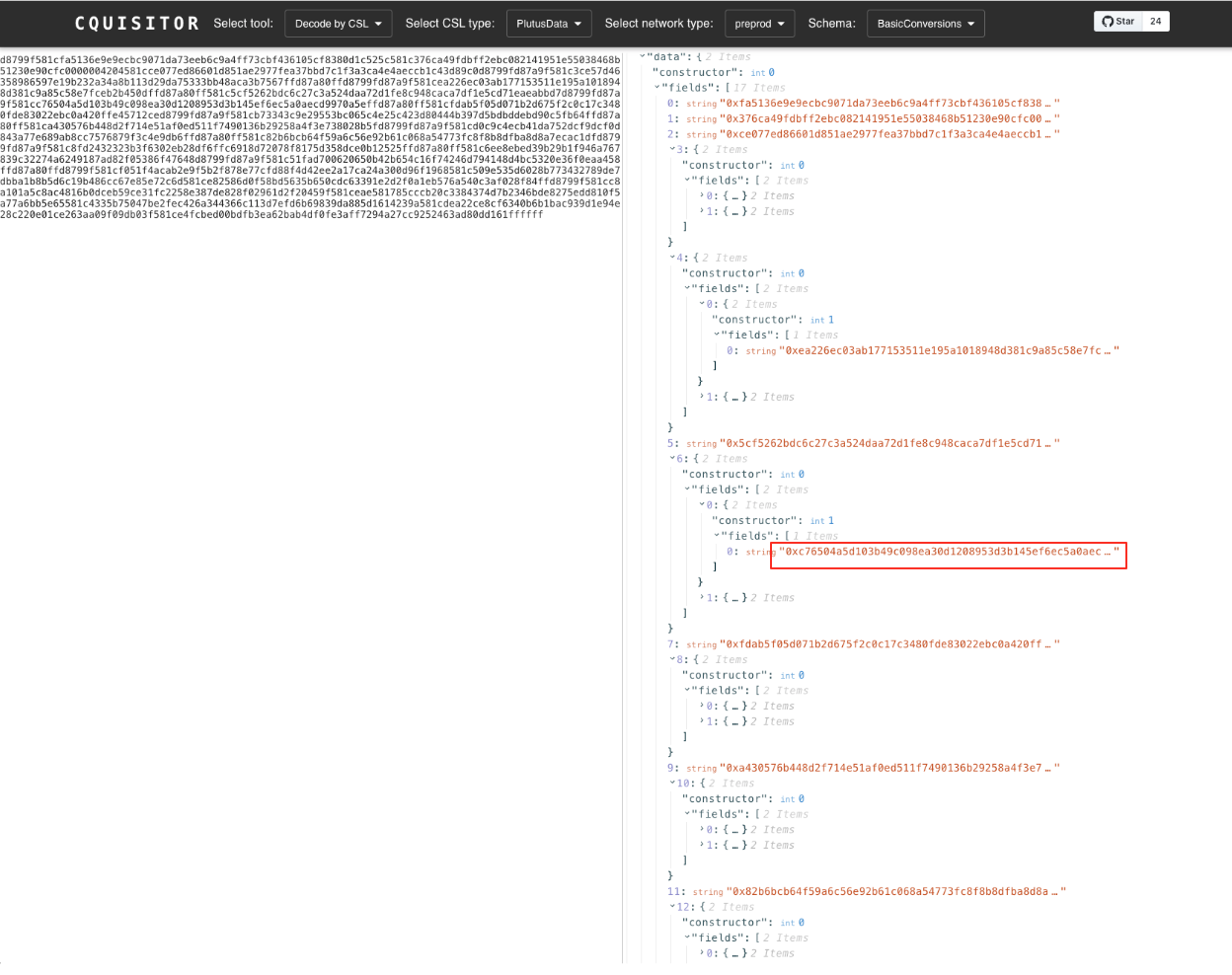
AppOracle will always be taken as the reference input in all L1 transactions to pass the validation of each script. It acts as a bridge to connect every scripts all together and shares the policyId and script address info among them. The output's field sequence shown in the JSON in cquisitor is according to team's open-source smart contract's pub type AppOracleDatum:
Visit and locate the `pub type AppOracleDatum`:
```
pub type WithdrawalScriptHashes {
app_deposit: ScriptHash,
app_withdrawal: ScriptHash,
emergency_cancel_order: ScriptHash,
}
pub type AppOracleDatum {
operation_key: VerificationKeyHash,
stop_key: VerificationKeyHash,
oracle_nft: PolicyId,
oracle_address: Address,
app_vault_address: Address,
app_deposit_request_token: PolicyId,
app_deposit_request_address: Address,
dex_account_balance_token: PolicyId,
dex_account_balance_address: Address,
dex_order_book_token: PolicyId,
dex_order_book_address: Address,
emergency_cancel_order_request_token: PolicyId, // Not used in MVP
emergency_cancel_order_request_address: Address, // Not used in MVP
emergency_withdrawal_request_token: PolicyId, // Not used in MVP
emergency_withdrawal_request_address: Address, // Not used in MVP
all_withdrawal_script_hashes: WithdrawalScriptHashes,
hydra_info: HydraInfo,
}
```
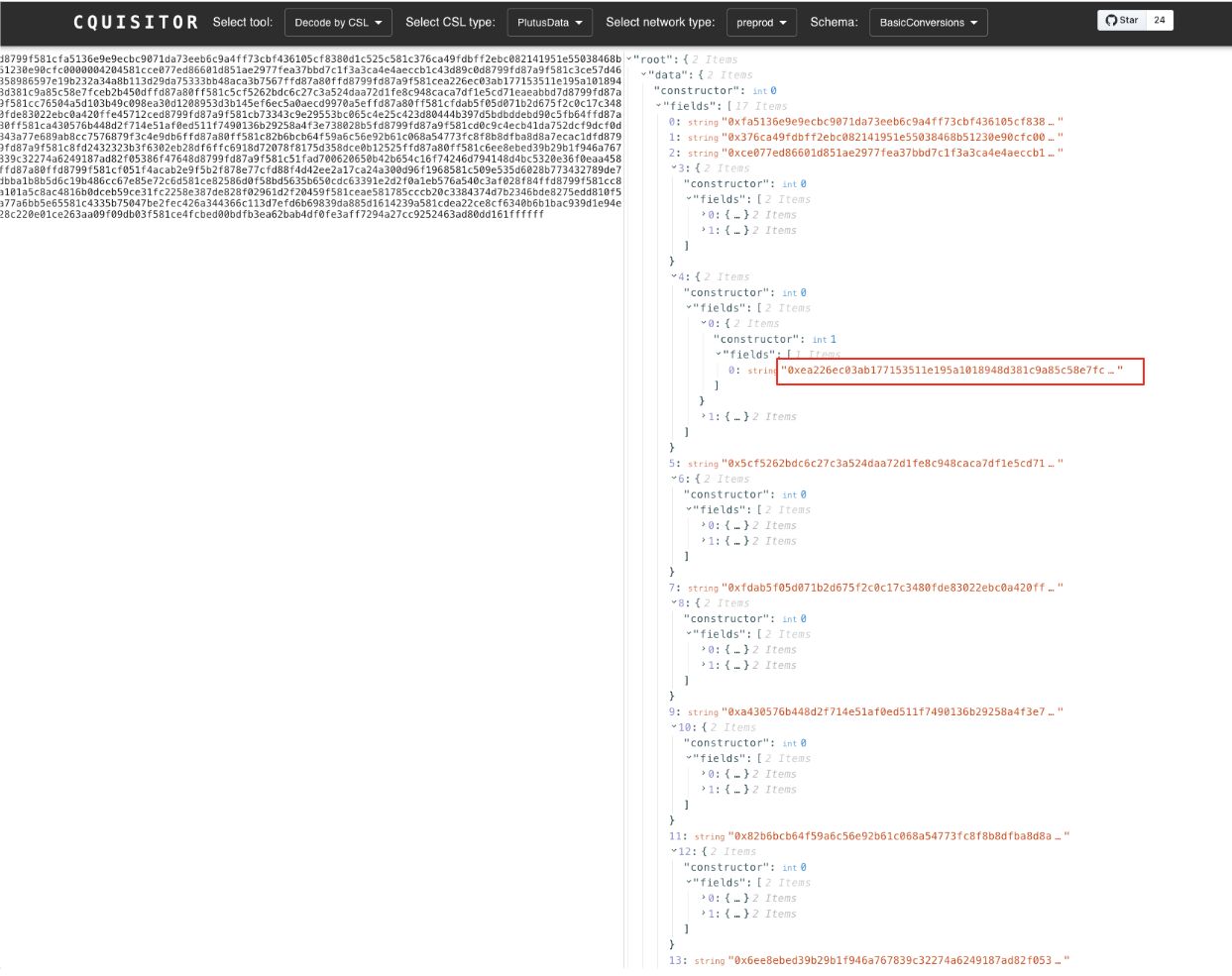
For example, since `app_vault_address` is located as the 5th field of AppOracleDatum, it will be shown as the `4th field` in the JSON outputted by cquisitor.
For the MVP, the team has only deployed below scripts with the corresponding `transaction hashes` :
1. APPVAULT\_SPEND: `03fadf38750b7c90902286e083924b8837c86ee96e54d82dc101a15701f5ebc1`
2. APPDEPOSITREQUEST\_MINT: `d4dc6ca99616a73edafa77602f33670a58f4fe61b76a043307efad9dba90dc5c`
3. APPDEPOSITREQUEST\_SPEND: `f952a21d49443c13a63ea5ecf9f22fa8d16337c468fbf58e31f6f73fa2dfec9b`
4. DEXACCOUNTBALANCE\_SPEND: `5fde15ee7dbee50dbdea46fcff34700810cee3260eb1c78a6375ae804b4c8bd4`
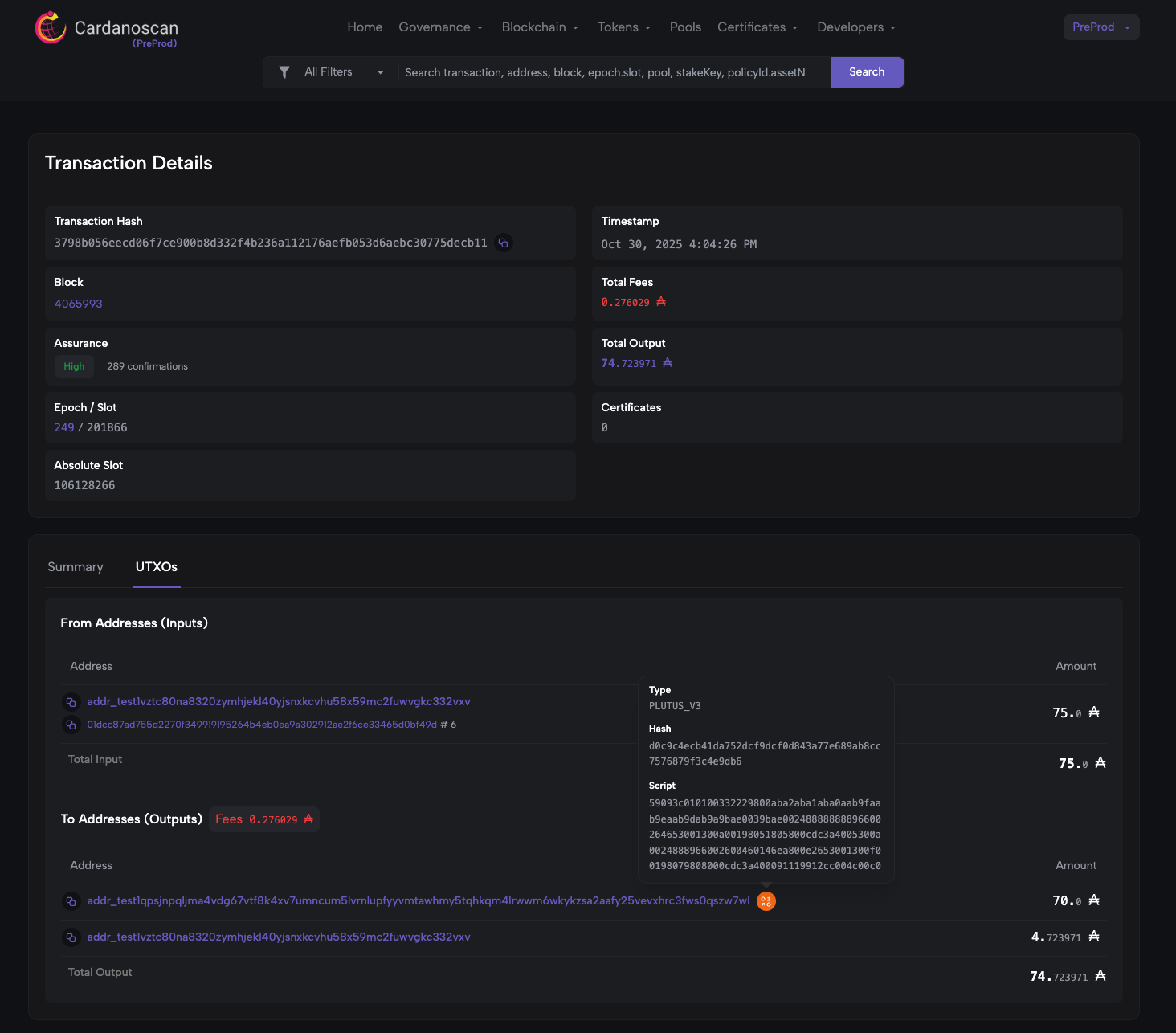
5. DEXORDERBOOK\_SPEND: `3798b056eecd06f7ce900b8d332f4b236a112176aefb053d6aebc30775decb11`
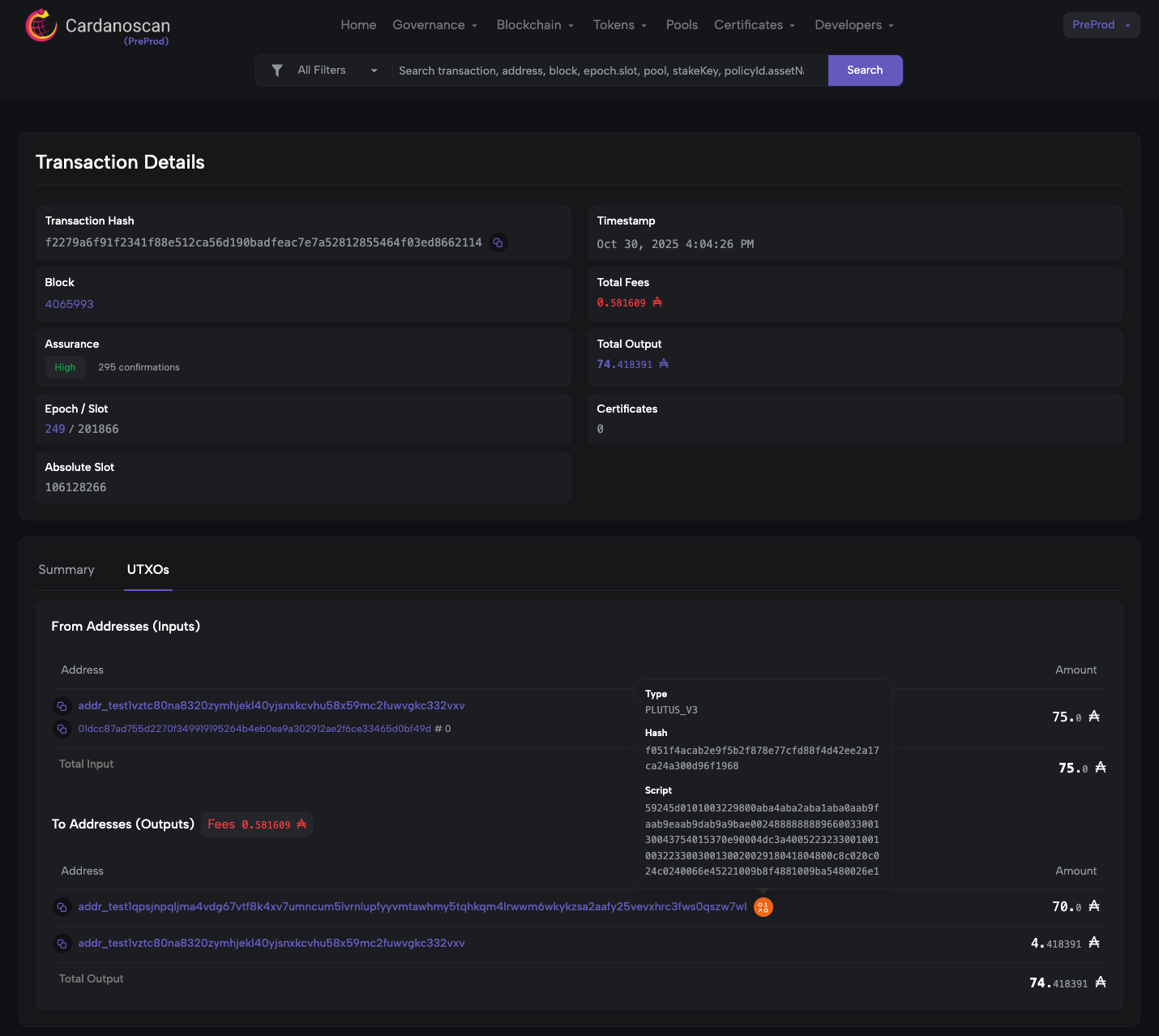
6. ACCOUNTOPERATION\_APPDEPOSIT: `f2279a6f91f2341f88e512ca56d190badfeac7e7a52812855464f03ed8662114`
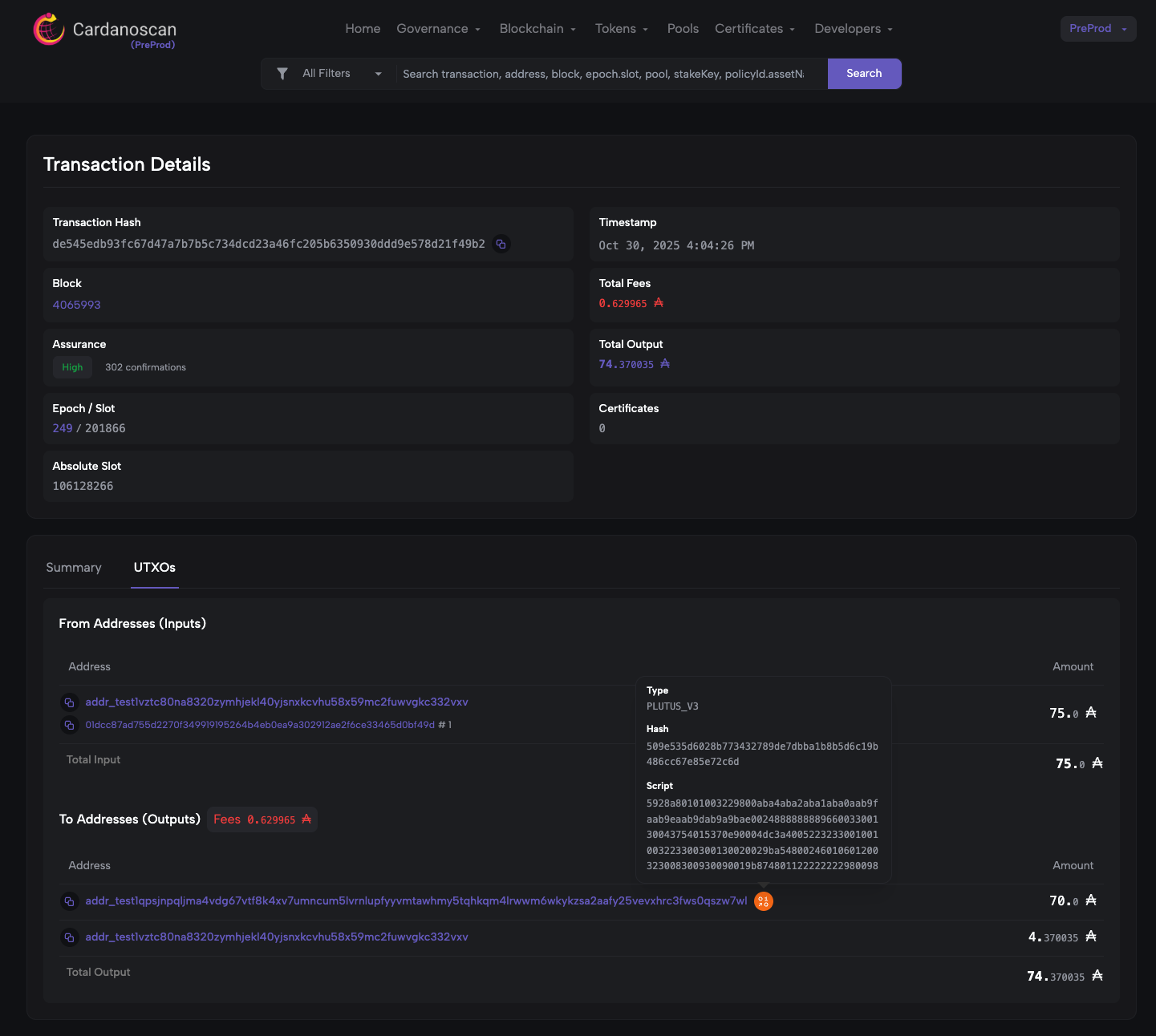
7. ACCOUNTOPERATION\_APPWITHDRAWAL: `de545edb93fc67d47a7b7b5c734dcd23a46fc205b6350930ddd9e578d21f49b2`
Step 3.1: Verify the APPVAULT_SPEND script
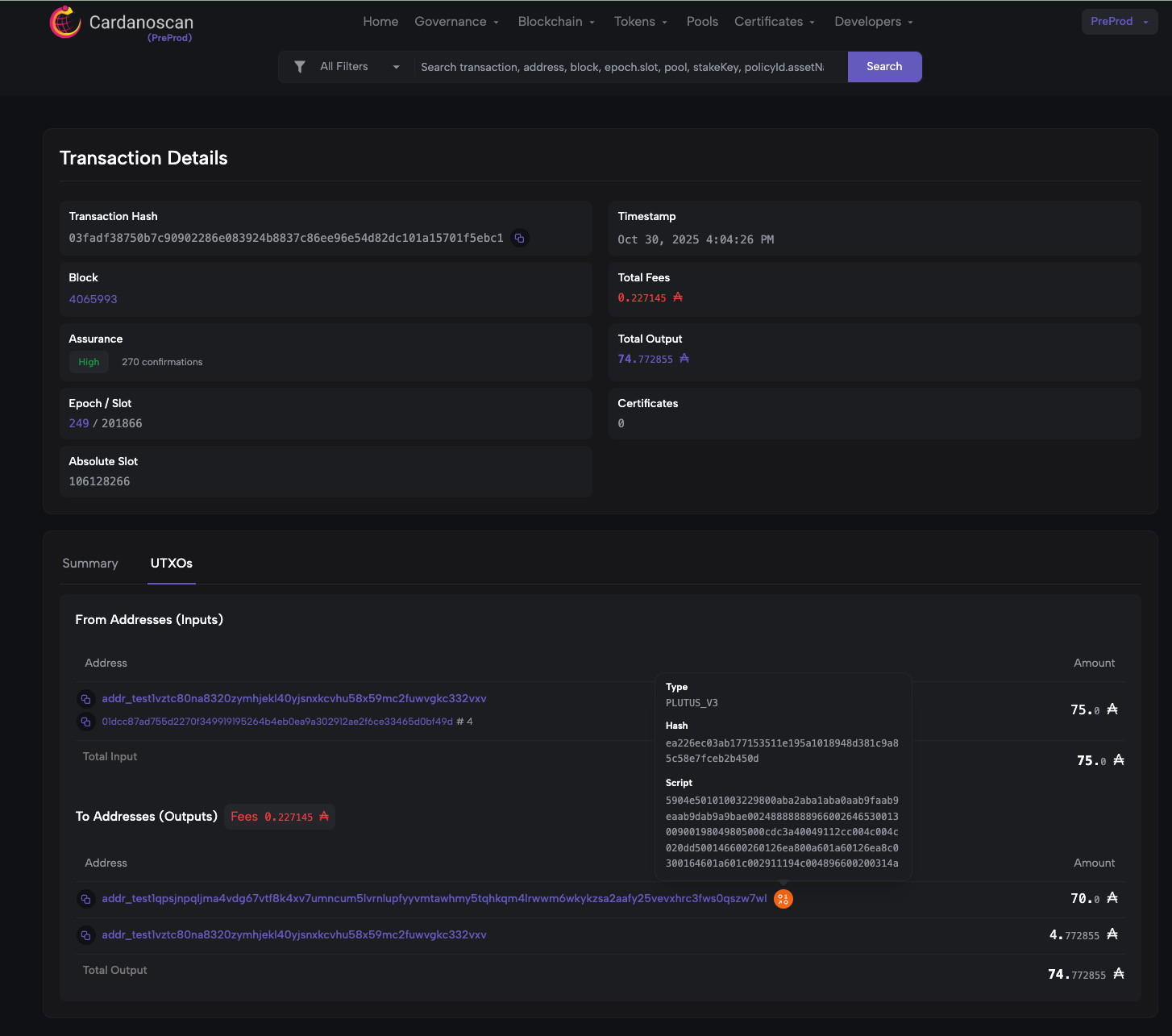
tx id: `03fadf38750b7c90902286e083924b8837c86ee96e54d82dc101a15701f5ebc1`
Search the trasnaction by tx id in Cardano explorer and locate the `script hash` in Outputs
Validated the identified script hash with the output shown in cquisitor
Step 3.2: Verify the APPDEPOSITREQUEST_MINT script
tx id: `d4dc6ca99616a73edafa77602f33670a58f4fe61b76a043307efad9dba90dc5c`
Search the trasnaction by tx id in Cardano explorer and locate the `script hash` in Outputs
Validated the identified script hash with the output shown in cquisitor
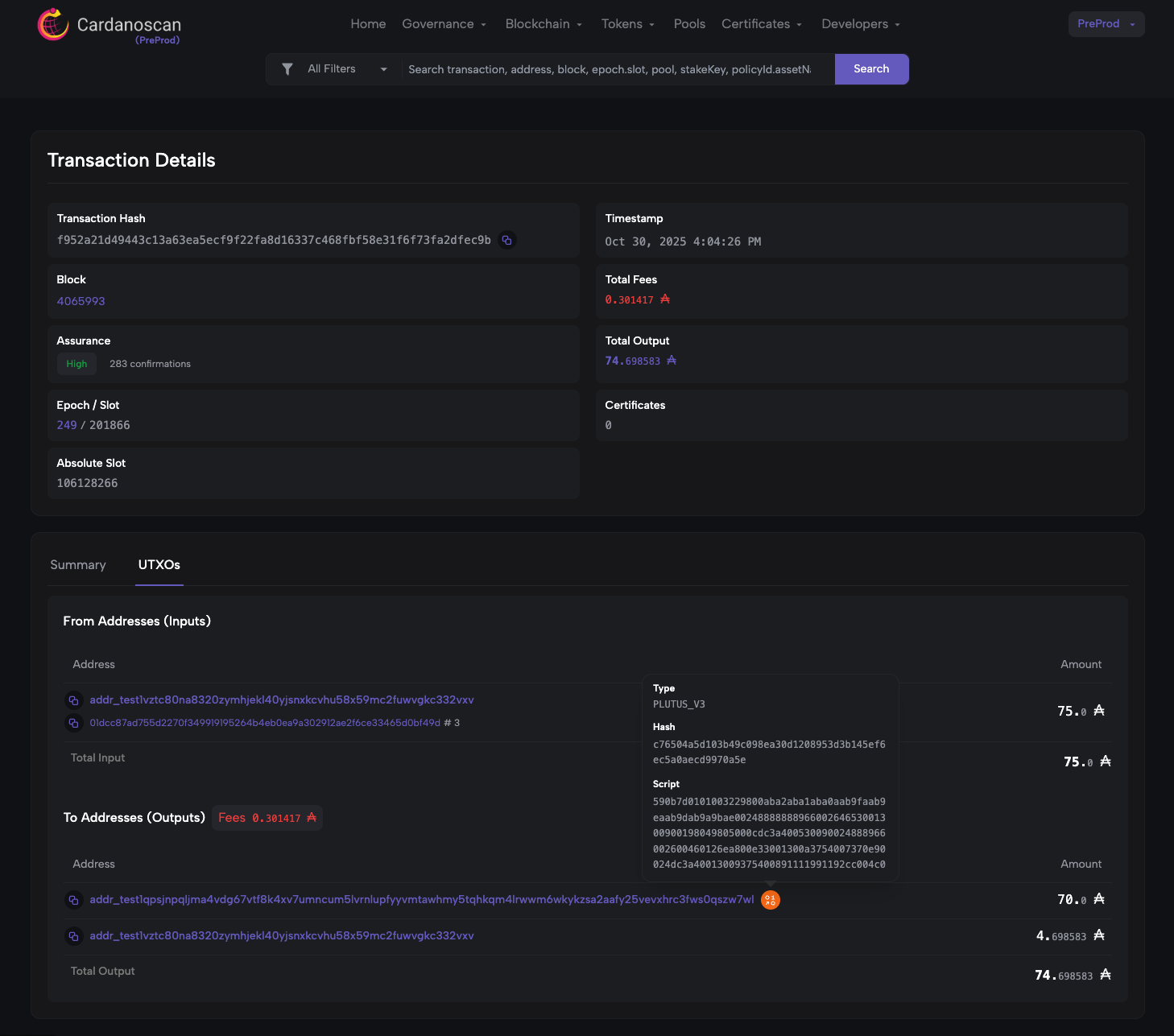
Step 3.3: Verify the APPDEPOSITREQUEST_SPEND script
Txid: `f952a21d49443c13a63ea5ecf9f22fa8d16337c468fbf58e31f6f73fa2dfec9b`
Search the trasnaction by tx id in Cardano explorer and locate the `script hash` in Outputs
Validated the identified script hash with the output shown in cquisitor
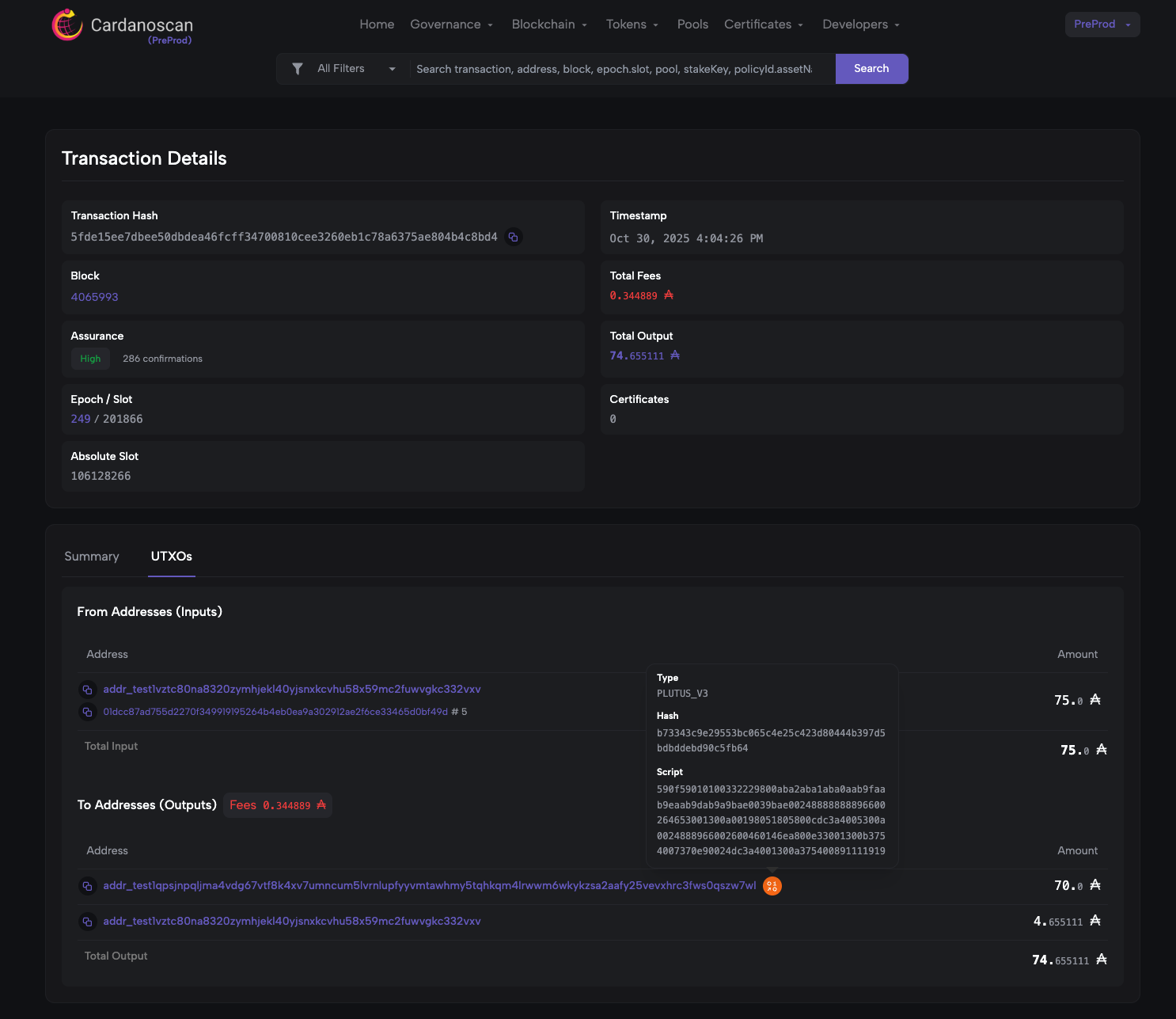
Step 3.4: Verify the DEXACCOUNTBALANCE_SPEND script
Txid: `5fde15ee7dbee50dbdea46fcff34700810cee3260eb1c78a6375ae804b4c8bd4`
Search the trasnaction by tx id in Cardano explorer and locate the `script hash` in Outputs
Validated the identified script hash with the output shown in cquisitor
Step 3.5: Verify the DEXORDERBOOK_SPEND script
Txid: `3798b056eecd06f7ce900b8d332f4b236a112176aefb053d6aebc30775decb11`
Search the trasnaction by tx id in Cardano explorer and locate the `script hash` in Outputs
Validated the identified script hash with the output shown in cquisitor
Step 3.6: Verify the ACCOUNTOPERATION_APPDEPOSIT script
Txid: `f2279a6f91f2341f88e512ca56d190badfeac7e7a52812855464f03ed8662114`
Search the trasnaction by tx id in Cardano explorer and locate the `script hash` in Outputs
Validated the identified script hash with the output shown in cquisitor
Step 3.7: Verify the ACCOUNTOPERATION_APPWITHDRAWAL script
Txid: `de545edb93fc67d47a7b7b5c734dcd23a46fc205b6350930ddd9e578d21f49b2`
Search the trasnaction by tx id in Cardano explorer and locate the `script hash` in Outputs
Validated the identified script hash with the output shown in cquisitor